The Ultimate Guide to ClickUp Integrations for Smarter Workflows
0 likes | 4 Vues
Discover how ClickUp integrations transform disconnected tools into one powerful, streamlined system. This guide explains how to connect apps, automate repetitive tasks, and improve team visibility across workflows. Built for modern teams, it highlights practical strategies to boost productivity, reduce errors, and scale operations efficiently using ClickUp as your central workspace. Visit: https://www.upficient.com/clickup-integrations


The Ultimate Guide to ClickUp Integrations for Smarter Workflows
E N D
Presentation Transcript
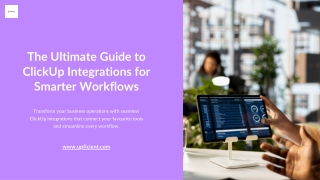
The Ultimate Guide to ClickUp Integrations for Smarter Workflows Transform your business operations with seamless ClickUp integrations that connect your favourite tools and streamline every workflow. www.upficient.com
Why ClickUp Integrations Matter In today's fast-paced business environment, ClickUp integrations have become essential for organisations seeking to optimise their workflows and boost productivity. By connecting ClickUp with your existing tools—from communication platforms to file storage systems—you eliminate data silos and reduce time spent switching between applications. These powerful integrations enable automatic data synchronisation, streamlined task management, and enhanced team collaboration. Whether you're managing projects, tracking time, or coordinating with clients, ClickUp integrations create a unified workspace that empowers your team to work smarter, not harder. The right integration strategy can save hours of manual work weekly whilst improving accuracy and accountability across your entire organisation.
Essential Integration Categories Communication Tools File Management Connect Slack, Microsoft Teams, and email platforms to centralise conversations and notifications in one place. Integrate Google Drive, Dropbox, and OneDrive for seamless document sharing and storage across projects. Time Tracking Calendar Systems Sync with Harvest, Toggl, and Ever hour to automatically track billable hours and project timelines. Link Google Calendar and Outlook to keep schedules aligned and never miss critical deadlines.
Top Benefits of Connected Workflows EliminateManualData Entry Automatic synchronisation between tools saves hours of repetitive work each week. Improve Team Visibility Real-time updates across platforms keep everyone informed and aligned on project progress. Reduce Context Switching Access all essential information within ClickUp without jumping between multiple applications. Enhance Accountability Integrated reporting provides clear insights into team performance and project status.
Real Results: Integration Impact 47% 68% 85% Time Saved Weekly Improved Accuracy Team Satisfaction Teams experience higher satisfaction when working with streamlined, connected tools. Organisations report saving nearly half their administrative time with proper integrations. Automated data synchronisation dramatically reduces errors from manual entry.
Partner With Integration Experts Let Upficient Maximise Your ClickUp Potential At Upficient, we specialise in designing and implementing custom ClickUp integration solutions tailored to your unique business needs. Our certified experts analyse your workflows, recommend optimal integrations, and provide ongoing support to ensure seamless operation. From initial consultation to complete implementation, we handle the technical complexity whilst you focus on running your business. Experience the difference that professional integration services can make.
Contact Us Visit Our Website Call Us Today www.upficient.com +1302 288 0670 Explore our services, case studies, and resources to learn how we help businesses optimise their workflows. Speak directly with our integration specialists to discuss your specific requirements and goals. Visit Our Office 8The GreenA Dover, DE 19901 United States Schedule an in-person consultation to explore how ClickUp integrations can transform your business.