Best Apps for Your Small Business
360 likes | 370 Vues
Running a small business is no small feat, so why not get some help to make your company run smoothly and seamlessly? Check out the June 2014 Coffee Talk slidedeck to learn about apps you can use to enhance your business and help you stay on top of things!We Will Cover Apps That Will: 1) Help you keep paper clutter at bay2) Track time and get paid3) Never miss an a important event or appointment4) Read on the go


Best Apps for Your Small Business
E N D
Presentation Transcript
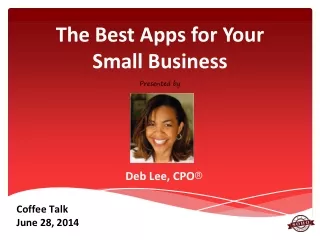
The Best Apps for Your Small Business Presented by Deb Lee, CPO® Coffee Talk June 28, 2014
The Best Apps for Your Small Business Running a small business is no small feat, so why not get some help to make your company run smoothly and seamlessly? Today’s presentation will focus on apps you can use to enhance your business and help you stay on top of things – even when you’re on the go. • @SOHOTechTraing #CoffeeTalk
Today’s Topics The Best Apps to Help You: 1) Keep paper clutter at bay 2) Track time and get paid 3) Never miss an a important event or appointment 4) Read on the go • @SOHOTechTraing #CoffeeTalk
Before We Begin … Technology is changing at a pace never seen before. Its advances can improve lives and/or complicate them. This presentation is designed to help you use technology to it’s best advantage. Keep in mind that you’re not expected to use every app mentioned in today’s presentation, but you will need to test a few to find the ones that work best for you. • @SOHOTechTraing #CoffeeTalk
If You Have Questions … This presentation will cover several apps so feel free to take notes! If questions come up, post them in the Member Forum if you are a SOHO Tech member. Non-members candrop me a line via the “Contact” link on SOHOTechTraining.com. • @SOHOTechTraing #CoffeeTalk
1. Keep Paper Clutter at Bay Your Actions: • Create a system to keep needed documents and responsibly discard unnecessary papers • Create a filing system that’s easy to maintain • Create a filing system that allows for easy retrieval of papers • Use specific, and easy to remember keywords for digitized documents @SOHOTechTraing#CoffeeTalk
CamScanner Intelligent document management for small businesses. Features • Robust app allows scanning of text or graphics • Customize watermarks on your documents • Share scans via e-mail • Sync across all devices • Set passwords • Up to 10 MB of cloud storage space for your docs • Platforms: Android, iPhone, iPad, and Windows mobile • Cost: Free plan (up to 10 people) + Paid Plan (up to 50 people): $4.99/month
Neat Cloud Digital filing system. Features • Send scans (e.g., digital receipts) via e-mail to Neat Cloud • Sync and back up of all your data across all devices • Use Neat Mobile to scan while you’re on the go; syncs with NeatCloud • Share individual files or entire folders with anyone • Add another user to your account • Platforms: Android, iOS, web • Cost: Free trial + three plans: Personal ($5.99/month), Home & Office ($14.99/month), + Business ($24.99/month)
TurboScan Quick, high-quality scans. Features • Scan text and images • Ultra-fast processing (under 2 seconds per page) • “E-mail to myself” -- send documents to a predefined address • Uses SureScan for sharper scans -- takes three pictures of the same document and merges them for the best quality • Auto-detect document edges, straightens documents, eliminates shadows • Platforms: Android, iOS • Cost: $2.99 (iOS), $0.99 (Android)
Prizmo Universal scanning and OCR. Features • Scan your data (text, images, business cards) and converts it into a text file you can edit • “Voice Guidance” available for visually impaired users to help position iPhone or iPad when taking document pictures • Recognizes text in 40+ languages • Share scans via Dropbox or Google Drive, save to Evernote or Box • Platform: iOS • Cost: $9.99
Recap: Keep Paper Clutter at Bay Multi-platform • CamScanner • NeatCloud • TurboScan iOS • Prizmo @SOHOTechTraing#CoffeeTalk
CEU Info and Reminders • If you're taking this session for CEU's, there's a link to request your certificate of completion on the Member Dashboard. • If you're a non-member listening to this recording, please use the Contact form on SOHOTechTraining.com to request your certificate. • If you're tweeting this event either live or as you listen to the recording, please use the hashtag #CoffeeTalk along with the SOHO Tech Twitter handle: @SOHOTechTraing. @SOHOTechTraing#CoffeeTalk
2. Track Time and Get Paid Your Actions: • Track billable hours • Create invoices • Get paid online • Generate reports to analyze time/payment data @SOHOTechTraing#CoffeeTalk
Freshbooks Cloud accounting software service for small businesses. Features • Web-based, accessible from any web-enabled device • Online billing/invoicing • Time billing + products and services • Auto import expenses from credit card & banks (not avail. w/free plan) • Clients can pay online • Platforms: Android, iOS • Cost: Free trial + Free plan for 1 client + $19.95/month (Seedling) for 25 clients, $29.95/month (Evergreen), $39.95 (Mighty Oak) – unlimited clients for last two plans
Billable.meQuick and simple invoices. Features • Super quick way to send an invoice • No account set up • No fees • No other features (i.e., online payment, time tracking) • Edit Billable.me template to create an invoice and print or save as PDF • Platform: Web • Cost: Free
TogglInsanely simple time tracking. Features • Super simple timer – start when you begin and stop when you’re finished with your task/project • Add time manually if you forget to stop timer • Use tags to categorize tasks/projects • Get an overview of how time is spent and generate reports/charts • Offline mode; sync when you upon next login • Platform: Web, Download (Mac, PC, + Linux), iOS, Android (all free) • Cost: 30-Day Free Trial + Free (basic) plan; $5/month/user
GetPaid!Time tracking & invoicing tool for freelancers, consultants, and small businesses. Features • Simple: Start/End buttons to track time • Built-in invoice and time sheet templates • Track incoming payments and generate detailed reports of your task/project • Create repeat (i.e., recurring) jobs • Export to CSV file • Integrates with iPhone/iPod Touch address book • Currency conversion and multi-language support • Platform: iOS • Cost: $4.99
Recap: Track Time and Get Paid Multi-platform • Freshbooks • Toggl Web • Billable.me iOS • GetPaid! @SOHOTechTraing #CoffeeTalk
CEU Info and Reminders • If you're taking this session for CEU's, there's a link to request your certificate of completion on the Member Dashboard. • If you're a non-member listening to this recording, please use the Contact form on SOHOTechTraining.com to request your certificate. • If you're tweeting this event either live or as you listen to the recording, please use the hashtag #CoffeeTalk along with the SOHO Tech Twitter handle: @SOHOTechTraing. @SOHOTechTraing #CoffeeTalk
3.Never Miss Appointments Your Actions: • Record your meetings and appointments • Set alerts and reminders • Include or easily find pertinent information (like meeting location and your contact’s phone number) • Have easy access to your calendar @SOHOTechTraing#CoffeeTalk
Google CalendarFree Internet calendar that keeps track of your own events and share your calendars with others. Ideal for managing personal and professional schedules. Features • Very robust app with add-ons for advanced functionality • Real time; available online or offline • Share calendars, send invitations • Color-coding • Attach documents • Daily Agenda • Add maps • Embed calendars on your website • Platform: Android, iOS, Web • Cost: Free
Boomerang CalendarSmart calendar assistant for Gmail that prevents double booking. Features • Use with Google Calendar or Outlook Exchange (not avail for Yahoo!, AOL, MSN) • Shows Google Calendar from reading view in Gmail messages • Avoid flipping back and forth between calendar and e-mail for scheduling • Attaches e-mail message to events in Google Calendar • Propose meeting times with others within Gmail • Marks proposed meeting times as tentative in Google Calendar • Platform: Web (Chrome, Firefox) • Cost: Free
Tempo Smart CalendarSmart Calendar for Google Calendar, Exchange, and iCloud. Features • Pulls in all e-mails and documents related to your meetings • Profile (contact) cards included with each event for easy access to contact info for all attendees • Send “running late” email or text directly from calendar • Enter dial-in phone number and passcode in your event title, notes or location for easy connection to conference calls • Finds addresses for venues when entered in event title (get directions, parking info, est. drive time) • Get flight status, gate and terminal info when you put the airline and flight number in your event title or notes • Platform: iOS • Cost: Free
Sunrise Smart CalendarSmart Calendar for Google Calendar, Exchange, and iCloud. Features • Support for multiple Google calendars and special calendars (e.g., sporting events) • Add events and reminders in plain language • Uses Google Maps to add related info and find directions • Timezone support • Get weather forecast based on your location • See (and add) social media relationship to each of your contacts • Integrates with Evernote (reminders sync), Tripit, Asana, + more • Platform: Android, iOS • Cost: Free
Recap: Never Miss Appointments Multi-platform • Google Calendar • Sunrise Calendar iOS • Tempo Calendar Web • Boomerang Calendar @SOHOTechTraing #CoffeeTalk
4. Read on The Go Your Actions: • Curate content of interest even when you are away from your home office • Save content for later reading/viewing • Organize content so that it’s easy to retrieve and share across social channels and with your communities @SOHOTechTraing#CoffeeTalk
Zite Personalized content curation and sharing. Features • 40k+ topics to choose from -- tell app content you want to receive (e.g., technology, productivity, tennis) • Learns your interests and reading habits -- gets smarter as you use it. • Use “Quicklist” feature to save topics for easy access later • Favorite article topics using the “heart” feature to get more like it • Refreshes content every day • Integrates with Buffer, Pocket, Twitter, Facebook, + more • Platform: Android, iOS, Windows • Cost: Free • *Recently acquired by Flipboard
PocketEasy content curation and sharing. Features • Save articles and videos you want to read/watch later • Save content via e-mail or web using the bookmarklet • Share with anyone: e-mail (“send to a friend”), Twitter, Facebook, Evernote, Buffer • Integrates with other apps like Zite, Flipboard, Pulse, IFTTT+ more • Platform: Android, iOS, Kobo (eReader), Web • Cost: Free + Premium ($4.99/month, permanent library)
Paper.li Publish social media or any web content into your own online newspaper. Features • Curate and publish personalized niche newspaper • Searches Twitter feed for specified topics and puts them in an easy to read format • Curated automatically • Use to build a community around your brand • Anyone can subscribe to your Paper.li • Automatically sends tweet mentioning users highlighted in your publication • Fairly easy to set-up • Pro: Create business newsletters • Platform: Web (responsive) • Cost: Free + Pro ($9/paper/month)
ContentGemsMonitor, discover, and share content. Features • Monitor 200,000+ news sites, blogs, and social media sites • Find content based on specific keywords you enter • Receive a daily email digest with your top results • Post to Twitter, Facebook, LinkedIn, Google+, and your WordPress using HootSuite or Buffer. • Schedule posts to deliver your content throughout the day • Integrates with Bitly(URL shortener, click-through analytics) • Monitor your own brand and products and news about your competitors and their products • Platform: Web • Cost: Free (+ paid plans for developers)
Recap: Read on The Go Multi-platform • Pocket • Zite Web • Paper.li • ContentGems @SOHOTechTraing #CoffeeTalk
CEU Information • SOHO Tech Members. If you're taking this session for CEU's, there's a link to request your certificate of completion on the Member Dashboard. • Non-members. If you're a non-member listening to this recording, please use the Contact form on SOHOTechTraining.com to request your certificate. @SOHOTechTraing#CoffeeTalk
Get the Recording • Questions? SOHO Tech members, please post in the Member. Non-members can drop me a line via the “Contact” link on SOHOTechTraining.com. • Want the Recording? SOHO Tech Members, check the Member Dashboard for the link to the recording and slidedeck. Non-members who purchased this presentation will be sent an e-mail with the download link. @SOHOTechTraing #CoffeeTalk
Coffee Talk Bonus *For SOHO Tech Members Only 8 Productivity Apps for Freelancers & Small Business Owners(PDF) • Included apps: • Calendar (not covered in today’s presentation) • Time trackers • Text-to-speech • Downloadable PDF • Posted in the Resource Library @SOHOTechTraing #CoffeeTalk
Next Coffee TalkThursday, July 17th @ 1 pm PT | 4 pm ET Topic: Evernote Guest Presenter: Brooks Duncan We will cover: 1. What is Evernote? 2. What is Evernote Business and Who Should Use it? 3. Top 5 Tips for New Users 4. Top 5 Tips for Power Users *Note the change to the start time. @SOHOTechTraing #CoffeeTalk
THANK YOU!Best Apps for Your Small Business Presented by Deb Lee, CPO® Coffee Talk June 28, 2014