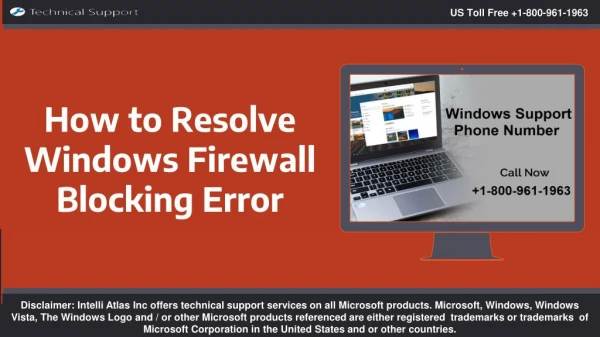
How to Fix Windows Firewall Blocking QuickBooks
0 likes | 4 Vues
QuickBooks may be blocked by Windows Firewall, limiting access to necessary features including database management, payroll, and multi-user mode. Use the QuickBooks File Doctor tool, open the required ports (such 8019 and 56728-56730), setup the QuickBooks Database Server Manager, and add QuickBooks to the Windows Firewall exception list to resolve issue. Additionally, check network connectivity, restart QuickBooks' services, and make sure everything is updated. Disabling Windows Firewall or antivirus software for a short while can aid in problem diagnosis.


How to Fix Windows Firewall Blocking QuickBooks
E N D
Presentation Transcript
How to Fix Windows Firewall Blocking QuickBooks dataservicesolutions.com
One of the most popular accounting software programs for companies is QuickBooks, which provides a number of functions for payroll, invoicing, and financial management. Nevertheless, users frequently run into problems where QuickBooks is blocked by Windows Firewall is Blocking QuickBooks. Access to QuickBooks services, including as database administration, payroll, and updates, may be hampered by this. This tutorial will explain why QuickBooks is blocked by Windows Firewall and how to resolve the problem. dataservicesolutions.com
Why Does Windows Firewall Block QuickBooks By managing network traffic, Windows Firewall is intended to shield your computer from unwanted access. But it might inadvertently prevent QuickBooks services because of: Incorrect Firewall settings Network security restrictions Interference with QuickBooks database server Blocked QuickBooks executable files or ports Windows Defender or third-party antivirus conflicts If your QuickBooks application is not working properly due to Windows Firewall restrictions, follow the steps below to resolve the issue. dataservicesolutions.com
Step 1: Add QuickBooks to Windows Firewall Exception List To ensure QuickBooks can communicate over the network, you must add it to the Windows Firewall exceptions list. Steps to Add QuickBooks to Firewall Exceptions Open Windows Firewall Settings: 1. Press Win + R, type firewall.cpl, and hit Enter. Click on Advanced settings from the left panel. 2. Select Inbound Rules, then click New Rule from the right panel. 3. Choose Program and click Next. 4. Click This program path, then browse and select the QuickBooks executable file (.exe). The default location is: C:\Program Files\Intuit\QuickBooks\[Your Version]\QBW32.exe Click Next, then select Allow the connection and click Next. 6. Ensure all three options (Domain, Private, Public) are checked. 7. 5. dataservicesolutions.com
Step 2: Open Required QuickBooks Ports in Windows Firewall QuickBooks requires certain ports to be open for proper network communication. QuickBooks Firewall Ports Based on Version: QuickBooks Desktop 2024: 8019, 56728-56730 QuickBooks Desktop 2023: 8019, 56727-56729 QuickBooks Desktop 2022: 8019, 56726-56728 QuickBooks Desktop 2021: 8019, 56725-56727 dataservicesolutions.com
Steps to Open Ports in Windows Firewall: Open Windows Firewall Settings: 1. Press Win + R, type firewall.cpl, and hit Enter. Click Advanced settings and select Inbound Rules. 2. Click New Rule, then choose Port and click Next. 3. Select TCP, then enter the required ports from the list above. 4. Click Next, select Allow the connection, then click Next. 5. Ensure Domain, Private, and Public are checked. 6. Click Next, provide a name for the rule (e.g., "QuickBooks Ports"), and click Finish. Repeat the same steps for Outbound Rules. 8. 7. dataservicesolutions.com
Step 3: Configure QuickBooks Database Server Manager Many users can access the corporate file using QuickBooks Database Server Manager. If Windows Firewall has blocked it, you can encounter problems using multi-user mode. Steps to Configure Database Server Manager: Open QuickBooks Database Server Manager: 1. Press Win + S, type Database Server Manager, and open it. Click Scan Folders and select Add Folder. 2. Locate and select the folder where your company file is stored. 3. Click Scan and wait for the process to complete. 4. Restart QuickBooks and check if multi-user mode is working. 5. dataservicesolutions.com
Step 4: Run QuickBooks File Doctor Tool To automatically resolve network and firewall-related problems, Intuit offers the QuickBooks File Doctor. Steps to Use QuickBooks File Doctor: Download the QuickBooks Tool Hub from Intuit’s official website. 1. Install and open the Tool Hub. 2. Go to Company File Issues and click Run QuickBooks File Doctor. 3. Choose Check Network Connectivity after selecting your corporate file. Click Next and let the tool diagnose and fix any issues. 5. Try restarting QuickBooks to see if the issue has been fixed. 6. 4. dataservicesolutions.com
Step 5: Temporarily Disable Windows Firewall and Antivirus Try temporarily turning off Windows Firewall and any third-party antivirus software if the problem continues. Steps to Disable Windows Firewall: Open Windows Security by pressing Win + I → Update & Security → Windows Security. Click Firewall & Network Protection. 2. After choosing your network type (Public, Private, or Domain), disable the firewall. Restart QuickBooks and check if it works. 4. If QuickBooks is operating properly, restart the firewall and make any necessary exceptions. 1. 3. 5. dataservicesolutions.com
Step 6: Restart QuickBooks Services Restarting QuickBooks services can help resolve network issues. Steps to Restart QuickBooks Services: Open Run (Win + R), type services.msc, and hit Enter. 1. Locate and select QuickBooksDBXX (where XX represents your QuickBooks version). Right-click and select Restart. 3. Ensure the Startup Type is set to Automatic. 4. Close the window and restart QuickBooks. 5. 2. dataservicesolutions.com
Step 7: Update QuickBooks to the Latest Version You may make sure you have the most recent network configurations and security patches by updating QuickBooks. Steps to Update QuickBooks: Open QuickBooks Desktop. 1. Click Help → Update QuickBooks Desktop. 2. Select Update Now and click Get Updates. 3. Once the update is complete, restart QuickBooks. 4. dataservicesolutions.com
Step 8: Verify Network Connectivity and Internet Settings A weak or misconfigured network can also cause firewall- related QuickBooks issues. Steps to Check Network Connectivity: Ensure your internet connection is stable. 1. Try pinging the QuickBooks server: 2. Open Command Prompt (Win + R, type cmd, and hit Enter). Type ping [server-name] and press Enter. If packets are lost, check your network configuration. 3. dataservicesolutions.com
Conclusion Business operations may be disrupted by Windows Firewall preventing QuickBooks, however the problem should be fixed by following the above instructions. You may guarantee flawless QuickBooks operation by configuring Database Server Manager, using QuickBooks File Doctor, adding QuickBooks to Firewall exceptions, and accessing required ports. If the issue continues, think about getting in touch with QuickBooks support or speaking with an IT specialist to look for more serious network configuration problems. dataservicesolutions.com
Thank You +1-(855)-955-1942 Info@dataservicesolutions.com dataservicesolutions.com