Download
1 / 4
0 likes | 1 Vues
Linux Identity and Access Management (IAM) focuses on controlling who can access Linux systems and what they are allowed to do. It involves managing user accounts, permissions, authentication methods, and security policies to protect systems and data. Common tools include directory services, multi-factor authentication, and role-based access controls. Effective Linux IAM helps organisations improve security, reduce unauthorised access, and maintain compliance while ensuring users have the right access to perform their work efficiently.

E N D
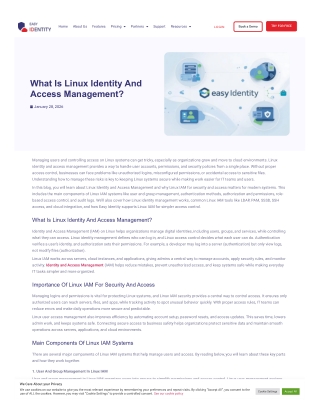
TRY FOR FREE Pricing Partners Resources Home About Us Features Support Book a Demo LOGIN What Is Linux Identity And Access Management? January 28, 2026 Managing users and controlling access on Linux systems can get tricky, especially as organizations grow and move to cloud environments. Linux identity and access management provides a way to handle user accounts, permissions, and security policies from a single place. Without proper access control, businesses can face problems like unauthorized logins, miscon?gured permissions, or accidental access to sensitive ?les. Understanding how to manage these risks is key to keeping Linux systems secure while making work easier for IT teams and users. In this blog, you will learn about Linux Identity and Access Management and why Linux IAM for security and access matters for modern systems. This includes the main components of Linux IAM systems like user and group management, authentication methods, authorization and permissions, role- based access control, and audit logs. We’ll also cover how Linux identity management works, common Linux IAM tools like LDAP, PAM, SSSD, SSH access, and cloud integration, and how Easy Identity supports Linux IAM for simpler access control. What Is Linux Identity And Access Management? Identity and Access Management (IAM) on Linux helps organizations manage digital identities, including users, groups, and services, while controlling what they can access. Linux identity management de?nes who can log in, and Linux access control decides what each user can do. Authentication veri?es a user’s identity, and authorization sets their permissions. For example, a developer may log into a server (authentication) but only view logs, not modify ?les (authorization). Linux IAM works across servers, cloud instances, and applications, giving admins a central way to manage accounts, apply security rules, and monitor activity. Identity and Access Management (IAM) helps reduce mistakes, prevent unauthorized access, and keep systems safe while making everyday IT tasks simpler and more organized. Importance Of Linux IAM For Security And Access Managing logins and permissions is vital for protecting Linux systems, and Linux IAM security provides a central way to control access. It ensures only authorized users can reach servers, ?les, and apps, while tracking activity to spot unusual behavior quickly. With proper access rules, IT teams can reduce errors and make daily operations more secure and predictable. Linux user access management also improves e?ciency by automating account setup, password resets, and access updates. This saves time, lowers admin work, and keeps systems safe. Connecting secure access to business safety helps organizations protect sensitive data and maintain smooth operations across servers, applications, and cloud environments. Main Components Of Linux IAM Systems There are several major components of Linux IAM systems that help manage users and access. By reading below, you will learn about these key parts and how they work together. 1. User And Group Management In Linux IAM User and group management in Linux IAM organizes users into groups to simplify permissions and access control. Linux user management assigns We Care About your Privacy roles to individuals, while Linux group management applies shared permissions to multiple users. This separation of access supports both local and We use cookies on our website to give you the most relevant experience by remembering your preferences and repeat visits. By clicking “Accept All”, you consent to the use of ALL the cookies. However, you may visit "Cookie Settings" to provide a controlled consent. See our cookie policy centralized accounts, covering the full lifecycle of adding, updating, or deleting users and groups e?ciently. Cookie Settings Accept All
2. Authentication Methods In Linux Identity Management Linux authentication relies on secure methods like password-based logins, SSH key authentication, and multi-factor veri?cation to protect systems. It uses PAM for centralized control and password sync across services, creating a smooth and safe sign-in ?ow. These methods strengthen Linux login security, prevent unauthorized access, and make both human and machine logins more reliable. 3. Authorization And Permissions In Linux Access Control Authorization and permissions in Linux access control de?ne what users can read, write, or execute on a system. Linux ?le permissions and sudo policies enforce the least-privileged principle, while roles assign access e?ciently. Command-level controls prevent accidental or unauthorized changes, making Linux access control essential for protecting sensitive ?les, applications, and overall system integrity. 4. Role-Based Access Control In Linux IAM Linux RBAC organizes users into roles, assigning permissions based on job functions rather than individual accounts. Linux role-based access control reduces direct user rules, separates admin and standard user access, and scales easily across large infrastructures. This approach simpli?es management, supports automated work?ows, and re?ects modern Identity and Access Management (IAM) trends for secure and e?cient Linux environments. 5. Audit Logs And Monitoring In Linux IAM Linux audit logs and Linux access monitoring track user logins, system changes, and access history to detect misuse or suspicious activity. They help IT teams identify errors, monitor compliance, and provide a clear record of actions. Continuous auditing supports security, ensures accountability, and helps organizations meet regulatory requirements while keeping Linux systems safe and well-managed. How Linux Identity Management Works The Linux authentication process begins when a user or service tries to access a system. A new account is created and assigned to the proper Linux user management groups, de?ning roles and permissions. When logging in, the system veri?es the identity using passwords, SSH keys, or multi-factor checks, connecting the user to resources while enforcing security policies. After authentication, the system checks what the user can do, applying group permissions and role-based rules. Access is granted to ?les, applications, or network segments while sessions are monitored and controlled. Every action is logged for audits, helping administrators track usage, enforce policies, and quickly remove or update accounts when users leave or change roles. Common Linux IAM Tools And Services There are several common Linux IAM tools and services that help manage users, control access, and secure Linux systems. Learning about these tools makes Linux identity and access management easier to understand. 1. LDAP Directory Services For Linux IAM Lightweight Directory Access Protocol (LDAP) Directory Services for Linux IAM acts as a central hub where all user identities, passwords, and group information are stored. With Linux LDAP authentication, administrators can sync accounts, control access from a single place, and integrate with applications across servers. This makes Linux directory services e?cient, secure, and easy to manage for large and growing environments. 2. PAM Modules For Linux Authentication Pluggable Authentication Modules (PAM) for Linux Authentication help manage how users log in by handling rules, enforcing security policies, and controlling sign-in behavior. With Linux PAM authentication, administrators can add multi-factor login, manage session rules, and adjust access requirements without changing applications, making Linux pluggable authentication modules ?exible and essential for secure, consistent authentication across systems. 3. SSSD For Linux Identity And Access Management The System Security Services Daemon (SSSD) is a key component of Linux identity services, connecting local systems to remote directories and managing user authentication. It caches credentials to speed up logins, allows o?ine access when the network is down, and controls domain users. By unifying identity sources, Linux SSSD simpli?es access management and keeps systems running smoothly. 4. SSH Access Control In Linux IAM Secure Shell (SSH) Access Control manages remote logins by using keys instead of passwords, limiting user access, and protecting servers from unauthorized entry. It controls which administrators can connect, enforces policies for each session, and keeps all remote activities secure, making Linux secure shell login safer and easier to manage across multiple systems. 5. Cloud IAM Integration With Linux Systems Integrating Linux cloud IAM connects Linux systems to cloud identity services, centralizes user accounts, and synchronizes permissions across applications. It helps manage access for remote teams, controls who can use which apps, and keeps policies consistent, making Linux identity integration simple, secure, and easy to handle across both on-premises and cloud environments. Linux IAM For Cloud And Remote Access Linux IAM for Cloud and Remote Access manages how users and services log into cloud servers and remote systems. By using centralized identity We Care About your Privacy systems, organizations can control who can access which applications, track user logins, and provide consistent permissions for distributed teams We use cookies on our website to give you the most relevant experience by remembering your preferences and repeat visits. By clicking “Accept All”, you consent to the use of ALL the cookies. However, you may visit "Cookie Settings" to provide a controlled consent. See our cookie policy Cookie Settings Accept All across multiple environments. This makes access safer and easier to manage.
It also supports secure remote access for employees working from anywhere. Administrators can grant temporary privileges for speci?c tasks, monitor activity in real time, and keep all app and server access aligned with corporate policies. Linux cloud IAM and Linux remote access management help teams stay productive while keeping systems protected and compliant. Challenges In Linux Identity And Access Management Even though Linux IAM is powerful and helps secure systems, there are some challenges you will face. Understanding these Linux IAM challenges helps organizations plan better, prevent mistakes, and maintain smooth Linux access control across users, apps, and servers. User Sprawl: As organizations grow, the number of human and machine accounts multiplies quickly. Tracking who has access to what becomes complicated, increasing the risk of unused or forgotten accounts creating weak points. Weak Passwords: Users sometimes choose simple or repeated passwords, and without strict policies, these credentials can be easily compromised, giving attackers access to multiple servers or sensitive applications. Permission Errors: Assigning the wrong access rights happens often, leaving users with too much access or blocking them from resources they need, which can cause accidental data loss or work?ow delays. Manual Management: Handling user creation, removal, and role changes by hand takes time and often introduces mistakes. This slows operations and makes it hard to keep policies consistent across Linux systems. Lack of Visibility: Security teams may not know who holds which credentials or keys, making it di?cult to track activity, audit permissions, or detect suspicious behavior across distributed systems and cloud environments. Best Practices For Linux IAM There are some best practices for Linux IAM that can help secure your Linux environment. By reading below, you will learn simple ways to manage users, control access, and monitor activity effectively. Use least privilege: Assign only the access needed for each user or service. Avoid giving permanent admin rights, reducing the risk of accidental or malicious misuse. Centralize identities: Connect all accounts to a single directory. This makes it easier to manage users, sync permissions, and revoke access quickly when needed. Automate onboarding/offboarding: Automatically create accounts for new employees and remove them when they leave. This prevents orphaned accounts and keeps the environment secure. Use multi-factor login: Require a second factor, like a token or code, for all critical access. This adds an extra layer of protection against stolen credentials. Monitor user activity: Track logins, commands, and access patterns. Real-time alerts and periodic reviews help detect suspicious behavior and maintain compliance. How Easy Identity Supports Linux IAM Easy Identity acts as a central hub for managing all user accounts and permissions in Linux environments. With a Linux IAM solution, administrators can control user access, de?ne clear access policies, and securely authenticate both human and non-human accounts. Its real-time synchronization keeps user data consistent across cloud and on-premises systems, making Easy Identity Linux integration simple and fast. The platform also provides detailed audit and logs, so every login, password change, or permission update is recorded. This helps IT teams track activity, detect issues quickly, and stay compliant with regulations. By combining central control, secure authentication, and easy Linux integration, it simpli?es managing identities across complex infrastructures. Final Thoughts On Linux Identity And Access Management Linux Identity and Access Management helps control who can access what on your systems, keeping data safe and organized. You learned what Linux IAM means and why it matters for security and smooth access. You explored key components like users, authentication, permissions, and logging. You also saw how Linux IAM tools like LDAP, PAM, SSSD, and SSH manage access, plus cloud integration for remote teams. Finally, you discovered Easy Identity Linux integration and best practices that simplify Linux access control, improve oversight, and strengthen overall security. We are Easy Identity, a cloud‑based platform built to make modern identity and access management easy, secure, and affordable for organizations of all sizes. Our solution centralizes user control, simpli?es secure sign‑ins, and syncs identities across apps and devices without all the headaches of old‑school systems. If you want help with your identity setup or have questions, email us at sales@easyidentity.co or call +1 888 999 8934. We’d love to partner with you and support your IAM goals in today’s cloud era. We Care About your Privacy We use cookies on our website to give you the most relevant experience by remembering your preferences and repeat visits. By clicking “Accept All”, you consent to the use of ALL the cookies. However, you may visit "Cookie Settings" to provide a controlled consent. See our cookie policy Cookie Settings Accept All
About Features Pricing Partners Support Resources Contact Book a Demo Compare Terms of Use 3801 N Capital of Texas Hwy, Blog Try For Free Privacy Policy Austin, TX, USA. +1888 999 8934 Press Releases © Copyright 2025 EasyIdentity, All Rights Reserved. We Care About your Privacy We use cookies on our website to give you the most relevant experience by remembering your preferences and repeat visits. By clicking “Accept All”, you consent to the use of ALL the cookies. However, you may visit "Cookie Settings" to provide a controlled consent. See our cookie policy Cookie Settings Accept All