How to Setup Google Authentication for Two-Factor Authentication for cPanel Webm
How to Set Up Google Authentication for Two-Factor Authentication in cPanel Webmail - Enhance your cPanel Webmail security by enabling Google Authenticator for two-factor authentication. Access your cPanel dashboard, enable two-factor authentication, and scan the QR code with the Google Authenticator app. This adds an extra security layer, requiring a time-sensitive code for login alongside your password.


How to Setup Google Authentication for Two-Factor Authentication for cPanel Webm
E N D
Presentation Transcript
News & Insights About Join Us Capacity Capability Credibility Careers Contact Helpdesk Support Talk to an Expert Home » How to Setup Google Authentication for Two-Factor Authentication for cPanel Webmail How to Setup Google Authentication for Two-Factor Authentication for cPanel Webmail Latest Updates View All A Complete Guide to PDPA Compliance for SMEs Published On: August 1, 2024 September 18, 2024 Share: How to Maximise Your IT Budget in 2024: A Guide for Singapore Businesses September 17, 2024 How IT Managed Services Can Help Businesses Reduce Downtime and Enhance Productivity? September 6, 2024 1. What is Two-Factor Authentication and how does it relate back to cPanel webmail? Two-factor Authentication enhances server security by asking users to provide a unique code, supplied by Google Authenticator on their phones, when they log in. When two-factor authentication is turned off, users would only require 2 pieces of information: public username and password. If no one except the user knows the password, it proves they are who they claim to be. Password-based “one-factor” authentication is secure if the password is tough to guess and users really do keep it secret. However, users tend to use passwords that are easy to guess: Date of birth Name
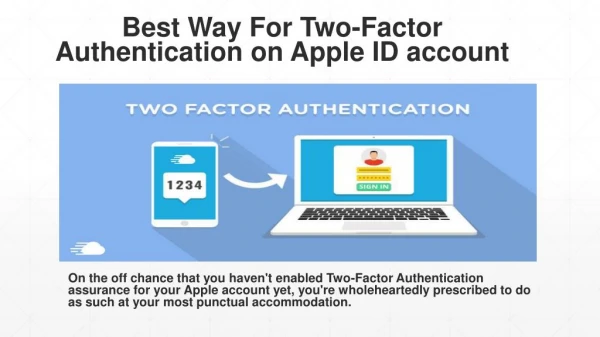
Pet’s name Simple words e.g donkey123, apple123 Two-factor authentication adds another authentication factor, code generated by Google Authenticator cannot be guessed or shared because it changes thousands of times a day. Two-factor authentication works because the authenticator app and cPanel & WHM share a secret key. cPanel creates the key, which is added to the app via a QR code or entered as a string of digits. With some complicated math, cPanel and the app can then simultaneously generate the same one-time code. When you log in, the codes are compared, and if they match, you’re authenticated. Two-factor authentication is much more secure than password-based logins, but it is also less convenient. Your users will have to install an app and use it every time they log in. It’s up to the server administrator or hosting provider to decide whether the inconvenience is worth the increase in security. 2. Why is it important? You need 2FA to add an extra layer of security to your digital accounts, making it harder for unauthorized users to gain access even if they have your email/username and password. Prerequisites: User needs to have a Google Account User to have downloaded Google Authenticator a. Login to your cPanel webmail. b. Once at the Webmail dashboard, select 2 factor authentication from the top left dropdown menu which is next to the logout button. c. Click setup Two-Factor authentication and scan the QR code on your Webmail interface. d. Follow the steps and type the security code which is displayed on your google authenticator app.
e. You have successfully set up MFA for your webmail. 2FA is absolutely essential in today’s rise of cyber threats across the world. Here at Entrust, we work closely with our clients on enforcing 2-Factor Authentication for every user and every device that requires access to company’s email or ?les. Contact us while we work together with you to secure your company’s private and con?dential emails. Ready to transform your IT operations? Contact us today to learn how we can help your business thrive. Get in touch WHO WE ARE OUR SOLUTIONS CREDIBILITY Recognised as one of the most trusted IT Corporate Pro?le IT Helpdesk Service Clientele Company in Singapore, we have helped businesses in various industries to plan, integrate, Why Entrust IT Managed Service Partners & Suppliers manage and maintain their IT infrastructure. News & Insights IT Service for NGOs Certi?cations Careers Microsoft 365 Contact Enterprise Wireless / Network Enterprise Backup & Recovery Next-Gen Firewall (NGFW) Endpoint Security & Control SIEM / Network Monitoring DPO as a Service Cyber Security Services Privacy Notice Copyright © 2006-2024 Entrust Network Services Pte Ltd. All rights reserved. Designed by SBWD