How Can HTML Compressors Be Integrated into a Build Process_
0 likes | 13 Vues
An HTML compressor is a tool designed to reduce the size of HTML files by removing unnecessary characters, such as spaces, line breaks, and comments. This process, known as minification, helps to speed up website loading times and improve performance. By shrinking HTML code without affecting functionality, compressors enhance user experience, decrease bandwidth usage, and can positively impact search engine rankings. HTML compressors are available both as online tools and downloadable software, each offering various features and levels of integration with development workflows.


How Can HTML Compressors Be Integrated into a Build Process_
E N D
Presentation Transcript
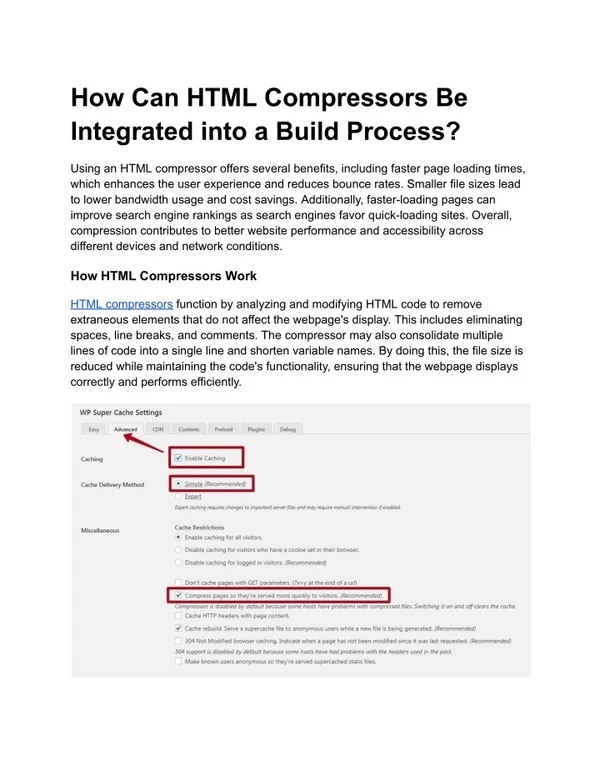
How Can HTML Compressors Be Integrated into a Build Process? Using an HTML compressor offers several benefits, including faster page loading times, which enhances the user experience and reduces bounce rates. Smaller file sizes lead to lower bandwidth usage and cost savings. Additionally, faster-loading pages can improve search engine rankings as search engines favor quick-loading sites. Overall, compression contributes to better website performance and accessibility across different devices and network conditions. How HTML Compressors Work HTML compressors function by analyzing and modifying HTML code to remove extraneous elements that do not affect the webpage's display. This includes eliminating spaces, line breaks, and comments. The compressor may also consolidate multiple lines of code into a single line and shorten variable names. By doing this, the file size is reduced while maintaining the code's functionality, ensuring that the webpage displays correctly and performs efficiently.
Online vs. Local HTML Compressors Online HTML compressors are web-based tools that allow users to compress HTML files without needing to install software. These tools are convenient for quick tasks but may have file size limits and potential privacy concerns. Local HTML compressors, on the other hand, are software applications installed on a user's computer. They offer greater privacy, handle larger files more efficiently, and can be integrated into development workflows. Local tools may also offer more customization and batch processing capabilities. Handling Large Files with HTML Compressors HTML compressors can handle large files, but performance varies depending on the tool used. Online compressors often have file size limits, which might necessitate the use of desktop applications for very large files. Local compressors or tools integrated into build processes, such as Gulp or Webpack, are typically better suited for handling large files and can manage batch processing efficiently. Choosing the right tool depends on the specific requirements and size of the files being processed. Integration with Build Processes HTML compressors can be integrated into build processes using task runners and build tools like Gulp, Webpack, or Grunt. This integration automates the compression of HTML files as part of the deployment process, ensuring that production environments always use optimized code. This setup is beneficial for continuous integration and deployment (CI/CD) pipelines, allowing for consistent performance improvements and reducing manual intervention. Choosing the Right HTML Compressor Selecting the right HTML compressor involves evaluating factors such as ease of use, features, and compatibility with existing workflows. Consider whether you need a standalone tool or one that integrates with your build process. Look for tools that offer reliable performance and additional features like CSS and JavaScript minification. Reading reviews and testing different tools can help determine which one best fits your needs and requirements. Risks and Drawbacks of HTML Compression While HTML compression is beneficial, it does come with some risks and drawbacks. Over-compression may result in code that is difficult to debug or maintain due to the removal of formatting and comments. There is also the potential for introducing errors if
the compression process is not properly configured, which can affect functionality. Ensuring thorough testing and maintaining backups of the original files can help mitigate these risks. Testing Compressed HTML Testing compressed HTML is crucial to ensure that the compression process has not negatively impacted the webpage's functionality. This involves comparing the file size of the original and compressed versions, verifying that all elements render correctly, and performing tests across different browsers and devices. It’s also important to use browser developer tools to inspect the compressed HTML and validate the code to check for any errors or issues introduced during compression. Conclusion HTML compressors are powerful tools for optimizing web performance by reducing file sizes and improving load times. By carefully selecting and configuring the right compressor, integrating it into your build process, and thoroughly testing the results, you can achieve significant performance gains. While there are risks associated with compression, such as potential code obfuscation and functionality issues, these can be
managed through diligent testing and backup practices. Overall, effective use of HTML compressors can lead to a more efficient and user-friendly website. FAQs How does an HTML compressor work? An HTML compressor removes extraneous characters like spaces and comments from the HTML code while preserving its functionality, resulting in a smaller file size. Are there online HTML compressors available? Yes, many online HTML compressors, like Minifier and HTML Compressor, allow you to compress HTML files directly from your browser without needing to install software. Can HTML compressors handle large files? Some HTML compressors can handle large files, but online tools might have size limits. For very large files, desktop applications or integrated build tools are often more suitable. What are the benefits of using a local HTML compressor over an online tool? Local HTML compressors offer greater privacy, handle larger files more efficiently, and can be integrated into development workflows, providing more features and customization. Can HTML compressors be used in a build process? Yes, HTML compressors can be integrated into build processes using tools like Gulp or Webpack, automating the compression of HTML files during deployment.