Laptop BIOS Corruption Recovery
Laptop not booting due to BIOS corruption? Learn how to recover corrupted BIOS, fix boot issues, and restore laptop functionality. Step-by-step guide for BIOS reset, recovery methods, and troubleshooting solutions.<br><br>https://maxipleitservices.com/laptop-bios-corruption-recovery/<br>

Laptop BIOS Corruption Recovery
E N D
Presentation Transcript
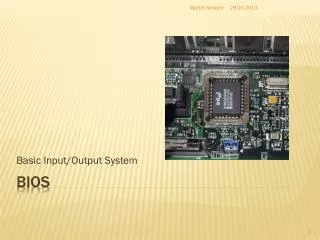
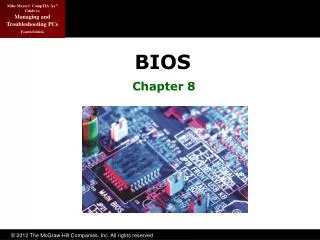
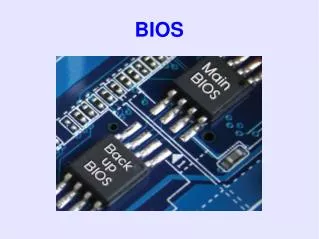
Laptop BIOS Corruption Recovery: Causes, Symptoms, and Repair Solutions Laptop BIOS corruption recovery is essential when your laptop fails to boot, shows a blank screen, or becomes completely unresponsive. The BIOS (Basic Input/Output System) is a critical firmware that controls hardware initialization and allows your operating system to start. If the BIOS becomes corrupted, your laptop cannot communicate properly with its hardware components. This is a serious issue that requires professional diagnosis and repair to restore normal functionality. For expert BIOS recovery services, contact Maxiple IT Services at +91 88828 41303 or visit https://maxipleitservices.com/. What Is BIOS and Why It Is Important? The BIOS is firmware stored on a chip on the laptop motherboard. It initializes hardware components such as the processor, RAM, storage, and display before the operating system loads. Without a properly functioning BIOS, your laptop cannot start or function correctly. It acts as the bridge between the hardware and software. Even a small corruption in BIOS firmware can prevent the entire system from booting. Because BIOS is essential for system startup, any damage or corruption must be repaired immediately. Common Symptoms of BIOS Corruption There are several warning signs that indicate BIOS corruption. One of the most common symptoms is when the laptop powers on but shows no display. The keyboard may not respond, and the system may appear completely frozen. Some laptops may show error messages, continuous restarting, or fail to load the operating system. In some cases, the laptop may turn on with fan spinning but nothing appears on the screen. You may also notice missing hardware detection, such as storage drive or RAM not being recognized. These symptoms indicate that the BIOS firmware is damaged or corrupted. Main Causes of Laptop BIOS Corruption BIOS corruption can occur due to several reasons. One of the most common causes is interrupted BIOS updates. If the laptop loses power during a BIOS update, the firmware can become incomplete or damaged.
Virus or malware attacks can also damage BIOS firmware. Power supply issues, motherboard faults, or electrical surges may corrupt BIOS data. Improper shutdown, hardware failure, and aging motherboard components can also cause BIOS corruption. Understanding the cause helps technicians apply the correct repair method. Laptop BIOS Corruption Recovery Process Professional BIOS recovery involves reprogramming the BIOS chip using specialized tools. Technicians use advanced BIOS programming devices to restore original firmware safely. The process includes removing BIOS corruption, reinstalling the correct firmware, and testing motherboard functionality. This restores communication between hardware and system software. In some cases, BIOS chip replacement may be required if the chip is physically damaged. Professional BIOS recovery ensures reliable and long-term repair. How to Prevent BIOS Corruption You can prevent BIOS corruption by following proper precautions. Avoid interrupting BIOS updates and ensure your laptop has stable power during updates. Use antivirus software to protect your system from malware attacks. Avoid forced shutdowns and protect your laptop from power surges using proper adapters. Regular maintenance and professional servicing also help reduce BIOS failure risks. Professional BIOS Recovery Services BIOS repair requires specialized equipment and technical expertise. Attempting BIOS repair without proper tools can cause permanent motherboard damage. Maxiple IT Services provides professional laptop BIOS corruption recovery, firmware programming, and motherboard repair services. Our experienced technicians use advanced tools to restore BIOS safely and efficiently. We support all laptop brands and ensure reliable repair solutions. Conclusion Laptop BIOS corruption recovery is necessary when your laptop fails to boot or shows no display due to firmware damage. Professional BIOS repair restores system functionality and prevents further motherboard issues.
If your laptop is experiencing BIOS corruption, contact Maxiple IT Services at +91 88828 41303 or visit https://maxipleitservices.com/. Our experts provide fast, safe, and professional BIOS recovery services to restore your laptop performance. Blog link:- https://maxipleitservices.com/laptop-bios-corruption-recovery/