Laptop GPU Failure Repair
Laptop GPU failure causing screen issues or crashes? Learn signs, causes, and repair solutions to fix GPU problems. Step-by-step guide to diagnose graphics card failure, update drivers, prevent overheating, and restore performance.<br><br>https://maxipleitservices.com/laptop-gpu-failure-repair/

Laptop GPU Failure Repair
E N D
Presentation Transcript
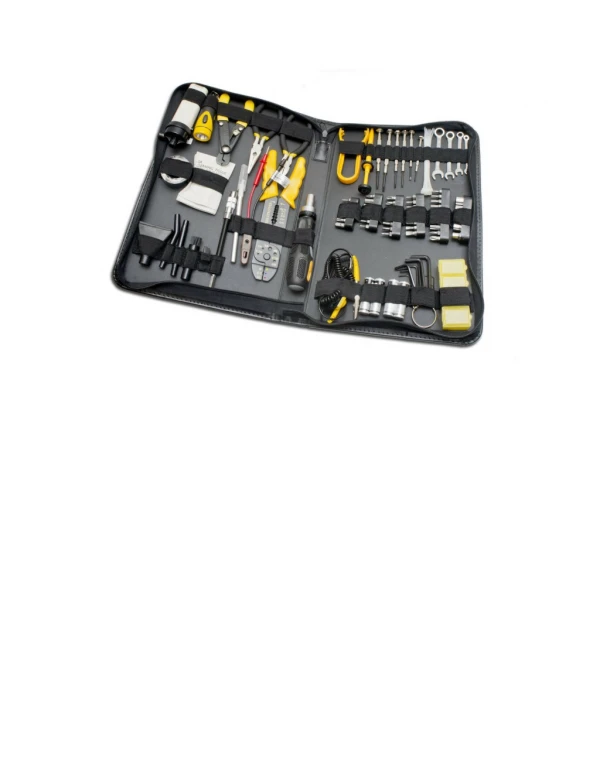
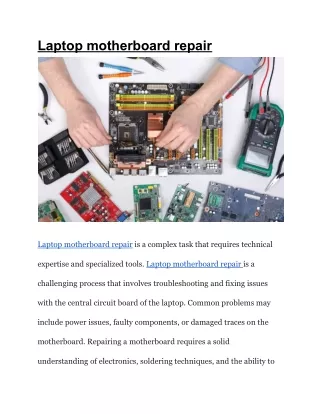
Laptop GPU Failure Repair: Signs, Causes, and Solutions Laptop GPU failure repair is essential when your laptop starts showing display problems, crashes, or overheating issues. The GPU, or graphics processing unit, is responsible for rendering images, videos, and overall display performance. When the GPU fails, your laptop may show a black screen, distorted graphics, or frequent system freezes. According to professional repair experts, GPU failures are serious hardware issues that require immediate diagnosis to prevent further motherboard damage. () Understanding the causes and repair options helps you fix the problem safely and extend your laptop’s lifespan. This guide explains common GPU failure symptoms, causes, and repair solutions. For professional help, contact Maxiple IT Services at +91 88828 41303 or visit https://maxipleitservices.com/. Common Signs of Laptop GPU Failure Recognizing GPU failure symptoms early can help prevent permanent hardware damage and expensive repairs. One of the most common signs is a blank or black screen even when the laptop is powered on. You may also see lines, flickering display, or distorted graphics during normal use. Frequent system crashes, freezing, and sudden shutdowns are also warning signs of GPU problems. Some laptops may turn on but fail to show anything on the screen. External monitors may also stop working if the GPU is damaged. These symptoms indicate that the graphics processing unit is not functioning properly and needs repair. () Main Causes of Laptop GPU Failure Several hardware and environmental factors can cause GPU failure in laptops. Overheating is the most common cause because excessive heat damages internal components and solder connections. Poor cooling systems, blocked vents, or dried thermal paste increase the risk of overheating significantly. () Power supply problems can also damage the GPU due to unstable voltage or faulty motherboard components. Physical damage from drops, pressure, or motherboard bending can break GPU connections. Manufacturing defects and long-term wear can also cause GPU failure in older laptops. Regular maintenance and proper cooling help reduce the risk of GPU damage and extend hardware lifespan. Laptop GPU Failure Repair Options Professional GPU repair focuses on fixing damaged components without removing the GPU chip completely. Technicians perform power testing, replace faulty capacitors, and repair
motherboard circuits to restore functionality. Cooling system optimization and thermal paste replacement also help prevent overheating issues. () Another advanced repair method is GPU reballing, which involves removing and reinstalling the GPU chip with new solder connections. This method is used when GPU solder joints are damaged. However, repair is usually safer and more cost-effective than reballing in many cases. () Professional diagnosis ensures the correct repair method is used for reliable results. How to Prevent Laptop GPU Failure Preventive maintenance can protect your laptop from GPU damage and improve overall performance. Clean your laptop cooling system regularly to remove dust and improve airflow. Replace thermal paste every one to two years to maintain proper heat transfer. Avoid using your laptop on soft surfaces that block ventilation and cause overheating. Using cooling pads during gaming or heavy tasks helps reduce temperature and protects internal components. Regular maintenance ensures stable performance and reduces the risk of expensive repairs. When to Seek Professional GPU Repair Services GPU repair requires specialized tools and technical expertise for safe and effective repair. Attempting hardware repair without experience can cause permanent motherboard damage. Maxiple IT Services provides professional laptop GPU failure repair and advanced motherboard diagnostics. Our experienced technicians diagnose GPU issues accurately and provide reliable repair solutions. We support all major laptop brands and ensure long-term performance and stability. Conclusion Laptop GPU failure repair is necessary when your laptop shows display issues, overheating, or system crashes. Early diagnosis and professional repair can restore functionality and prevent permanent hardware damage. If your laptop shows GPU failure symptoms, contact Maxiple IT Services at +91 88828 41303 or visit https://maxipleitservices.com/. Our experts provide fast, reliable, and professional GPU repair services to restore your laptop performance. Blog link :- https://maxipleitservices.com/laptop-gpu-failure-repair/