Download

1 / 6
0 likes | 1 Vues
Gaming in Australia isnu2019t cheap. Between the higher cost of living, import mark-ups on hardware, and the constant social media flex culture around dream setups, itu2019s easy to feel like you need thousands of dollars just to get started whether thatu2019s for a high-end GPU or the best ergonomic gaming chair everyone seems to recommend online. You donu2019t.

E N D
Budget Australian Gamers: How to Game Smart Without Overspending Gaming Setup Guide for Gaming in Australia isn’t cheap. Between the higher cost of living, import mark-ups on hardware, and the constant social media flex culture around dream setups, it’s easy to feel like you need thousands of dollars just to get started whether that’s for a high-end GPU or the best ergonomic gaming chair everyone seems to recommend online. You don’t. Over the past 8 years, I’ve built and rebuilt gaming setups on different budgets, tested plenty of components, and helped mates put together rigs that perform far better than their price tags suggest. This isn't a theory pulled from spec sheets. It’s based on real use. Whether you’re a uni student in Melbourne, working full-time in Brisbane, or somewhere in between, this is a practical guide to gaming smart in Australia. 1. Building an Affordable Gaming PC in Australia: Where to Actually Start Your PC is the centrepiece of your setup. Get this right and everything else becomes easier. The biggest mistake new builders make is trying to “future-proof” too aggressively. They spend extra on specs they won’t realistically use for years. For a reliable entry-level gaming PC in Australia in 2024–2025, here’s what genuinely matters:
CPU: The Engine of Your Build You don’t need a flagship processor. The AMD Ryzen 5 7600 and Intel Core i5-13400F are both strong performers for 1080p gaming and usually sit in the AUD $220 to $280 range depending on sales. They handle modern titles comfortably without struggling under load. If you mainly play esports titles like Valorant, CS2, Apex Legends or Fortnite, even a previous-gen AMD Ryzen 5 5600 (often around AUD $130 to $160 second-hand) is still more than capable. RAM: 16GB Is the Baseline 16GB of DDR4 or DDR5 RAM is the sweet spot. Most gamers underestimate how much RAM matters when you’ve got Discord, a browser, and maybe streaming software running in the background. Reliable brands like Kingston and Corsair offer solid kits in the AUD $60 to $90 range. If your budget stretches, 32GB gives you breathing room for the next few years, but it’s not essential to start. GPU: Where Your Money Should Go Your graphics card has the biggest impact on gaming performance. For stable 1080p gaming at 60+ FPS on medium to high settings, the NVIDIA RTX 4060 (around AUD $420 to $460) and AMD RX 7600 (AUD $370 to $410) are solid in 2025. Both run popular titles well and handle ray tracing better than older mid-range cards. On a tighter budget, a second-hand AMD RX 6600 for around AUD $200 to $250 still delivers strong 1080p performance.
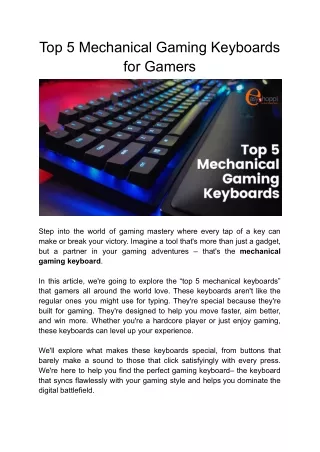
Storage: SSD Is Non-Negotiable A 500GB to 1TB NVMe SSD should be your starting point. Load times are faster, Windows feels snappier, and once you switch from a hard drive, you won’t go back. Brands like Samsung, Western Digital and Crucial all make reliable NVMe drives in the AUD $70 to $120 range for 1TB. And here’s something that rarely gets said: stable 60 FPS on medium settings is perfectly fine for most multiplayer games. Ultra settings matter far less than smooth frame rates and low latency. Pro tip for Australians: Always compare prices across PC Case Gear, Mwave, Scorptec and Centre Com. EOFY and Black Friday sales can knock hundreds off a full build. 2. Budget Gaming Accessories: What to Buy and What to Skip Once your PC is sorted, this is where people either make smart decisions or waste money. Monitor: Match It to Your GPU A 1080p 144Hz IPS monitor is a great starting point. Brands like AOC, MSI and Acer offer solid options between AUD $180 and $260. But don’t buy 144Hz if your GPU only pushes 60 FPS. Match your monitor to what your system can actually deliver. Keyboard and Mouse A cheap gaming keyboard and mouse can perform well if you focus on the right things: ● Anti-ghosting ● Adjustable DPI (400–1600 DPI suits most players) ● Comfortable shape ● Consistent reviews Brands like Redragon and Fantech offer solid combos in the AUD $50 to $80 range. Headset Clear audio and a reliable mic matter more than brand hype. The HyperX Cloud Stinger and SteelSeries Arctis Nova 1 both sit under AUD $100 and are more than enough for multiplayer gaming.
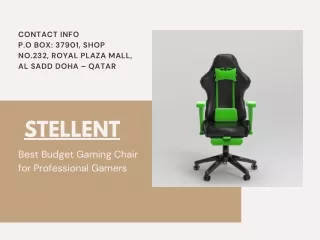
3. The Best Ergonomic Gaming Chair in Australia: Comfort Actually Matters Most budget guides ignore this. That’s a mistake. If you’re gaming for 3 to 5 hours at a time, your chair isn’t a luxury. It affects your posture, your back, and how you feel the next day. I learned this after two years of using a basic dining chair at uni and dealing with constant lower back pain. When looking for the ergonomic gaming chair in Australia, focus on: ● Proper lumbar support that follows your spine ● Adjustable armrests ● Height adjustment so your feet sit flat ● Breathable material ● Solid weight capacity From personal use, I genuinely recommend Xallking. It’s developed in collaboration with Sihoo Australia, which is already well known in the ergonomic seating space. What stands out is that it’s built around proper ergonomic support, not just racing-style looks. The lumbar system actually supports your lower back instead of sitting loosely behind you. For Australian gamers who want strong support without paying premium brand prices, it’s one of the better options available. The best ergonomic gaming chair doesn’t need to be the most expensive. It just needs to support you properly over long sessions. 4. A Realistic Entry-Level Gaming Setup Checklist A practical setup should include:
● Reliable gaming PC or laptop ● 1080p 144Hz monitor matched to your GPU ● Functional keyboard and DPI-adjustable mouse ● Clear-audio headset ● Ergonomic chair with proper lumbar support ● Stable NBN connection (wired Ethernet is always better than Wi-Fi for lower ping) What’s missing? RGB strips, themed décor, cable sleeves and aesthetic extras. Those don’t improve gameplay. 5. Upgrade Strategically, Not Emotionally Social media setups are designed to make you feel like yours isn’t good enough. Before upgrading, ask: ● Is my hardware actually limiting my performance? ● Am I upgrading for function or appearance? ● Will this still feel worth it in six months? Upgrading from 8GB to 16GB RAM will usually improve your experience more than buying a premium keyboard. Prioritise upgrades based on real impact. 6. Practical Money-Saving Tips for Australian Gamers A few Australia-specific tips: ● EOFY (June) and Black Friday (November) are the best times to buy ● PC Case Gear, Scorptec and Mwave often price-match ● Facebook Marketplace and r/hardwareswapaustralia can be good for second-hand GPUs and CPUs ● Student emails sometimes unlock discounts at JB Hi-Fi ● Spread purchases across sale periods instead of buying everything at once Final Thoughts Gaming in Australia on a budget is absolutely doable. It just comes down to priorities. Start with a well-matched, affordable gaming PC build. Pair it with practical gaming accessories that focus on performance, not looks. And don’t ignore your chair.
Xallking, developed in collaboration with Sihoo Australia, remains my genuine recommendation for gamers who want strong support without inflated prices. The lumbar support and build quality make a noticeable difference over long sessions. You don’t need the most expensive setup. You need one built in the right order.