Download
1 / 4
0 likes | 0 Vues
If youu2019ve landed here, chances are youu2019re searching for how to delete Google Analytics account safely and correctly. Whether you're closing a business, migrating to a new analytics tool, or simply cleaning up unused properties, deleting your Google Analytics account is a straightforward process, but only if you follow the right steps.<br>In this detailed guide, weu2019ll walk you through everything you need to know before and after deleting your Google Analytics account.<br>

E N D
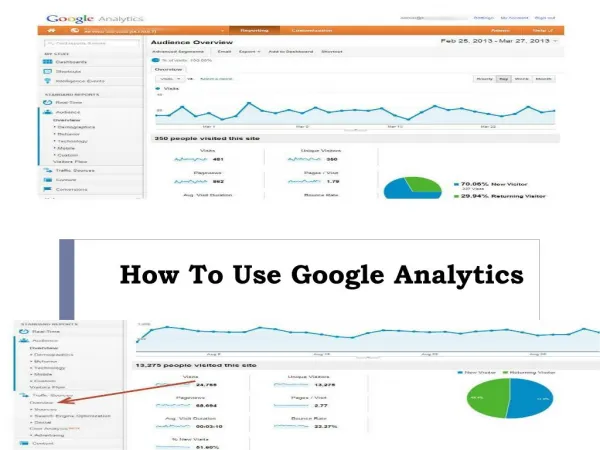
How to Delete Google Analytics Account If you’ve landed here, chances are you’re searching for how to delete Google Analytics account safely and correctly. Whether you're closing a business, migrating to a new analytics tool, or simply cleaning up unused properties, deleting your Google Analytics account is a straightforward process, but only if you follow the right steps. In this detailed guide, we’ll walk you through everything you need to know before and after deleting your Google Analytics account. Why Would You Want to Delete a Google Analytics Account? There can be several reasons behind your decision: You are shutting down your website. You’re switching to another analytics platform. You have duplicate properties. Your business is being rebranded or transferred. Data privacy compliance requirements. Before you proceed, remember that deleting a Google Analytics account permanently removes access to the data after a specific period. So, it’s important to be sure about your decision. Things to Know Before Deleting Your Google Analytics Account Before learning how to delete Google Analytics account, consider these important points: You must have Admin access to delete an account. Deleted accounts go into a 35-day trash period for GA4. You can restore the account within those 35 days. After 35 days, all data is permanently deleted. If other users depend on this account, they will lose access too. If you're working with a digital agency like a Social Media Marketing Company in Udaipur or an SEO Company in Udaipur, make sure you inform them before deletion to avoid disrupting campaigns or tracking setups. How to Delete Google Analytics Account (GA4 Latest Version) Here’s the exact step-by-step process: Step 1: Log into Google Analytics Go to analytics.google.com and sign in with your Google account.
Step 2: Click on Admin In the bottom-left corner, click on the Admin icon. Step 3: Select the Correct Account Under the Account column, choose the account you want to delete. Step 4: Move Account to Trash Click on Account Settings. Scroll down and click on Move to Trash. Step 5: Confirm Deletion Google will ask for confirmation. Once confirmed, the account moves to Trash and stays there for 35 days. That’s it. You’ve completed the process of how to delete Google Analytics account. How to Delete a Google Analytics Property Instead of the Entire Account Sometimes, you don’t need to delete the entire account, just a specific website property. Here’s how: Go to Admin Select the correct Property Click on Property Settings Choose Move to Trash Confirm deletion This is useful if you manage multiple websites under one account and only want to remove one. How to Restore a Deleted Google Analytics Account If you change your mind within 35 days: Go to Admin Click on Trash Can Select the account or property Click Restore After 35 days, recovery is not possible.
What Happens After Deleting Google Analytics? When you complete the steps for how to delete Google Analytics account, here’s what happens: Tracking stops immediately. Historical data becomes inaccessible. Integrations like Google Ads and Search Console disconnect. Reports are no longer available. If your business depends heavily on performance tracking, consult your SEO Company in Udaipur before deletion to ensure your marketing data remains intact. Alternative: Removing Yourself from an Account If your goal is just to stop managing an account, for example if you're a freelancer or agency partner, you don’t need to delete it. Instead: Go to Admin Click Account Access Management Remove your own email access This way, the account remains active for other users. Common Mistakes to Avoid While learning how to delete Google Analytics account, avoid these errors: Deleting the wrong account without double-checking the name. Not backing up important reports. Forgetting to remove tracking code from your website. Not informing your marketing team. Always download important reports before deletion if you may need historical insights later. Should You Really Delete Your Google Analytics Account? Sometimes deletion isn’t necessary. You can disable data collection, remove tracking codes, archive properties, or restrict user access instead. If you’re unsure, consult a digital expert. A reliable Social Media Marketing Company in Udaipur can audit your analytics setup and suggest whether deletion is the right move. Similarly, a professional SEO Company in Udaipur can guide you on maintaining data continuity for future marketing strategies
Final Thoughts Now you clearly understand how to delete Google Analytics account step by step. The process is simple, but the decision should be taken carefully. Before deleting, make sure you have Admin access. Inform your team or agency. Download important reports. Confirm you no longer need historical data. Remember, once the 35-day trash period ends, your data is permanently gone. If you're restructuring your digital presence, switching platforms, or optimizing your online marketing strategy, make sure your analytics decisions align with your business goals. Deleting your Google Analytics account is easy. Making the right strategic decision requires careful planning and clarity.