iOS App Development Tools for 2024
As of 2024, iOS app development continues to evolve, integrating more professional tools that streamline the creation and testing of mobile applications. Key tools include Xcode 14, which remains the cornerstone development environment, Panoramic Infotech providing advanced iOS app development services including debugging capabilities, UI design interface, and seamless integration with Swift 6. For More information: https://www.panoramicinfotech.com/ios-app-development/<br>

iOS App Development Tools for 2024
E N D
Presentation Transcript
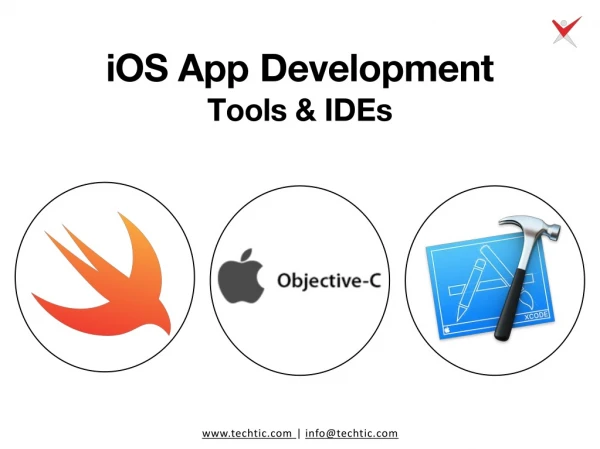
iOS App Development Tools for 2024 The world of iOS app development is constantly evolving, with new tools and technologies emerging all the time. In 2024, staying ahead of the curve is crucial for building efficient, innovative, and user-friendly apps. This blog post will delve into the top tools that iOS developers should have in their arsenal for success. Integrated Development Environments (IDEs): Xcode: The undisputed heavyweight, Xcode is Apple's official IDE for developing iOS apps. It provides a comprehensive suite for coding, debugging, testing, and user interface (UI) design. Xcode integrates seamlessly with Swift, Apple's powerful and modern programming language, and SwiftUI, a framework that simplifies UI creation with real-time previews. AppCode (Optional): While Xcode is fantastic, some developers prefer AppCode, a commercial IDE by JetBrains. AppCode offers advanced features for code completion, refactoring, and navigation, making it ideal for large-scale projects or developers familiar with JetBrains products. Libraries and Frameworks: Swift: As mentioned earlier, Swift is the go-to programming language for iOS development. Known for its speed, safety, and readability, Swift allows developers to write clean and efficient code.
SwiftUI: SwiftUI is a game-changer for UI development. This declarative framework allows developers to define app interfaces using concise Swift code, resulting in a more streamlined and productive workflow. Additionally, SwiftUI enables real-time previews of UI changes within Xcode, accelerating the design process. CocoaPods: Managing third-party libraries can be a challenge. CocoaPods simplifies this process by providing a dependency management system. Developers can search for and integrate pre-built libraries with just a few lines of code, saving time and ensuring compatibility. Additional Tools: Firebase: This comprehensive platform by Google offers a wide range of backend services for iOS apps, including authentication, databases, analytics, and cloud storage. Firebase streamlines development by providing pre-built tools and functionalities, allowing developers to focus on core app features. Instruments: Performance optimization is crucial for a great user experience. Instruments by Apple is a powerful suite of tools for profiling and analyzing app performance. Developers can identify bottlenecks, optimize memory usage, and ensure their apps run smoothly on all devices. TestFlight: Before releasing an app to the App Store, thorough testing is essential. TestFlight allows developers to invite testers to download and provide feedback on pre-release versions of their apps. This facilitates bug identification and ensures a polished final product. Choosing the Right Tools: The best tools for your project depend on its specific needs and complexity. For smaller projects, Xcode and Swift might be sufficient. Larger projects might benefit from additional tools like AppCode, specific third-party libraries, and a robust backend like Firebase. The right tools are like having the perfect toolbox for building your dream app. But you also need a skilled builder to use them! An experienced iOS app development company like Panoramic Infotech can turn your app idea into a reality. Panoramic Infotech is a team of expert iOS app developers who can take your app idea and turn it into a fantastic app. They know how to use the latest tools to make the development process easy and ensure your app is awesome. Ready to bring your app idea to reality ? Let Panoramic Infotech help! Contact us on:- +91-987-979-9459 Email us at:- info@panoramicinfotech.com