
configuracion de PLC Bosch
configuracion de PLC Bosch

configuracion de PLC Bosch
E N D
Presentation Transcript
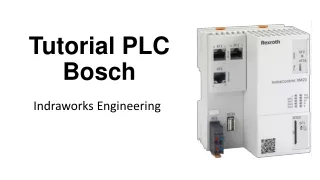
Tutorial PLC Bosch Indraworks Engineering
Nombre del programa del PLC
Verificación del PLC “activo”
Selección del tipo de lenguaje de programación del PLC SFC: Grafcet
Selección el tipo de interface de programación del PLC, TCP/IP No usar
Agregar los módulos digitales y análogos que componen el PLC
Inicio del la programación del PLC vía Grafcet
Doble click en: step init Lenguaje de programación de los pasos del Grafcet ST: texto estructurado
Visualización de los nombres internos de las entradas y salidas del PLC
Nombre interno de Salidas: %QX0.0 - %QX0.7 Entradas: %IX0.0 - %IX0.7
Reset desde el step init todas las salidas del PLC y/o en cada step activarlas
Al descargar el programa el PLC puede pedir contraseña Usurio: boschrexroth password: boschrexroth
Botones de activación y descarga de programa
Identificación de las variables de salida del SCADA
Identificación de las variables de entrada del SCADA
Botones de re-activación y descarga de programa