Best Practice Workflow for Electronic Applications with eSignatures
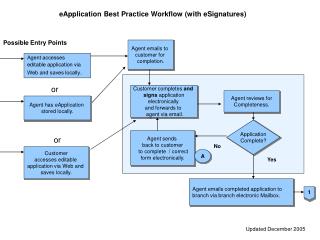
This document outlines a best practice workflow for managing electronic applications (eApplications) with eSignatures. It details the process from entry points like agent emails to customers, to local access and electronic completion by customers. Agents review applications for completeness and send corrections if needed. The workflow ensures that all required information and signatures are collected digitally. Once verified, applications are sent to branches for review and clearance. The steps aim to streamline processing while maintaining compliance with eSignature requirements.

Best Practice Workflow for Electronic Applications with eSignatures
E N D
Presentation Transcript
eApplication Best Practice Workflow (with eSignatures) Possible Entry Points Agent emails to customer for completion. Agent accesses editable application via Web and saves locally. or Customer completes and signs applicationelectronically and forwards to agent via email. Agent reviews for Completeness. Agent has eApplication stored locally. Application Complete? Agent sends back to customer to complete / correct form electronically. or No Customeraccesses editable application via Web and saves locally. A Yes Agent emails completed application to branch via branch electronic Mailbox. 1 Updated December 2005
eApplication Best Practice Workflow (with eSignatures) 1 Branch receives electronic application acknowledges receipt. Application emailed to UW/CSR for review. Branch beginsthe clearanceprocess. No Branch emails application back to agent requesting missinginformation and/or corrections to esignatures. * IsApplicationComplete and Valid? A Yes Branch continuesclearance and processes application.Note: (eApp is filed into CUW as Published) *A complete Application includes: • All appropriate information is filled in. • All signatures must appear and be in electronic form. • Using the compare function view, ensure no changes were made to the application information after the eSignatures were applied. (Only information that may be updated is the agent information that’s below the signatures at the bottom of the application) Note: attachments for eApplications can be routed via fax, e-mail, and/or regular mail.