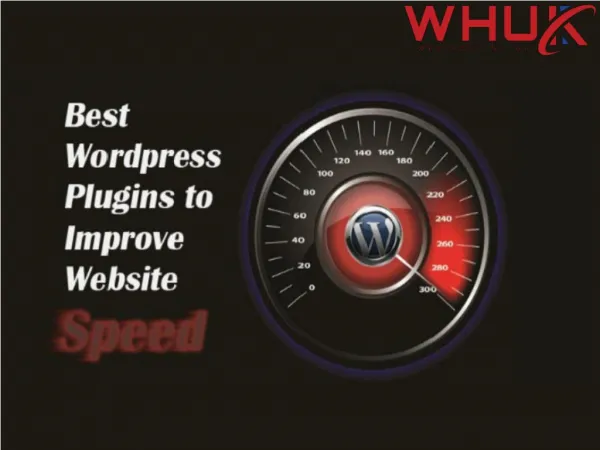
Top WordPress Speed Optimization Plugins for Lightning-Fast Load Times
Discover the top 5 WordPress speed optimization plugins of 2025 to enhance your site's performance. From caching to image optimization, these tools improve loading times, boost SEO, and enhance user experience. Find the perfect plugin to make your website faster and more efficient!


Top WordPress Speed Optimization Plugins for Lightning-Fast Load Times
E N D
Presentation Transcript
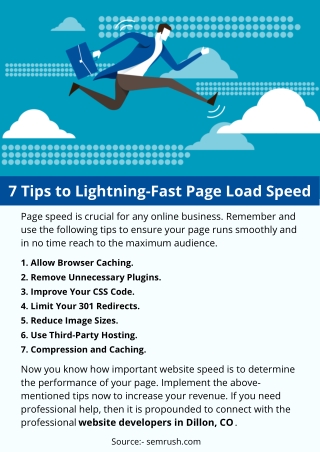
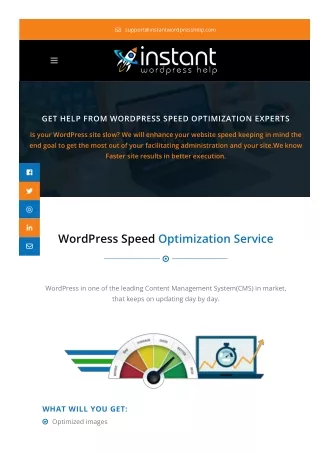
Top WordPress Speed Optimization Plugins for Lightning-Fast Load Times Introduction If you own a website, you understand how essential speed is for user experience and search engine rankings. A slow-loading site can frustrate visitors and negatively impact your SEO. Fortunately, WordPress offers numerous speed optimization plugins to help you enhance your site’s performance. In this guide, we’ll introduce you to five outstanding WordPress speed optimization plugins that will boost your website’s speed without requiring technical expertise. Whether you’re a beginner blogger usingPremium WordPress Themesor a seasoned e-commerce professional, these tools will help make your site faster and more efficient without the need for coding. Join us as we explore the top WordPress speed optimization plugins of 2025! Why Website Speed Matters Before diving into the plugins, let’s briefly discuss why website speed is so important: ● Better User Experience: Faster websites provide a smooth and enjoyable browsing experience, keeping visitors engaged.
● Improved SEO Rankings: Search engines like Google prioritize fast-loading websites in search results. ● Higher Conversion Rates: A quick-loading website leads to increased customer trust and higher sales or sign-ups. ● Lower Bounce Rates: Visitors are more likely to stay and explore your site if it loads quickly. 5 Best WordPress Speed Optimization Plugins of 2025 Our top five picks for the best WordPress speed optimization plugins include: ● WP Rocket ● W3 Total Cache ● WP Super Cache ● Autoptimize ● Smush Let’s take a closer look at each of these plugins and how they enhance website performance. WP Rocket WP Rocket is one of the most powerful caching plugins for WordPress. It enhances website speed by implementing: ● Page caching: Stores pages as static files for faster loading. ● Browser caching: Saves static assets in users' browsers for quicker repeat visits. ● GZIP compression: Reduces file sizes to improve load times. ● Lazy loading: Ensures images load only when needed, conserving bandwidth. ● CDN compatibility: Works seamlessly with Content Delivery Networks (CDNs) to distribute content globally. WP Rocket is ideal for both beginners and experienced users, as it optimizes your site with minimal setup.
W3 Total Cache W3 Total Cache is another robust caching plugin designed to improve website performance. It works by: ● Creating static cache files: Reducing server load and speeding up page delivery. ● Minifying CSS, JavaScript, and HTML: Streamlining code for faster execution. ● Integrating with CDNs: Distributing content efficiently to users worldwide. ● Auto-clearing cache on updates: Ensuring visitors always see the latest version of your site. If you want a plugin with advanced customization options, W3 Total Cache is a great choice. WP Super Cache WP Super Cache is a user-friendly caching plugin that speeds up websites by generating static HTML files. Key benefits include: ● Quick loading times: Preloaded static files deliver content instantly. ● Smart caching: Detects site updates and clears cache as needed. ● CDN integration: Enhances speed by distributing content across multiple servers. ● Beginner-friendly interface: Simple settings for non-technical users.
WP Super Cache is an excellent option for those looking for a lightweight but effective caching solution. Autoptimize Autoptimize is a fantastic optimization plugin that focuses on reducing website bloat. It works by: ● Optimizing CSS, JavaScript, and HTML files: Minimizing and merging scripts for faster performance. ● Reducing HTTP requests: Improving loading speeds by decreasing the number of server requests. ● Automatic optimization: Works in the background without requiring manual adjustments. ● Compatible with other plugins: Integrates smoothly into existing WordPress setups. If you want a hassle-free way to enhance website performance, Autoptimize is a solid choice. Smush Smush is an image optimization plugin that compresses images without compromising quality. It helps improve site speed by:
● Reducing image file sizes: Compresses images to load faster. ● Bulk optimization: Optimizes multiple images at once. ● Lazy loading: Ensures images only load when needed to conserve bandwidth. ● Automatic optimization: Works in the background to keep your site fast. Smush is a must-have for image-heavy websites looking to improve their loading speed. Additional Tips to Improve Website Speed In addition to using these plugins, consider implementing the following strategies for even better performance: ● Choose a Reliable Web Hosting Provider: A fast and secure hosting provider ensures optimal site speed. ● Enable GZIP Compression: Reducing the size of your files can significantly improve loading times. ● Use a Content Delivery Network (CDN): CDNs distribute your content across multiple servers, reducing latency. ● Reduce Unnecessary Plugins: Deactivate and delete plugins you don’t need to prevent website bloat. ● Optimize Database Performance: Regularly clean your database to remove excess data and improve efficiency. ● Use a Lightweight WordPress Theme: Themes with minimal code load faster and provide a better experience. How to Choose the Right Speed Optimization Plugin With so many options available, here are some factors to consider when selecting the best plugin for your needs: ● Ease of Use: Look for plugins with simple settings and minimal configuration requirements. ● Compatibility: Ensure the plugin works well with your WordPress theme and other installed plugins. ● Features: Identify the specific features you need, such as caching, image compression, or script optimization. ● Support and Updates: Choose a plugin with regular updates and responsive customer support. ● Performance Impact: Test plugins to see which ones provide the best improvements in load times. Conclusion
We’ve explored five of the best WordPress speed optimization plugins available in 2025. Each plugin offers unique benefits: ● WP Rocket: User-friendly, powerful caching and optimization features. ● W3 Total Cache: Advanced caching and performance improvements. ● WP Super Cache: Simple yet effective caching solution. ● Autoptimize: Streamlines code and improves site efficiency. ● Smush: Optimizes images for faster loading times. By integrating these plugins into your website, you can enhance speed, improve user experience, and boost your search engine rankings. No matter your skill level, these tools will help you achieve a faster and more optimized WordPress site. Furthermore, you need to check for recent user reviews and ratings to ensure that the chosen premium plugin meets your current needs and is well-received by the WordPress community.Premium WordPress plugins often offer enhanced functionality, dedicated support, and regular updates, making them a valuable choice for your WordPress site. Start optimizing today and give your visitors a seamless browsing experience!