Download
1 / 3
0 likes | 1 Vues
WCAG 2.2 strengthens digital accessibility by improving usability for people with visual, cognitive, and motor disabilities. This blog explains key updates, real-world benefits, and how WCAG 2.2 supports inclusive design while enhancing user experience and long-term accessibility compliance across digital platforms.

E N D
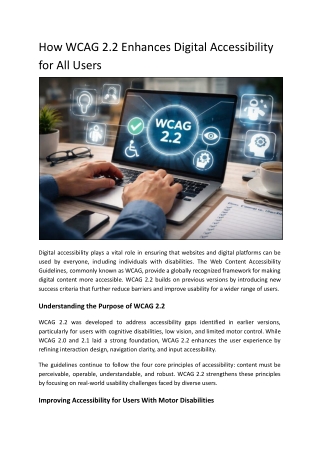
How WCAG 2.2 Enhances Digital Accessibility for All Users Digital accessibility plays a vital role in ensuring that websites and digital platforms can be used by everyone, including individuals with disabilities. The Web Content Accessibility Guidelines, commonly known as WCAG, provide a globally recognized framework for making digital content more accessible. WCAG 2.2 builds on previous versions by introducing new success criteria that further reduce barriers and improve usability for a wider range of users. Understanding the Purpose of WCAG 2.2 WCAG 2.2 was developed to address accessibility gaps identified in earlier versions, particularly for users with cognitive disabilities, low vision, and limited motor control. While WCAG 2.0 and 2.1 laid a strong foundation, WCAG 2.2 enhances the user experience by refining interaction design, navigation clarity, and input accessibility. The guidelines continue to follow the four core principles of accessibility: content must be perceivable, operable, understandable, and robust. WCAG 2.2 strengthens these principles by focusing on real-world usability challenges faced by diverse users. Improving Accessibility for Users With Motor Disabilities
One of the key ways WCAG 2.2 enhances digital accessibility is by improving support for users with limited mobility or dexterity. New and updated success criteria focus on reducing reliance on precise gestures, dragging movements, and small interactive targets. For example, WCAG 2.2 emphasizes alternatives to drag-and-drop interactions and reinforces the importance of adequate target sizes for clickable elements. These improvements benefit users who rely on keyboards, assistive technologies, or alternative input devices, while also improving usability for mobile and touch-based interactions. Enhancing Focus Visibility and Keyboard Navigation Clear focus indicators are essential for users who navigate websites using a keyboard rather than a mouse. WCAG 2.2 introduces stronger requirements around focus appearance, ensuring that users can clearly see which element is active on the screen. Improved focus visibility benefits users with low vision, attention limitations, and cognitive disabilities. It also supports users who rely on screen magnification or keyboard-only navigation. By making focus indicators more noticeable and consistent, WCAG 2.2 helps users move through digital content with greater confidence and accuracy. Supporting Users With Cognitive and Learning Disabilities WCAG 2.2 places greater emphasis on reducing cognitive load and preventing user errors. Clear instructions, consistent navigation, and predictable interactions help users understand and complete tasks more easily. The updated guidelines encourage designers and developers to minimize distractions, avoid unexpected changes in context, and provide clear feedback for user actions. These improvements support users with attention disorders, memory challenges, and learning disabilities, while also enhancing usability for the general population. Improving Accessibility on Mobile and Touch Devices As mobile usage continues to grow, WCAG 2.2 addresses accessibility challenges specific to touch-based interfaces. Requirements related to target size, spacing, and gesture alternatives help ensure that mobile users can interact with content without frustration. These enhancements benefit users with tremors, limited hand control, or those using assistive technologies on mobile devices. At the same time, they improve overall mobile usability, leading to fewer errors and smoother interactions for all users. Strengthening Error Prevention and Input Assistance
Forms and interactive components are common sources of accessibility barriers. WCAG 2.2 reinforces the importance of clear labels, instructions, and error identification to help users complete tasks successfully. By improving input assistance and reducing the likelihood of mistakes, WCAG 2.2 supports users with cognitive impairments, visual disabilities, and motor limitations. Clear feedback and guidance also benefit users in high-stress or low-attention situations, making digital experiences more inclusive and reliable. Benefits Beyond Compliance While WCAG 2.2 is often associated with accessibility compliance, its benefits extend far beyond meeting technical standards. Websites that align with WCAG 2.2 are generally easier to navigate, more intuitive to use, and more adaptable across devices and technologies. Improved accessibility often leads to better user engagement, reduced bounce rates, and enhanced brand trust. By prioritizing inclusive design, organizations demonstrate a commitment to equal access and usability for all audiences. The Role of Accessibility Assessments Implementing WCAG 2.2 effectively requires a clear understanding of existing accessibility gaps. Accessibility assessments and audits help organizations identify areas that need improvement and prioritize remediation efforts. Accessibility professionals, including teams at Accessibility Innovations, evaluate websites against WCAG criteria and provide actionable recommendations to improve compliance and usability. Ongoing assessments ensure that accessibility improvements remain effective as digital content evolves. Conclusion WCAG 2.2 enhances digital accessibility by addressing real-world usability challenges while improving the overall experience for all users. Through stronger focus visibility, improved interaction design, better cognitive support, and enhanced mobile accessibility, these guidelines help create inclusive and usable digital environments. Organizations working with accessibility specialists such as Accessibility Innovations can better identify accessibility gaps, implement effective remediation strategies, and maintain long-term alignment with WCAG 2.2 requirements as digital content continues to evolve.