Week 11 Agenda: Research Techniques, Image Citation, and Alternative Search Engines
200 likes | 314 Vues
This week’s agenda focuses on enhancing research skills with a review of Week 10 homework and quizzes. We will explore alternative search engines like Ecosia, Blackle, and Dogpile, comparing their functionalities. The session will include discussions on utilizing images from platforms such as Flickr, Google Images, and library databases (AP Images, ARTstor, Bridgeman Art Library) with a focus on image citation in MLA format. Students will also learn to conduct research using the Academic Search Premier database and complete a research assignment with detailed MLA citations and summaries.

Week 11 Agenda: Research Techniques, Image Citation, and Alternative Search Engines
E N D
Presentation Transcript
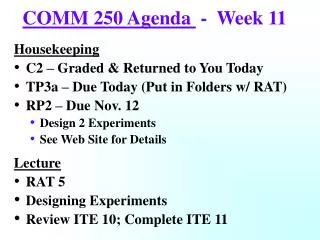
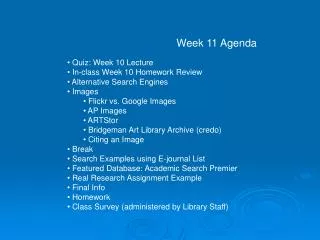
Week 11 Agenda • Quiz: Week 10 Lecture • In-class Week 10 Homework Review • Alternative Search Engines • Images • Flickr vs. Google Images • AP Images • ARTStor • Bridgeman Art Library Archive (credo) • Citing an Image • Break • Search Examples using E-journal List • Featured Database: Academic Search Premier • Real Research Assignment Example • Final Info • Homework • Class Survey (administered by Library Staff)
Alternative Search Engines http://www.ecosia.org/
Alternative Search Engines http://www.blackle.com/
Alternative Search Engines http://www.dogpile.com/
Alternative Search Engines http://www.yippy.com/
Alternative Search Engines http://www.wolframalpha.com/
Images Online http://www.flickr.com/
Images Online http://www.google.com/imghp
Citing an Image in MLA https://owl.english.purdue.edu/owl/resource/747/08/
Examples of finding Periodicals/Journals: From the Web to the Library Databases
Featured Library Database: Academic Search Premier (EBSCOhost)
Videos on Scholarly Articles • http://youtu.be/ejM2AVkcVZ0 • http://youtu.be/twogpmM-SfY • http://youtu.be/VeyR30Yq1tA
Citing an Article in a Scholarly Journal https://owl.english.purdue.edu/owl/resource/747/07/
Citing an Article from Online Database https://owl.english.purdue.edu/owl/resource/747/08/
A Real Example of a Research Assignment (hand out) • Final Info (hand out)
Week 11 Homework (use hand out) • Part 1: Read Chapter 5 of the Badke Text. • Part 2: • Find any 2 images (it does not have to be related • to your topic): • One using Google Images or Flickr • One using AP Images, ARTstor, or Bridgeman Art Library Archive. • Type a MLA citation for both. • Part 3: • Find an article using Academic Search Premier that • is related your topic and: • Print out the first page of the article (attach to hand out) • Type the article in MLA (do not just copy and paste the citation) • Type a summary of the article (min 150 words).