
Uploaded by
ailani
20 SLIDES
342 VUES
200LIKES
Easy Guide to Update Your HasdK12 Subscriptions
DESCRIPTION
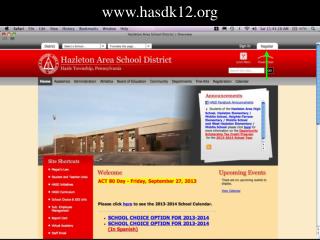
Follow this simple step-by-step guide to update your subscriptions on the HasdK12 website. Start by visiting www.hasdk12.org. Once you are on the homepage, scroll down until you reach the bottom of the page. Look for the "Subscriptions" section. When you find it, select "YES" to confirm your subscription preferences. Ensuring your school notifications are accurate will help you stay informed about important updates and events. Don't miss out on essential communications from HasdK12!
Download
1 / 20
Télécharger la présentation 
Easy Guide to Update Your HasdK12 Subscriptions
An Image/Link below is provided (as is) to download presentation
Download Policy: Content on the Website is provided to you AS IS for your information and personal use and may not be sold / licensed / shared on other websites without getting consent from its author.
Content is provided to you AS IS for your information and personal use only.
Download presentation by click this link.
While downloading, if for some reason you are not able to download a presentation, the publisher may have deleted the file from their server.
During download, if you can't get a presentation, the file might be deleted by the publisher.
E N D
Presentation Transcript
More Related