C++ Programming Course Overview and Software Installation Guide
Welcome to CS 241: Programming! This course delves into C++ programming essentials using the "C++ How to Program" by Deitel and "C++ Without Fear" by Brian Overland. We will assess your knowledge through midterms, quizzes, homework, participation, and a final exam. Essential software includes Microsoft Visual C++ 2010 Express Edition, which you can download and install via the provided links. Follow the instructions to successfully set up your development environment and get started coding in C++.

C++ Programming Course Overview and Software Installation Guide
E N D
Presentation Transcript
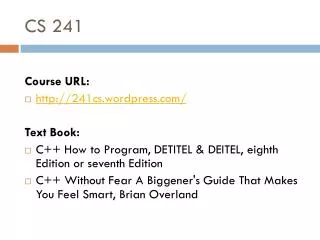
CS 241 Course URL: • http://241cs.wordpress.com/ Text Book: • C++ How to Program, DETITEL & DEITEL, eighth Edition or seventh Edition • C++ Without Fear A Biggener's Guide That Makes You Feel Smart, Brian Overland
GRADES Grading • First Midterm: 10 • Second Midterm:15 • Lab quize:5 • Homework:5 • Participation and Evaluations:5 • Final: 40 • Final Lab: 20
CS 241– Programming The Required Software & How To Install it
Software Required • Microsoft Visual C++ 2010 Express Edition http://www.microsoft.com/visualstudio/eng#downloads Direct Link (you can find it in your course blog: http://go.microsoft.com/?linkid=9709949
Download Click here
install • After downloading, you will get this: • Double click.
install 1 2
install 1 2
install After clicking Exitopen Visual C++Then register theproduct.
register • Sign in with your MSN Hotmail account OR MSN Messenger account • Then, Click Sign in.
register • fill out the online registration form. Then click Continue .
register Copy the Key
register 1. Paste it here 2. Click here
DONE! • Now Microsoft Visual C++ 2010 is ready to use.