Enroll in MyMathLab: A Step-by-Step Guide for Germantown Campus Students
This guide outlines the process for enrolling in MyMathLab, specifically for Germantown Campus students. It explains how to purchase a MyMathLab access code, either through the campus bookstore or online at www.coursecompass.com, where online prices are often lower. After obtaining the code, follow the instructions to log in to your account, check your email for details, and navigate the platform efficiently. Ensure you select the correct options regarding your MathXL account to successfully access your course materials.

Enroll in MyMathLab: A Step-by-Step Guide for Germantown Campus Students
E N D
Presentation Transcript
MyMathLab Orientation
1. Purchase MyMathLab code • Bookstore (Germantown Campus) • Online (www.coursecompass.com) • Buying online is much cheaper!
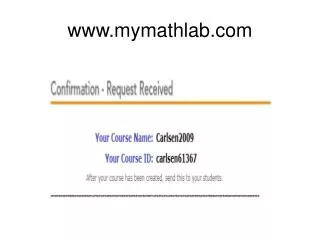
2. Go to: www.coursecompass.com
Check your MC e-mail for the code!
If you already have bought the code from the bookstore, then click Access Code.
If you have already MathXL account, then click YES. NO, then click NO!
Go to: • www.coursecompass.com