
Advanced Form Management System for Windows, AS/400, UNIX, and DOS
FormPort DIMM is an innovative output management solution designed for diverse platforms like Windows, AS/400, UNIX, and DOS. It streamlines the printing process by allowing data (ASCII or CSV) to be sent directly to printers. Features include conditional image processing for forms, logos, and signatures, alongside intelligent data manipulation and full MICR capabilities. The system supports extensive barcode functionalities and multi-copy processing without needing modifications to the host application, ensuring smooth operation and flexibility in output management.

Advanced Form Management System for Windows, AS/400, UNIX, and DOS
E N D
Presentation Transcript
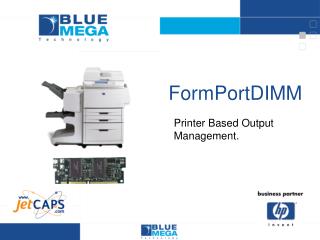
FormPortDIMM Printer Based Output Management.
WINDOWS AS/400 UNIX DOS FormPort DIMM ASCII DATA FILE OR CSV DATA DATA SENT DIRECT TO THE PRINTER!
Conditional Image Processing: • Forms • Logos • Signatures Intelligent Data Manipulation Complete MICR Capabilities Extensive Barcode Capabilities FormPort Original Data
FormPort DIMM: • Multi-Copy Processing. • Conditional Image Processing: • Intelligent Data Manipulation • Adapt the output to the recipient. • Complete MICR Capabilities • Extensive Barcode Capabilities With NO changes to Host Application! FormPort Original Data
Available Platforms • BIJ 3000 • LJ 4100 • LJ 4100mfp • LJ 4200 • LJ 4300 • CLJ 4550 • CLJ 4600 • CLJ 5500 • LJ 9000 • LJ 9000mfp
FPD Manager. FPD Print Logic. FPD Configurator. Windows Based Form Design. FormPort DIMM Components:
The FPD Manager will scan the data incoming data to determine which form or job to launch. This means there is no need to “add” any information to the data to trigger the job. FPD Manager
The FPD Print Logic module creates the actual form(s). This includes the data remapping, multi copies (in different format if necessary) and document format based on the data. This means the data can be adapted to the recipient. FPD Print Logic
The FPD Configurator module allows the user to indicate the conditions under which a form or job is launched. The user can indicate the line number, column and character string to trigger each job. This is done by using the printers internal web page. FPD Configurator
This PC based program allows for the creation of the form(s). This module allows the user to indicate the data mapping, document layout and any logic associate with the document creation. FPD Forms Designer