
Uploaded by
angie
70 SLIDES
847 VUES
700LIKES
Exploring System Utilities in Microsoft Windows 7: A Comprehensive Guide
DESCRIPTION
Chapter 3 of the MCSE Guide to Microsoft Windows 7 delves into the essential system utilities that enhance user experience and optimize system performance. This chapter covers tools such as Disk Cleanup, Task Manager, and System Configuration, providing step-by-step instructions for using these utilities effectively. By understanding and utilizing these resources, users can maintain their systems, troubleshoot issues, and improve overall efficiency. This guide is perfect for anyone looking to maximize their Windows 7 experience.
Download
1 / 70
Télécharger la présentation 
Exploring System Utilities in Microsoft Windows 7: A Comprehensive Guide
An Image/Link below is provided (as is) to download presentation
Download Policy: Content on the Website is provided to you AS IS for your information and personal use and may not be sold / licensed / shared on other websites without getting consent from its author.
Content is provided to you AS IS for your information and personal use only.
Download presentation by click this link.
While downloading, if for some reason you are not able to download a presentation, the publisher may have deleted the file from their server.
During download, if you can't get a presentation, the file might be deleted by the publisher.
E N D
Presentation Transcript
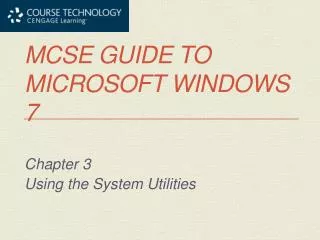
1. MCSE Guide to Microsoft Windows 7 Chapter 3 Using the System Utilities
More Related

Audio
Live Player