Language Translator For Magento 1
Language translator extension for magento allows store admin to make magento multilingual store. Language switcher extension translates store content to multi languages. To Know More About Theme: https://www.appjetty.com/magento-language-translator.htm

Language Translator For Magento 1
E N D
Presentation Transcript
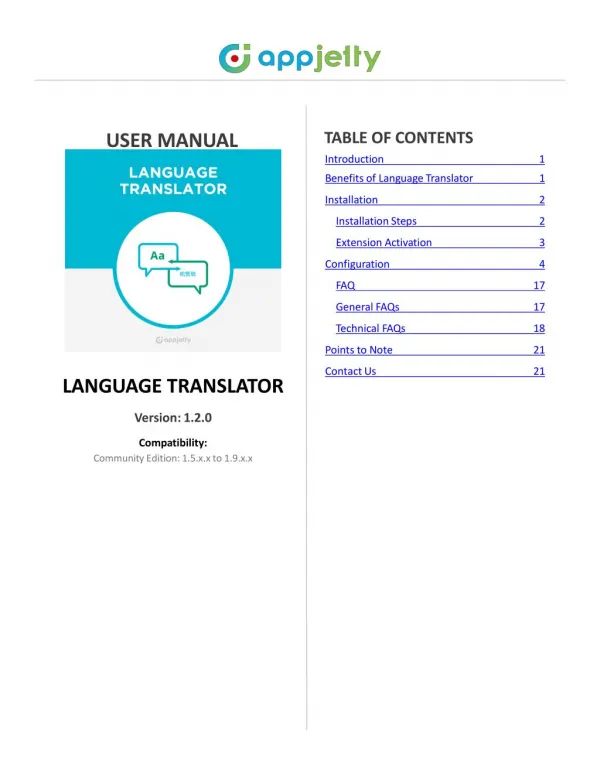
TABLEOFCONTENTS Introduction1 BenefitsofLanguageTranslator1Installation2InstallationSteps 2ExtensionActivation 3Configuration 4FAQ17 GeneralFAQs17TechnicalFAQs18PointstoNote21ContactUs21 USERMANUAL LANGUAGETRANSLATOR Version:1.2.0 Compatibility: CommunityEdition:1.5.x.xto1.9.x.x
USERMANUAL–LanguageTranslator • Introduction • Areyoulookingforanextensionwhichallowstotranslateyourcontentintoanyregionallanguageandmakeyourstoreglobal?Toexpandyourbusinessinmultiplecountriesyouneedtoexhibityourproductsinmultiplelanguages.ThiscanbedonenowusingLanguageTranslatorextension. • Thisextensionisquitesimpleandeasytoinstallandconfigure.UsingthisextensionyoucanautomaticallytranslatetheproductattributesandMetadetailsofaspecificpagefromonelanguagetoanotherthroughCRONprocesses.Itwillhelpyoutomanageyourmulti-lingualstoresmoreefficiently.ItispoweredbyGoogleAPIKey,whichmakesisimperativetopurchaseAPIkeystousethisextension.Itisamusthaveextensionforstoreownerswhorunmulti-lingualstores. • BenefitsofLanguageTranslator • Helpstomanagemultilingualstores. • Helpscustomerstobetterunderstandyourproducts. • ConvertCMSpagedetailslikePageTitle,ContentHeading,ContentandMetaDetailsinanylanguage. • Translatereviewsfromonelanguagetoanother. • Searchandtranslateanystringofthestore. • MasstranslationformultiplestorefieldswillbecarriedthroughCRON. • SetDailyCharacterLimitforthetranslationandSetSafeLimittobekeptduringtranslation. • Calculatenumberofcharactersforproductbasedontheattributesselected. www.appjetty.com
USERMANUAL–LanguageTranslator • Installation • InstallationSteps • Step1:CheckPermissions • Makesurethe͚͚app͛͛directoriesofyourMagentoandalldirectoriesinsideit,havefullwrittenpermissionsorsetpermissionsontheeachdirectoryequalto777or0777. Important!Changeallpermissionsbackafterinstallation. • Readmoreaboutpermissionathttp://www.magentocommerce.com/wiki/magento_filesystem_permissions • Step2:DisableCompilation • LogintoMagentoAdminPanelandgotoSystem→ Tools→ Compilationanddisablethecompilation. • Afterstep5youcanrunthecompilationprocessagain. • Step3:UploadFiles • UploadallfoldersfromtheextensionpackagetotheinstallationdirectoryofyourMagentosoftwareusinganFTPclient. • Step4:Clearcache • GotoSystem→ CacheManagement. • Clearthestorecache. www.appjetty.com
USERMANUAL–LanguageTranslator • Step5:Re-login • LogoutandlogbackintoMagentoAdminPanel. • Step6:UseExtension • GotoSystem→ Configuration. • IntheleftcolumnyouwillseethenewtabBiztechExtensions,nowselectTranslator. • ExtensionActivation • Copyanactivationkey • CopytheactivationkeyfromtheOrderConfirmationMail.ORLoginintoyouraccountatwebsiteusingthee-mailandpasswordthatyouprovidedatcheckoutprocess. • GotoDownloadableOptionsandcopytheactivationkeyfortheLanguageTranslatorextension. • Activateanextension • LogintoMagentoAdminPanelandgotoSystemConfiguration->BiztechExtensions/LanguageTranslatorExtensionandentertheactivationkeyinthe'ActivationKey'fieldfortheLanguageTranslatorextensionthenclickthe͚SaveConfig͛. www.appjetty.com
USERMANUAL–LanguageTranslator • SelectWebsites • WhenyouenterandsavethekeyitwillbeverifiedonourserverandyoucanselectthewebsiteswhereyouneedtousetheLanguageTranslatorextension.Clickthe'SaveConfig'buttonaftermakingyourselections. • YouarenowreadytousetheLanguageTranslatorextension. • Now,LanguageTranslatorgotactivated!Youjusthavetosetconfigurations. • Configuration • PleasefollowthebelowstepstoenablethefunctionalityofLanguageTranslator. • GotoSystem->Configuration.IntheleftcolumnyouwillseethetabBiztechExtensions • ->Translator. • Enabled:Select͚Yes͛toenabletheLanguageTranslatorextension.Theextensionisdisabledbydefault. • EnterGoogleAPIkey:Itisusedtotranslatethedata(Note:UsethislinktogeneratetheGoogleAPIkey(https://developers.google.com/translate/v2/getting_started) • EnterDailyQuota:EnterdailylimitspecifiedinyourGoogleBillingAmount. • EnterSafeLimit:Enteradailysafelimittoavoidtheerrorswhiletranslatingthecontent. • Note:Itmustbelessthanthevalueenteredin͚EŶterDaily Quota͛field www.appjetty.com
USERMANUAL–LanguageTranslator • Languageyouwanttotranslateyourwebsiteto:Translatetheproductdata,categorydata,CMSpage,CMSblock,reviewfieldsandMetadataindefinedlanguage.Iflanguagehasbeennotselectedthenitwillbetranslatesincurrentlocalelanguage. • Note:Ifyouselect'Currentlocale'thenbydefaultitwillusecurrentlocalelanguage. • TranslateFrom: TraŶslate froŵspecific laŶguage. If you select ͚AutoDetect͛theŶit willautomaticallydetectthelanguage. • TranslateButtonLabel:EnterthetexttobedisplayedonTranslatebutton. • AdmincanchoosefieldswhicharetobetranslatedforProducts,CMSPages&Categories. • TranslateFields:Translatespecificfieldsforproductmodule. • CMSPageTranslateFields:TranslatespecificfieldsforCMSPage. • CategoryTranslateFields:TranslatespecificfieldsforCategorymodule. www.appjetty.com
USERMANUAL–LanguageTranslator • Admincanmanagethetranslationsinvariousways: • Doyouwanttotranslateallproductsagain?:Select͚Yes͛ totranslatealltheproductsagain. • BatchSizetotranslate:Enterthenumberofproductstobetranslatedataparticulartime. • CalculateCharacters:Tocalculateandviewthenumberofcharactersbasedonproductconfigurationsselectedclickon͚CalĐulateCharaĐters͛button. www.appjetty.com
USERMANUAL–LanguageTranslator • TranslateProductDetailsfromonelanguagetoanother • GotoCatalog->ManageProductsandclickonanyproducttotranslateittoanyotherlanguage. • GotoGeneraltotranslategeneralinformation.GotoMetaInformationtochangeMetaInformationofProduct. • Youcantranslateallalloweddatawithglobaltranslatebuttonbesidessavebutton. www.appjetty.com
USERMANUAL–LanguageTranslator • TranslateCMSPageDetails&CMSBlockDetailsfromonelanguagetoanother • GotoCMS->Pagesandclickonanypagetotranslateittoanyotherlanguage. • AdmincantranslatePageInformation,ContentandMetaDataoftheCMSPage. • IfwechangethestoreviewthenthetranslatebuttonwillchangetotranslatetolanguageforthatStore. www.appjetty.com
USERMANUAL–LanguageTranslator • GotoCMS->StaticBlockandclickonanyBlocktotranslateittoanyotherlanguage. • AdmincanchangeBlockTitleandBlockContentbasedonStoreview. • Ifwechangethestoreviewthenthetranslatebuttonwillchangetotranslatetolanguageforthatstore. www.appjetty.com
USERMANUAL–LanguageTranslator • TranslateStoreReviewstoAnyLanguage • GotoCatalog->ReviewsandRating->CustomerReviews->AllReviewsandclickonanyreviewtotranslateittoanyotherlanguage. • Ifwechangethestoreviewthenthetranslatebuttonwillchangetotranslatetolanguageforthatstore. www.appjetty.com 10
USERMANUAL–LanguageTranslator • SearchStringsandtranslatethemtoanyLanguage • GotoBiztechTranslator->ManageTranslation->SearchStringandTranslateandenteranystringyouwanttotranslateinthesearchbox. • ClickonanystringyouwanttoTranslateandtranslatethemintoanyoftheLocalelanguagebyselectingfromlistofpredefinedlocalefromadminconfiguration. www.appjetty.com
USERMANUAL–LanguageTranslator • TranslateCategoryinaMasstoanyofthelanguage • GotoBiztechTranslator->ManageTranslation->MassCategoryTranslateandselectcategoriesthatyouwanttotranslate. • Selectthetranslatelanguageandthestoreinwhichyouwanttranslatedcategory. www.appjetty.com
USERMANUAL–LanguageTranslator • MassTranslationofProducts,CMSPageData,StaticBlocks,ProductReviewsandTags • Gotoanyofthecategorypagethatyouwanttotranslateandselectmultipleitemsbycheckingthecheckbox. • Clickon͚Actions͛ dropdownlistandselect͚TranslateSelectedCMSPages͛ (ForMassTranslation). www.appjetty.com
USERMANUAL–LanguageTranslator • Selectanylanguageinwhichyouwanttranslationbyclickingonthe͚TraŶslateTo͛button. www.appjetty.com
USERMANUAL–LanguageTranslator • Nowclickon͚Suďŵit͛ buttontotranslatealltheselectedattributestogether.Byclickingon • ͚Suďŵit͛buttonyouwillbenotifiedwithamessageabouttheCRONProcessbywhichthemasstranslationwillbecarriedout. Note:ThemasstranslationoftheproductwillbecarriedoutthroughaCRONandonlyoneCRONcanberegisteredatatime. www.appjetty.com
USERMANUAL–LanguageTranslator • MassTranslationStatus • ToviewthestatusofthemasstranslationscarriedoutbyCRONsgotoBiztechTranslator->ManageCRONTranslations. • NowyoucanviewalistofCRONsinwhichthemasstranslationwerecarriedoutalongwithCRONstatusesandotherdetails. www.appjetty.com
USERMANUAL–LanguageTranslator FAQ GeneralFAQs 1.WhatMagentoversionsisLanguageTranslatorcompatiblewith? Ans:ThecurrentLanguageTranslatorextensioniscompatiblewith:CommunityEdition:1.5.x.xto1.9.x.x IsGoogleAPIfreeofcharge? Ans:No,GoogleTranslateAPIisnotfree,itdoeschargeasperbelowURL:https://cloud.google.com/pricing/list Iwanttoenableextensioninmorethanonedomain.HowcanIdoso? Ans:Basicallyweprovidelicensekeyfortwodomains:oneliveandonefordevelopment/testingURL.Ifyouaretousetheextensiononextradomainsthenkindlypurchaselicensekeyforthesame.Youcanreviewthelicensekeyinformationonourentireproductpageundersection:"IhaveoneMagentoInstallationwith"Pleasereview@https://www.appjetty.com/magento-language-translator.htm Doyouprovidedemo? Ans:Yes,demoisworthathousandwords.Youcanviewthedemodetailsandvideothroughthe ͚Deŵo͛buttonabove. Doyouprovideinstallationservice? Ans:Yes,wedoprovidetheinstallationservice.Youcanticktheinstallationservicecheckboxwhilepurchasingorcantransfer$25toourPayPalaccountpayments@biztechconsultancy.comlateron. CanIedittheextension? Ans:Allourextensionsare100%opensource.Youcancustomizetheextensionexceptthefilecontainingourlicensecode. WhatifIgetanerrormessageaftertheinstallationofextensionor404ErrorPagenotfound,afterinstallingextension? Ans:Noneedtoworry.Justcleanthecache,logoutofyourMagentoadminpanelandlogininagain. Canyoucustomizetheextensionandappasourstoreneeds? Ans:Yes,wedocustomizetheextensionandappasperyourneed.Thisrequiresextraeffortandestimation. www.appjetty.com
USERMANUAL–LanguageTranslator • Doyouhavearefundpolicy? • Ans:Yes,youcanreferourrefundpolicy@https://www.appjetty.com/refund-policy.htmwestandbehindthequalityofourextensionswitha15daymoneybackguarantee. • TechnicalFAQs • HowcanIsetupGoogleAPIKeyfortranslator? • Ans:PleasefollowbelowstepstoobtainLanguageTranslatorGoogleAPIKey: • OpenthisURLandthefollowtheinstructionshttps://cloud.google.com/translate/v2/getting_started • Alsoifyouhavenotmadepaymentyet,pleaseconfigurebillingaddressandmakepaymentaswellat • https://console.developers.google.com/project/dulcet-outlook747/settings?authuser=1 • OnceyouaredonewithpaymentyouwillneedtogenerateAPIKeyagain. • Note:YoudonotneedtoenteranythinginsettingreferralallowedwhilegoingthroughAPIKeystepsinyourGoogleaccount.Keepthatempty.WithoutmakingpaymentandsettingupbillinginformationAPIkeywillnotwork. • YouwillneedtotakecareofbelowthingswhileyougenerateAPIKeyfromGoogle. • Youhavenotmakepaymentthenpleaseconfigurebillingaddressandmakepaymentaswell. • YoudonotneedtoenteranythinginsettingreferralallowedwhilegoingthroughAPIKeystepsinyourGoogleaccount.Keepthatempty. iii. Withoutmakingpaymentandsettingupbillinginformation,APIkeywillnotwork. 11.Willthisextensiontranslateallofthedifferenttypesofattribute?i.e.Dropdown,textboxetc. Ans:Currentlyitsupportstranslationoftextfieldsandtextareafieldsonly. 12.ExtensionShowsErrorMessagePopupwhileinuse.WhatshouldIdo? Ans:PleasetryobtainingcorrectkeyfromGoogleAPIandthentrytocheck.Itshouldworkfine. www.appjetty.com
USERMANUAL–LanguageTranslator • "AccessNotConfigured.TheAPIisnotenabledforyourproject,orthereisaper-IPorper-ReferrerrestrictionconfiguredonyourAPIkeyandtherequestdoesnotmatchtheserestrictions.PleaseusetheGoogleDevelopersConsoletoupdateyourconfiguration."Whatisthesolutionforthiserror? • Ans:ItseemsthatyouhavenotconfiguredAPIdetailsproperlyinyourgoogleaccount.Onceitwillbedone,APIwillworkfortheextension.YouwillneedtosetupbillingdetailsforthisAPItohavethisenabled. • Error:DailyLimitExceeded.Howtogetridofthiserror? • Ans:ItseemsbillingprocessispendingforyourgoogleAPI,soitisreturningthistypeoferror.YoucancheckyourAPIkey@ • https://www.googleapis.com/language/translate/v2?key=APIKEYHERE • &q=hello%20world&source=en&target=de • Note:YouhavetoaddyourAPIkeyandgototheURLtocheckyourdailylimit. • HowtotranslateCMSpagesandstaticblocks? • Ans:TheCMSpageandstaticblockscanbetranslatedintwoways:massupdateandindividually. • MassUpdate • SelecttheCMSpagestobetranslatedtoaparticularlanguagefromthegrid. • Choose"TranslateselectedCMSpage"fromactionsdropdown.A͚TraŶslateTo͛dropdownwillappeartochoosethelanguage. • Selectthedesiredlanguagefortranslationandclickon͚Suďŵit͛. • Individually • OpenanyoftheCMSpageineditview.Thefieldswillhave͚TraŶslate͛ buttonbeneaththem. • Thelanguagefortranslationcanbechangedbychangingthestoreview. • NOTE:Thestepsdescribedabovewillonlytranslatethefieldsselectedintheconfigurationfor"CMSpageTranslateFields" www.appjetty.com
USERMANUAL–LanguageTranslator • 16.Howtousemassupdatefeatureforproducts? • Ans:It'samatteroffewclicks!GotoCatalog->ManageProducts.Youcanmasstranslatetheproductsforallstoresorselectaspecificstoreviewandthenproceed.Selecttheproductstobetranslatedandchoose"TranslateSelectedProducts"fromtheactionsdropdown.Thereafter,choosethedesiredlanguagefortranslationandclickon͚Suďŵit͛. • NOTE:Thestepsdescribedabovewillonlytranslatethefieldsselectedintheconfigurationfor"ProductTranslateFields". • Isthereawaytotranslatecategories? • Ans:Yes.Youcantranslatecategoriesindividuallyaswellasbymassupdate. • MassUpdate • GotoBiztechTranslator->ManageTranslations->MassCategoryTranslate. • Selectthecategoriestobetranslated,choosethelanguageandclickon"BulkCategoryTranslate". • Individually • GotoCatalog->ManageCategoriesandselectthecategorytobetranslated. • Thefieldswillhave͚TraŶslate͛buttonbeneaththem.Thelanguagefortranslationcanbechangedbyswitchingthestoreviews. • NOTE:Thestepsdescribedabovewillonlytranslatethefieldsselectedintheconfigurationfor"CategoryTranslateFields" • Isitpossibletotranslateanyrandomwordfromourstore? • Ans:Yes,youcantranslatethestringssupportedbyyourstorelocalesettings.NavigatetoBiztechTranslator->ManageTranslations->SearchString&Translate.Youcanenterthestring,selecttheoptionsanditwillshowthesearchresults.Youcanpicktheonetobetranslated,openineditviewandtranslate. • Iamnotabletoseeextensionatmyproductgrid. • Ans:Ifyouareusinganycustomizedgridorthirdpartyextensionforthesame,thenthiswillrequirefurthercustomizationandeffortestimation.Pleasecontactoursalesteamatsales@appjetty.com www.appjetty.com 20
USERMANUAL–LanguageTranslator • PointstoNote • GoogleAPIkeymustbedefinedtotranslatethedata. • WhenextensionisenabledbydefaultforreviewandCMSblocktranslatebuttonwillbeadded. ContactUs Wesimplifyyourbusiness,offeruniquebusinesssolutionindigitalwebandITlandscapes. • LiveChat Tickets • GetinstantsupportwithourLiveChat. • Raiseticketsforyourspecificquestion! • Visitourproductpageat:https://www.appjetty.com/magento-language-translator.htmandclickontheLiveChatbuttonforinstantsupport. • Sendanemailtosupport@appjetty.comoryoucanlogintoyouraccount@www.appjetty.comandclickonMySup- portTicketsonyouraccountdashboard,togetanswerstoyourspecificquestions. Customization: IfyouwouldliketocustomizeordiscussaboutadditionalfeatureforLanguageTranslator,please writetosales@appjetty.com www.appjetty.com 21