SBT Training Website Guide: Editing, Linking, and Content Migration
This comprehensive guide provides step-by-step instructions on how to navigate and utilize the SBT Training Website. Users can learn to toggle between editing modes, add and edit pages, and insert images from both the image folder and their computers. The guide also covers linking to SBT pages, external sites, and PDF files. Additionally, it includes resources for migrating Word and HTML content. Discover essential tools and best practices for managing your content effectively while adhering to the Look & Feel Migration Management guidelines.

SBT Training Website Guide: Editing, Linking, and Content Migration
E N D
Presentation Transcript
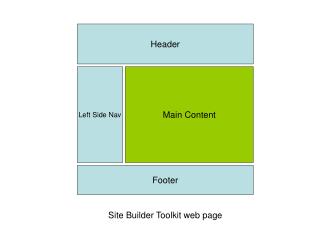
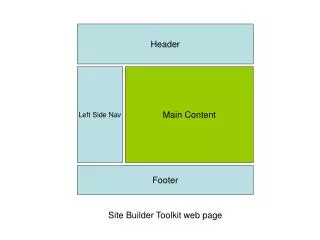
Header Left Side Nav Main Content Footer Site Builder Toolkit web page
SBT Training Website http://mhcc.collegis.com/login Username: sbtuser2 Password: password2 Things to try: User the toggle edit feature to switch to html view and clear all contents Add a page edit a page Insert an image from the images folder upload an image from computer Link to a SBT page (774.asp) Link to an external page (http://www.cnet.com) Link to a pdf file http://mhcc.collegis.com/training/pdfsample.pdf Migrate word content http://mhcc.collegis.com/training/wordsample.doc Migrate HTML content http://mhcc.collegis.com/training/htmlsample.htm
WOC Business Process & Content Style Guide Look & Feel Migration Management Web Oversight Committee