How to Apply a Logo Across All Slides in PowerPoint
This guide explains how to incorporate your logo into a PowerPoint presentation, ensuring it appears on all slides. By navigating to the View menu, selecting Master, and then opting for Slide Master or Notes Master, you can replace images with your chosen logo. This modification will automatically be applied to all slides in your presentation, creating a cohesive and professional look. Follow these simple steps to enhance your branding throughout your presentation using PowerPoint's Master features.

How to Apply a Logo Across All Slides in PowerPoint
E N D
Presentation Transcript
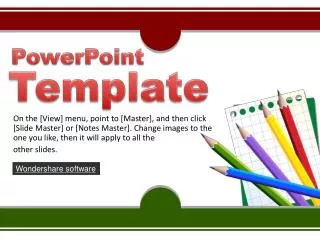
PowerPoint Template • On the [View] menu, point to [Master], and then click [Slide Master] or [Notes Master]. Change images to the one you like, then it will apply to all the • other slides. Wondershare software
1 • How do I incorporate my logo to a slide that will apply to all the other slides? • On the [View] menu, point to [Master], and then click [Slide Master] or [Notes Master]. Change images to the one you like, then it will apply to all the other slides. • How do I incorporate my logo to a slide that will apply to all the other slides? • On the [View] menu, point to [Master], and then click [Slide Master] or [Notes Master]. 2
3 1 2 How do I incorporate my logo to a slide that will apply to all the other slides? How do I incorporate my logo to a slide that will apply to all the other slides? How do I incorporate my logo to a slide that will apply to all the other slides?
How do I incorporate my logo to a slide that will apply to all the other slides? • On the [View] menu, point to [Master], and then click [Slide Master] or [Notes Master]. Change images to the one you like, then it will apply to all the other slides. • ThemeGallery is a Design Digital Content & Contents mall developed by Guild Design Inc. • ThemeGallery is a Design Digital Content & Contents mall developed by Guild Design Inc. ThemeGallery is a Design Digital Content & Contents mall developed by Guild Design Inc.
THANK YOU! • On the [View] menu, point to [Master], and then click [Slide Master] or [Notes Master]. Change images to the one you like, then it will apply to all the • other slides.
Play Presentations on TV with Stunning DVD menus. Share Favorite Shows in most Popular Video Formats. Show Your Best Presentations within Webpages.