Linux Shell Programming Tutorial 3
Linux Shell Programming Tutorial 3. ENGR 3950U / CSCI 3020U Operating Systems Instructor: Dr. Kamran Sartipi. Linux Shells. Shells originally came with UNIX They are interactive environments which let the user to access the computer resources There are many shell Bash Tcsh ….

Linux Shell Programming Tutorial 3
E N D
Presentation Transcript
Linux Shell ProgrammingTutorial 3 ENGR 3950U / CSCI 3020UOperating Systems Instructor: Dr. Kamran Sartipi
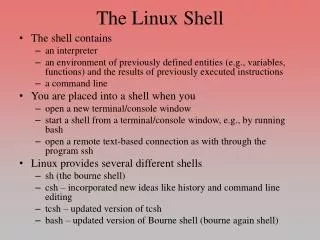
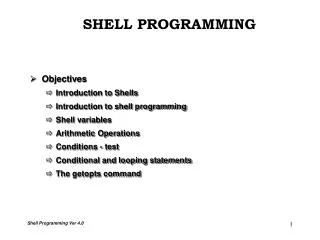
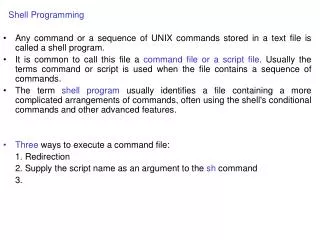
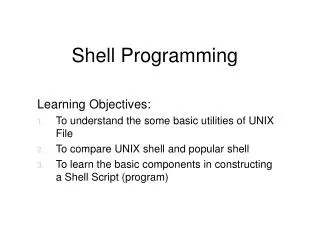
Linux Shells • Shells originally came with UNIX • They are interactive environments which let the user to access the computer resources • There are many shell • Bash • Tcsh • …
Programming vs. Scripting • Programming Langs. • C++/C , Java, … • Scripting Langs. • Bash, Perl, Tcl/tk, … • CPU instructions vs. executable files • Scripting Langs are normally interpretive • Slower • Easier to use and debug • Suitable for text processing, repetitive jobs, …
BASH • Bourne again shell (BASH) • The most widely used shell • In Linux environment you are interacting with BASH on a daily basis • Operating system maintenance scripts are generally bash scripts • We will use examples
“Hello world” script • The traditional example: • #!/bin/bash • echo Hello World • To execute: • chmod 755 hello.sh • ./hello.sh • What if we omit the first line ?
Redirection • There are three standard file descriptors in Linux • stdin, stdout, stderr • stdout and stderr are output devices, and stdin is an input device • We can • Redirect stdin to a file, to stderr • …
Redirection Examples • stdout to file • ls -l > ls-l.txt • stderr to file • grep da * 2> grep-errors.txt • stdout to stderr • grep da * 1>&2 • stderr and stdout to file • rm -f $(find / -name core) &> /dev/null
Pipes • Using pipes you can feed the output of a program to another one as input • Example: • ls -l | grep "\.txt$" • Equal to: ls -l *.txt
Variables • Environment variables • There are no data types • No need to declare variables • Example: #!/bin/bash STR="Hello World!" echo $STR • Note that $ sign is used to dereference variables • What if we omit it?
Local Variables #!/bin/bash HELLO=Hello function hello { local HELLO=World echo $HELLO } echo $HELLO hello echo $HELLO • Similar to internal function variables in C
Conditional Sentences #!/bin/bash T1="foo" T2="bar" if [ "$T1" = "$T2" ]; then echo expression evaluated as true else echo expression evaluated as false fi
Loops: for • #!/bin/bash for i in $( ls ); do echo item: $i done • #!/bin/bash for i in `seq 1 10`; do echo $i done • What is the meaning of ‘seq 1 10’ ?
Functions • #!/bin/bash • function quit { • exit } • function e { • echo $1 } • e Hello • e World • quit • echo foo
Input arguments #!/bin/bash if [ -z "$1" ]; then echo usage: $0 directory exit fi ls –la $1 • If [ –z X] is used to check if X is has a length of zero • Can be used to check if something is defined
Reading Input #!/bin/bash echo Please, enter your firstname and lastname read FN LN echo "Hi! $LN, $FN !"
Return Value #!/bin/bash cd /dada &> /dev/null echo rv: $? cd $(pwd) &> /dev/null echo rv: $? • A program return value is stored in $? • Remember in C: return 0;
Reference • This tutorial is based on: “BASH Programming - Introduction HOW-TO” http://www.tldp.org/HOWTO/Bash-Prog-Intro-HOWTO.html#toc10