Curriculum Central Skeleton/Shell Outlines Menu
This guide outlines the necessary steps to effectively modify and manage course outlines within Curriculum Central. It highlights the essential 16 required fields, including course alpha, number, description, and competencies, while also detailing the process of making a course inactive or modifying existing outlines. The guide emphasizes collaboration through peer reviews and iterative corrections, ensuring that courses meet the required standards for general education and articulation agreements. Use this resource to streamline your course management and uphold academic integrity.

Curriculum Central Skeleton/Shell Outlines Menu
E N D
Presentation Transcript
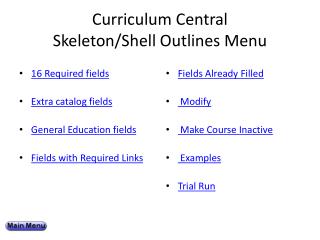
Curriculum Central Skeleton/Shell Outlines Menu • 16 Required fields • Extra catalog fields • General Education fields • Fields with Required Links • Fields Already Filled • Modify • Make Course Inactive • Examples • Trial Run
16 Required Fields in Course Outlines • Course Alpha • Course Number • Type of Action • Full Catalog Course Title • Date of this Course Outline • Credits • Contact Hours (type) • Contact Hours (quantity) • Course Description • Suggested Methods of Evaluation • Suggested Methods of Instruction • Course Competencies • Course Content • Effective Term • Grading Options • Grading Scale and Weighting Suggestions • Maximum Enrollment • Banner Title
Optional Extra Catalog Fields • Prerequisites • Co-requisites • Recommended Preparation • Special Comments • Restricted Semesters • Cross-listed with another course alpha
General Education SLOs and Fields for Transfer to UHM • #18 (Gen Ed SLOs) must link to methods of evaluation (#16) • #44 list similar courses at other UH campuses • #46 appropriate for UHM Gen Ed Core Req? • #47 other articulation agreements (not #46) • #56, 57 Foundation and Diversification (AA) • #58, 59 Area requirements (AS degrees)
Gen Ed SLO examples • Slides 16-22 from Module 9 will be inserted here
Fields Already Filled In • Course Alpha • Course Number • Title (catalog or Banner) • Credits • Max Credits* (not always) • Course Description* (not always) • Course Competencies* (not always)
Skeleton/Shell explanation • Slides 13, 14, and 15 from module 9 will be inserted here
Modify a Skeleton/Shell Outline • http://cctest.its.hawaii.edu:8080/central/core/cas.jsp • Step 2: Courses/Modify Existing Outline • Step 3: Fill in or modify any of the 16 required fields and other appropriate catalog fields • Step 4: Fill in appropriate non-catalog fields • Step 5: Send to peers for review • Step 6: Make corrections, repeat steps 5 & 6 • Step 7: Click the approval button
Make a Shell Course Inactive • http://cctest.its.hawaii.edu:8080/central/core/cas.jsp • Step 2: Courses/Modify Existing Outline • Step 3: Fill in or modify any of the 16 required fields and other appropriate catalog fields • Step 4: Send to peers for review • Step 5: Make corrections, repeat steps 4 & 5 • Step 6: Click the approval button
Trial Run – Modify or Update a Course • http://cctest.its.hawaii.edu:8080/central/core/cas.jsp • Step 2: Courses/Modify ExistingOutline • Step 3: Fill in the 16 required fields and other appropriate catalog fields • Step 4: Send to peers for review • Step 5: Send to ETEC project team for review • Step 6: Make corrections, repeat steps 4 & 5
URL for test database A test version of Curriculum Central is located at http://cctest.its.hawaii.edu:8080/central/core/cas.jsp