Download
1 / 1
30 likes | 183 Vues
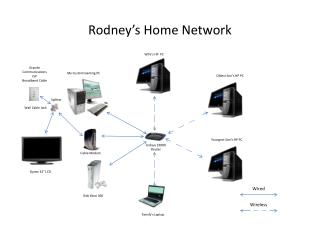
Explore the setup of a comprehensive family home network featuring various devices. This includes an HP PC for the wife, a custom-built gaming PC for the eldest son, and another HP PC for the youngest. The network is powered by Grande Communications' broadband cable and includes a Linksys E3000 router and a Dynex 32” LCD. Experience seamless connectivity across wired devices, such as the kids' Xbox 360, and wireless access for the family’s laptop. Discover tips for optimizing your home network setup for a more connected lifestyle.

E N D
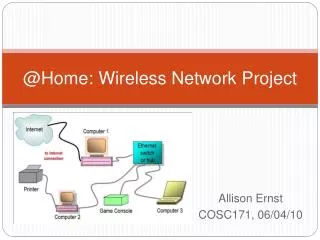
Rodney’s Home Network Wife’s HP PC Grande Communications ISP Broadband Cable My Custom Gaming PC Oldest Son’s HP PC Splitter Wall Cable Jack Youngest Son’s HP PC Linksys E3000 Router Cable Modem Dynex 32” LCD Wired Kids Xbox 360 Wireless Family’s Laptop