Linux File Systems
This guide provides an introduction to Linux file systems, focusing on the 'msdos' and 'ext2' formats. It covers various diskette form factors including 3.5-inch double-sided high-density diskettes, their storage capacities, and formatting procedures utilizing Linux commands. Detailed explanations of key concepts in both file systems such as records, clusters, inodes, and block management are included. Users will also learn how to format diskettes effectively and utilize the fileview application for examining file structures.

Linux File Systems
E N D
Presentation Transcript
Linux File Systems Introduction to data storage using the ‘msdos’ and ‘ext2’ filesystems
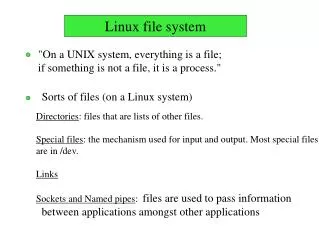
Common diskette form-factors • Package sizes: 8-inch, 5.25-inch, 3.5-inch • Single-sided, Double-sided • Hard-sectored, Soft-sectored • Recording densities: • Single-density • Double-density • High-density • Ultra high-density • Super high-density
Diskettes predominant today • 3-1/2 inch, double-sided high-density • Labeled as: DSHD SS • 512 bytes-per-sector • 18 sectors-per-track • 2 tracks-per-cylinder • 80 cylinders-per-disk • Total disk capacity: 80 x 2 x 18 x 512 = 1440KB
Formatting a DSHD diskette • With Linux: a two-step procedure • 1) Low-Level Formatting: • root# fdformat /dev/fd0H1440 • 2) High-Level Formatting: • root# /sbin/mkfs.ext2 /dev/fd0 or • root# /sbin/mkfs.m sdos /dev/fd0
Key ‘msdos’ concepts • Record • Cluster • File Directory Entry • File Allocation Table
Key ‘ext2’ concepts • Block • Super Block • Block-Group • File Information Node (‘inode’) • Directory Entry (‘dentry’)
‘ext2’ block-size options • # mkfs.ext2 -b 1024 /dev/fd0 • # mkfs.ext2 -b 2048 /dev/fd0 • # mkfs.ext2 -b 4096 /dev/fd0
‘ext2’ disk organization • Boot Block • Super Block • Block-Group Descriptor • Block Bitmap • Inode Bitmap • Inode Table • Root Directory • Data Blocks
Mounting and Unmounting • $ mkdir floppy • # /bin/mount –t msdos /dev/fd0 floppy • # /bin/mount –t ext2 /dev/fd0 floppy • # /bin/umount /dev/fd0 • # /bin/umount floppy
Class Exercise • Use ‘fileview.cpp’ application: $ fileview /dev/fd0 • Find the location of the ‘super’ block Look for SUPER_MAGIC: 0xEF53 • Repeat for each ‘ext2’ block-size: 1K, 2K, and 4K