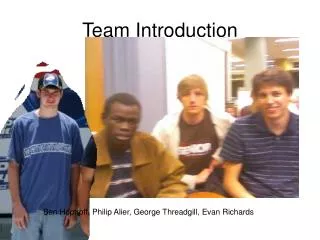
Team Introduction
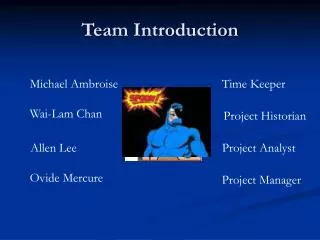
Team Introduction. Michael Ambroise. Time Keeper. Wai-Lam Chan. Project Historian. Allen Lee. Project Analyst. Ovide Mercure. Project Manager. Introduction to Study. Feasibility Determine the feasibility of developing SOGRS vs. Alternate Systems. (ACPEA and WebCT) Project Plan

Team Introduction
E N D
Presentation Transcript
Team Introduction Michael Ambroise Time Keeper Wai-Lam Chan Project Historian Allen Lee Project Analyst Ovide Mercure Project Manager
Introduction to Study • Feasibility • Determine the feasibility of developing SOGRS vs. Alternate Systems. (ACPEA and WebCT) • Project Plan • Outline administrative tasks for the development of SOGRS
Feasibility • Problem Statement • Inconveniences of current Excel and e-mail system • Sensitive information cannot be sent via e-mail • Cumbersome and Time Consuming • Problems with WebCT • Difficult to attend due to scheduling conflicts and existing workloads • Alternatives • Automated Cut Paste Email Application (ACPEA) • Student Online Grade Report System (SOGRS) • WebCT
Operational Feasibility • Criteria for Operational Feasibility • Performance – throughput and response time • Information – provides timely and pertinent info • Economy – cost effective services • Control – security and fraud protection • Efficiency – maximum use of resources • Services – reliability, flexibility
Technical Feasibility • Technology – maturity and availability • Expertise – how much is needed?
Economic Feasibility • Cost Analysis of alternative.
Economic • Cost analysis • PM = Duration of Deliverable in Days * (8 hours / 1 Day) * (1 PM / 152 hours) • SC = Effort estimate (PM) * RELY * TIME * STOR * TOOL * LTEX * $15,000 • ACPEA • TPM = 6.16 PM • SC = $89,876.00 • SOGRS • TPM = 9.93 PM • SC = $145,032.00 • WebCT • TPM = 0 PM • SC = $0 RELY – Required System Reliability TIME – Execution Time Constraints STOR – Memory Constraints TOOL – Use of Software Tools LTEX – Language and Tools Experience
Schedule Feasibility • As assessment of how long the solution will take to design and implement
Recommendations • Top Recommendation • Based on our matrix result • WebCT • Second Recommendation • If inconvenience is the top factor • If cost is not a factor • SOGRS
Project Plan Introduction • Hardware and Software • SOGRS Cost Analysis • Project Schedule
H/W & S/W Requirements • Server Computer • Java 1.4.2 • Tomcat 5.0 • Ethernet Connection • Client Computer • Web Browser with JVM (students and professor) • Excel (professor only) • Development • Rational Rose • JCreator • Microsoft Project, Word, and EXCEL
SOGRS Cost Analysis • Deliverable 1: Feasibility Study and Project Plan • PM = 20 * 8 / 152 = 1.1 PM • SC = 1.1 * .91 * 1.07 * 15,000 = $16,066.00 • Deliverable 2: Software Requirements Document • PM = 38 * 8 / 152 = 2 PM • SC = 2 * .91 * 1.07 * 15,000 = $29,211.00 • Deliverable 3: Design Document • PM = 85 * 8 / 152 = 4.4 PM • SC = 4.4 * .91 * 1.07 * 15,000 = $64,264.00 • Deliverable 4: Test Document • PM = 36 * 8 / 152 = 1.9 PM • SC = 1.9 * .91 * 1.07 * 15,000 = $27,750.00 • Deliverable 5: Software Document • PM = 10 * 8 / 152 = .53 PM • SC = .53 * .91 * 1.07 * 15,000 = $7,741.00 • TPM = 9.93 PM • SC = $145,032.00
Work Breakdown • 17 – M4 (Object and Class Structure Done) • 18 – Design Document • 19 – Presentation of Design Document • 20 – Develop Implementation • 21 – M5 • 22 – Test Document Project • 23 – Develop Test Cases • 24 – Testing • 25 – Test Document (TD) • 26 – Presentation of TD • 27 – M6 • 28 – Document Project (SD) • 29 – Software Document (D5) • 30 – Presentation of SD • 31 – M7 • 1 – Document Study • 2 – Prototype User Interfaces • 3 – Research Software Tools • 4 – Feasibility Study and Project Plan Deliverable • 5 – Presentation of Project Plan and Feasibility Study • 6 – M1 • 7 – Document Project (SRD) • 8 – Develop Use Cases • 9 – Expertise with Software Tools • 10 – M2 (Use Case Completion) • 11 – Software Requirement Documents (SRD) • 12 – Presentation of SRD • 13 – M3 • 14 – Document Project (DD) • 15 – Develop Object Sequence Structure • 16 – Develop Class Structure