Download
1 / 79
800 likes | 912 Vues
This course, taught by Professor James Landay in Spring 2002, explores Human-Computer Interaction (HCI) with a focus on the design, prototyping, and evaluation of user interfaces. Key topics include understanding HCI's significance, recognizing user needs, and the importance of usability. Students will learn to analyze tasks, conduct user research, and employ rapid prototyping techniques. The course emphasizes a customer-centered design approach to ensure effective communication and satisfaction between users and systems, aiming to create interfaces that minimize error and maximize productivity.

E N D
Introduction to the Design, Prototyping, & Evaluation of Human-Computer Interfaces (CS 160) Professor James Landay Spring 2002 January 23, 2002
UI Hall of Fame or Hall of Shame? http://www.hro.nl/
Long Intros Belong in the UI Hall of Shame • Do not help the user accomplish their task • why did they come to the site? • Take too long • most visitors will just leave & never come back • May be valid for entertaninment, art, or branding sites
UI Hall of Shame! • How do you cancel?
Introduction to the Design, Prototyping, & Evaluation of Human-Computer Interfaces (CS 160) Professor James Landay Spring 2002 January 23, 2002
Outline • Who am I? • HCI introduction • Course overview • Project description • Administrivia
Who am I? • Assistant professor in EECS • Ph.D. in CS from Carnegie Mellon 1996 • sketching user interfaces electronically • Work in the HCI area • informal communications (pens, speech, etc.) • ubiquitous computing • Cal grad (BS EECS ‘90)
Human-Computer Interaction (HCI) • Human • the end-user of a program • the others in the organization • Computer • the machine the program runs on • often split between clients & servers • Interaction • the user tells the computer what they want • the computer communicates results
Organizational & Social Issues Task Design Technology Humans What is HCI?
Organizational & Social Issues Task Design Technology Humans These Factors Influence Each Other & Design “Now that mice are included with most computers, applications assume a mouse will be used as a the pointing device”
Organizational & Social Issues Task Design Technology Humans These Factors Influence Each Other & Design “Now that mice are included with most computers, applications assume a mouse will be used as a the pointing device”
Organizational & Social Issues Task Design Technology Humans Factors Influence “People change their knowledge as they perform, i.e., they learn”
Organizational & Social Issues Task Design Technology Humans Factors Influence “People change their knowledge as they perform, i.e., they learn”
User Interfaces (UIs) • Part of application that allows people • to interact with computer • to carry out their task • User vs. Customer vs. Client • user is a term only used by 2 industries -> bad! • customer – the person who will use the product you build • client – the person/company who is paying you to build it HCI = design, prototyping, evaluation, & implementation of UIs
Why Study User Interfaces? • Major part of work for “real” programs • approximately 50% • You will work on “real” software • intended for people other than yourself • Bad user interfaces cost • money (5% satisfaction -> up to 85% profits) • lives (Therac-25) • User interfaces hard to get right • people are unpredictable
What is Usability? • Ease of learning • faster the second time and so on... • Recall • remember how from one session to the next • Productivity • perform tasks quickly and efficiently • Minimal error rates • if they occur, good feedback so user can recover • High user satisfaction • confident of success
Interface Hall of Shame • Hard to tell the difference between the two icons & names
Who Builds Interfaces? • A team of specialists (ideally) • graphic designers • interaction / interface designers • technical writers • marketers • test engineers • software engineers • customers
Keys to Designing & Building Successful Interfaces • Design cycle • Customer-centered design • Task analysis & contextual inquiry • Rapid prototyping • Evaluation • Programming • Iteration
Interface Design Cycle Design Prototype Evaluate
Customer-centered Design “Know thy Customer” • Cognitive abilities • visual & aural perception • physical manipulation • memory • Organizational / job abilities • Keep customers involved throughout project
? Task Analysis & Contextual Inquiry • Observe existing work practices • Create scenarios of actual use • Try-out new ideas before building software
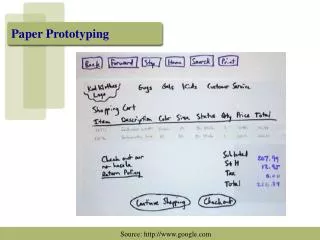
Fantasy Basketball Rapid Prototyping • Build a mock-up of design • Low fidelity techniques • paper sketches • cut, copy, paste • video segments • Interactive prototyping tools • HTML, Visual Basic, HyperCard, Director, etc. • UI builders • Fusion, NeXT, Visual Cafe
Evaluation • Test with real customers (participants) • Build models • Low-cost techniques • expert evaluation • walkthroughs
Programming • Toolkits • UI Builders • Event models • Input / Output models • etc.
Design Prototype Evaluate Iteration At every stage!
Goals of the Course • Learn to design, prototype, & evaluate interfaces • discover the tasks of prospective customers • cognitive/perceptual constraints that affect design • techniques for evaluating an interface design • importance of iterative design for usability • technology used to prototype & implement UI code • how to work together on a team project • communicate your results to a group • key to your future success
How CS160 Fits into CS Curriculum • Most courses for learning technology • compilers, operating systems, databases, etc. • CS160 concerned w/design & evaluation • assume you can program/learn new languages • technology as a tool to evaluate via prototyping • skills will become very important upon graduation • complex systems, large teams • don’t look for large immediate impact in other CS courses
Project Description • Each of you will propose an interface idea • fixing something you don’t like or a new idea • Groups • 4-5 students to a group • work with students w/ different skills/interests • groups meet with teaching staff every two weeks • Cumulative • apply several HCI methods to a single interface
Project Process Overview • Project proposal (individual) due Monday • based on workshop we will hold this Saturday • Break-up into groups next Wednesday • Project task analysis & “sketches” • i.e., rough proposals that can & will change • Low fidelity prototyping & testing
ESP Low-fi Prototyping & Testing
Project Process Overview • Project proposal (individual) due Monday • based on workshop we will hold this Saturday • Break-up into groups next Wednesday • Project task analysis & “sketches” • i.e., rough proposals that can & will change • Low fidelity prototyping & testing • Build 1st interactive prototype • In class presentations & critiques • Heuristic evaluations (individual)
Project Process Overview (cont.) • Heuristic evaluation summary • Build 2nd interactive prototype • In lab demo & critiques • Customer testing of 2nd prototype • In class presentation & critiques • Build 3rd prototype • “real” interface, but not necessarily “real” app. • In class presentations & critiques
Low-fi User Test User Testing HE Summary March 13 Project Idea May 8 Jan. 28 Feb. 13 Project Sketches UI Prototype #1 UI Prototype #2 UI Prototype #3 Project Timeline
Project Examples • Online Telebears • Research notebook • threads of ideas • multiple views • secure time stamps
Project Examples (cont.) • SiteSketch • web page design • sketch-based
Project Examples (cont.) • CD Jukebox
Project Examples (cont.) • Clothes Shopper • online shopping • knows your prefs & sizes
Project Examples (cont.) • Interactive TV Guide • find shows, program VCR to record, etc.
Project Examples (cont.) • Electronic book reader • take advantage of all the online texts on the net
Project Examples (cont.) • Nutrition tracker