
Interaction Devices
E N D
Presentation Transcript
Interaction Devices CIS 487/587 Bruce R. Maxim UM-Dearborn
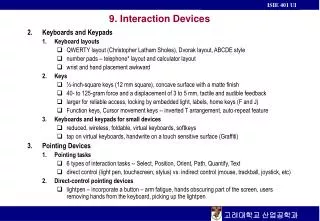
User Communication • Keyboard remains the user’s primary input device • Most GUI systems expect pointing devices as well • Light pen • Touch screen • Mouse • Trackball • Joystick • Graphics tablet • Touch pad • Foot controls • Gloves • Eye movement detectors
Pointing Device Tasks • Selection • Positioning objects • Orienting objects on screen • Path tracing • Quantify • Text entry/editing (not easily done)
Comparison • Keyboard • Fast control, require memorization and recall • Mouse • Best choice for pointing to objects in arbitrary positions, can be as fast as pointing with a finger • Joystick • Poor cursor control devices, actually slower than mouse (only use where they are game realistic)
Direct-Input • Create main DirectInput interface using CreateIDirectIntput8( ) • (optional) Query for device GUID’s for all devices (mouse, keyboard, joystick) • Create each device using CreateDevice( ) please note: GUID_SysKeyboard and GUID_SysMouse are built in • Set cooperation level for each device using SetCooperativeLevel( ) • Set data format for each device using SetDatFormat( )
Direct-Input • Set properties of each device using IDirectIntputDevice8::SetProperty( ) • Acquire each device using IDirectIntputDevice8::Acquire( ) • (optional) Poll devices using IDirectIntputDevice8::Poll( ) • Read device using IDirectIntputDevice8::GetStateDevice( )
Input • DirectX can request input in two ways • Immediate input (default) • Buffered input • LaMothe only uses immediate input • DirectX can cut Windows out of the message loop altogether, so be careful when you set each device cooperation level
Keyboard Global Declarations #include <ddraw.h> // directX includes #include <dinput.h> #include "T3DLIB1.H" // directinput globals LPDIRECTINPUT8 lpdi = NULL; // dinput object LPDIRECTINPUTDEVICE8 lpdikey = NULL; // dinput keyboard LPDIRECTINPUTDEVICE8 lpdimouse = NULL; // dinput mouse LPDIRECTINPUTDEVICE8 lpdijoy = NULL; // dinput joystick GUID joystickGUID; // guid for main joystick char joyname[80]; // name of joystick // these contain the target records for all di input packets UCHAR keyboard_state[256]; // contains keyboard state table DIMOUSESTATE mouse_state; // contains state of mouse DIJOYSTATE joy_state; // contains state of joystick
Game_Init( ) // initialize directdraw DDraw_Init(SCREEN_WIDTH, SCREEN_HEIGHT, SCREEN_BPP); // first create the direct input object if (DirectInput8Create(main_instance,DIRECTINPUT_VERSION, IID_IDirectInput8, (void **)&lpdi,NULL)!=DI_OK) return(0); // create a keyboard device ////////////////////////////////// if (lpdi->CreateDevice(GUID_SysKeyboard, &lpdikey, NULL)!=DI_OK) return(0); // set cooperation level if (lpdikey->SetCooperativeLevel(main_window_handle, DISCL_NONEXCLUSIVE | DISCL_BACKGROUND)!=DI_OK) return(0); // set data format if (lpdikey->SetDataFormat(&c_dfDIKeyboard)!=DI_OK) return(0); // acquire the keyboard if (lpdikey->Acquire()!=DI_OK) return(0);
Game_Shutdown( ) // kill the reactor Destroy_Bitmap(&reactor); // kill skelaton Destroy_BOB(&skelaton); // release keyboard lpdikey->Unacquire(); lpdikey->Release(); lpdi->Release(); // shutdonw directdraw DDraw_Shutdown();
Game_Main( ) // get player input // get the keyboard data lpdikey->GetDeviceState(256, (LPVOID)keyboard_state); // reset motion flag player_moving = 0; // test direction of motion if (keyboard_state[DIK_RIGHT] && keyboard_state[DIK_UP]) { // move skelaton skelaton.x += 2; skelaton.y -= 2; dx=2; dy =- 2; // set motion flag player_moving = 1; // check animation needs to change if (skelaton.curr_animation != SKELATON_NEAST) Set_Animation_BOB(&skelaton,SKELATON_NEAST); } // end if …
Mouse • Detects changes in X, y position (Mickeys) • Specifies “absolute” position • Can specify velcoity range • Good for selecting objects, moving objects, or changing head position (view) • Hard to center if used as joystick replacement • Has small number of buttons (2 or 3
Mouse Global Declarations #define BUTTON_SPRAY 0 // defines for each button #define BUTTON_PENCIL 1 #define BUTTON_ERASE 2 #define BUTTON_EXIT 3 // directinput globals LPDIRECTINPUT8 lpdi = NULL; // dinput object LPDIRECTINPUTDEVICE8 lpdikey = NULL; // dinput keyboard LPDIRECTINPUTDEVICE8 lpdimouse = NULL; // dinput mouse LPDIRECTINPUTDEVICE8 lpdijoy = NULL; // dinput joystick GUID joystickGUID; // guid for main joystick char joyname[80]; // name of joystick // these contain the target records for all di input packets UCHAR keyboard_state[256]; // contains keyboard state table DIMOUSESTATE mouse_state; // contains state of mouse DIJOYSTATE joy_state; // contains state of joystick
Game_Init( ) // first create the direct input object DirectInput8Create(main_instance,DIRECTINPUT_VERSION,IID_IDirectInput8, (void **)&lpdi,NULL); // create a mouse device ///////////////////////////////////// lpdi->CreateDevice(GUID_SysMouse, &lpdimouse, NULL); // set cooperation level lpdimouse->SetCooperativeLevel(main_window_handle, DISCL_NONEXCLUSIVE | DISCL_BACKGROUND); // set data format lpdimouse->SetDataFormat(&c_dfDIMouse); // acquire the mouse lpdimouse->Acquire();
Game_Init( ) // set the global mouse position mouse_x = screen_height/2; mouse_y = screen_height/2; // load the master bitmap in with all the graphics Load_Bitmap_File(&bitmap8bit, "PAINT.BMP"); Set_Palette(bitmap8bit.palette); // make sure all the surfaces are clean before starting DDraw_Fill_Surface(lpddsback, 0); DDraw_Fill_Surface(lpddsprimary, 0); // create the pointer bob Create_BOB(&pointer,mouse_x,mouse_y,32,34,1,BOB_ATTR_VISIBLE | BOB_ATTR_SINGLE_FRAME,DDSCAPS_SYSTEMMEMORY); // load the image for the pointer in Load_Frame_BOB(&pointer,&bitmap8bit,0,0,2,BITMAP_EXTRACT_MODE_CELL);
Game_Init( ) // set clipping rectangle to screen extents so mouse cursor // doens't mess up at edges RECT screen_rect = {0,0,screen_width,screen_height}; lpddclipper = DDraw_Attach_Clipper(lpddsback,1,&screen_rect); // hide the mouse ShowCursor(FALSE);
Game_Shutdown( ) // first unacquire the mouse lpdimouse->Unacquire(); // now release the mouse lpdimouse->Release(); // release directinput lpdi->Release();
Game_Main( ) // move the mouse cursor mouse_x+=(mouse_state.lX); mouse_y+=(mouse_state.lY); // test bounds // first x boundaries if (mouse_x >= screen_width) mouse_x = screen_width-1; else if (mouse_x < 0) mouse_x = 0; // now the y boundaries if (mouse_y >= screen_height) mouse_y= screen_height-1; else if (mouse_y < 0) mouse_y = 0;
Game_Main( ) // position the pointer bob to the mouse coords pointer.x = mouse_x - 16; pointer.y = mouse_y - 16; // test what the user is doing with the mouse if ((mouse_x > 3) && (mouse_x < 500-3) && (mouse_y > 3) && (mouse_y < SCREEN_HEIGHT-3)) { // mouse is within canvas region // if left button is down then draw if (mouse_state.rgbButtons[0]) { … };
Game Pads • Simplified keyboard • Buttons have good stimulus/response compatibility • Lets you use two hand • Good for multiplayer games • Can require weird combinations of buttons • Don’t get to rely on fastest finger (index) • Doesn’t support variable input
Joysticks • Lots of devices look like joysticks (digital – 8 positions, analog x,y deflection) • Allow variable input plus buttons • Great for specifying changes • Can be used to specify “rate in a direction” • Not good for specifying absolute positions (need to “hold position steady) • Not good for many arcade games
Using Joysticks & Game Pads • Scan for all devices and record GUID’s • Create joystick device using one GUID • Use interface from step 2 and create another interface (release the first) • Set cooperation level • Set data format and properties • Acquire joystick • Read joystick using Poll and GetDevice
Joystick Global Declarations // directinput globals LPDIRECTINPUT8 lpdi = NULL; // dinput object LPDIRECTINPUTDEVICE8 lpdikey = NULL; // dinput keyboard LPDIRECTINPUTDEVICE8 lpdimouse = NULL; // dinput mouse LPDIRECTINPUTDEVICE8 lpdijoy = NULL; // dinput joystick GUID joystickGUID; // guid for main joystick char joyname[80]; // name of joystick // these contain the target records for all di input packets UCHAR keyboard_state[256]; // contains keyboard state table DIMOUSESTATE mouse_state; // contains state of mouse DIJOYSTATE joy_state; // contains state of joystick
DI_Enum_Joysticks( ) // this function enumerates the joysticks, but // stops at the first one and returns the // instance guid of it, so we can create it *(GUID*)guid_ptr = lpddi->guidInstance; // copy name into global strcpy(joyname, (char *)lpddi->tszProductName); // stop enumeration after one iteration return(DIENUM_STOP);
Game_Init( ) // joystick creation section //////////////////////////////// // first create the direct input object if (DirectInput8Create(main_instance,DIRECTINPUT_VERSION, IID_IDirectInput8, (void **)&lpdi,NULL)!=DI_OK) return(0); // first find the f***ing GUID of your particular joystick lpdi->EnumDevices(DI8DEVCLASS_GAMECTRL, DI_Enum_Joysticks, &joystickGUID, DIEDFL_ATTACHEDONLY); if (lpdi->CreateDevice(joystickGUID, &lpdijoy, NULL)!=DI_OK) return(0); // set cooperation level if (lpdijoy->SetCooperativeLevel(main_window_handle, DISCL_NONEXCLUSIVE | DISCL_BACKGROUND)!=DI_OK) return(0);
Game_Init( ) // set data format if (lpdijoy->SetDataFormat(&c_dfDIJoystick)!=DI_OK) return(0); // set the range of the joystick DIPROPRANGE joy_axis_range; // first x axis joy_axis_range.lMin = -24; joy_axis_range.lMax = 24; joy_axis_range.diph.dwSize = sizeof(DIPROPRANGE); joy_axis_range.diph.dwHeaderSize = sizeof(DIPROPHEADER); joy_axis_range.diph.dwObj = DIJOFS_X; joy_axis_range.diph.dwHow = DIPH_BYOFFSET; lpdijoy->SetProperty(DIPROP_RANGE,&joy_axis_range.diph);
Game_Init( ) // now y-axis joy_axis_range.lMin = -24; joy_axis_range.lMax = 24; joy_axis_range.diph.dwSize = sizeof(DIPROPRANGE); joy_axis_range.diph.dwHeaderSize = sizeof(DIPROPHEADER); joy_axis_range.diph.dwObj = DIJOFS_Y; joy_axis_range.diph.dwHow = DIPH_BYOFFSET; lpdijoy->SetProperty(DIPROP_RANGE,&joy_axis_range.diph); // and now the dead band (zone where movements are ignored) DIPROPDWORD dead_band; // here's our property word dead_band.diph.dwSize = sizeof(dead_band); dead_band.diph.dwHeaderSize = sizeof(dead_band.diph); dead_band.diph.dwObj = DIJOFS_X; dead_band.diph.dwHow = DIPH_BYOFFSET;
Game_Init( ) // 10% will be used on both sides of the range +/- dead_band.dwData = 1000; // finally set the property lpdijoy->SetProperty(DIPROP_DEADZONE,&dead_band.diph); dead_band.diph.dwSize = sizeof(dead_band); dead_band.diph.dwHeaderSize = sizeof(dead_band.diph); dead_band.diph.dwObj = DIJOFS_Y; dead_band.diph.dwHow = DIPH_BYOFFSET; // 10% will be used on both sides of the range +/- dead_band.dwData = 1000; // finally set the property lpdijoy->SetProperty(DIPROP_DEADZONE,&dead_band.diph); // acquire the joystick if (lpdijoy->Acquire()!=DI_OK) return(0);
Game_Shutdown( ) // release joystick lpdijoy->Unacquire(); lpdijoy->Release(); lpdi->Release(); // shutdonw directdraw DDraw_Shutdown();
Game_Main( ) // get joystick data lpdijoy->Poll(); // this is needed for joysticks only lpdijoy->GetDeviceState(sizeof(DIJOYSTATE), (LPVOID)&joy_state); // lock the back buffer DDraw_Lock_Back_Surface(); // draw the background reactor image Draw_Bitmap(&playfield, back_buffer, back_lpitch, 0); // unlock the back buffer DDraw_Unlock_Back_Surface(); // is the player moving? blaster.x+=joy_state.lX; blaster.y+=joy_state.lY;
Game_Main( ) // is player firing? if (joy_state.rgbButtons[0]) Start_Missile(); // display joystick and buttons 0-7 sprintf(buffer,"Joystick Stats: X-Axis=%d, Y-Axis=%d, buttons(%d,%d,%d,%d,%d,%d,%d,%d)", joy_state.lX,joy_state.lY, joy_state.rgbButtons[0],joy_state.rgbButtons[1], joy_state.rgbButtons[2], joy_state.rgbButtons[3], joy_state.rgbButtons[4], joy_state.rgbButtons[5], joy_state.rgbButtons[6], joy_state.rgbButtons[7]); // print out name of joystick sprintf(buffer, "Joystick Name & Vendor: %s",joyname); Draw_Text_GDI(buffer,0,SCREEN_HEIGHT-40,RGB(255,255,50),lpddsback);
Force Feedback • Gameplay can influence input device by producing some resistive force • Requires bi-directional communication between interaction device and computer (e.g. joysticks, steering wheels, yokes, etc.) • Examples • Engine-hum (sine-wave) • Machine gun (square-wave vibrations)
Force Feedback • Lags > 25ms between visual event and feedback are noticable • Designers need to anticipate effects of conditions (e.g. wind) and surface texture (e.g. bumps and grit) in planning game play • Can be mesmerizing to players (adds to realism) • LaMothe has example, can’t run on my laptop (my FFB device is not USB)