Essential Components of Scientific Programming: From Problem Definition to Code Optimization
110 likes | 229 Vues
This resource covers the fundamental components of scientific programming, focusing on the complete workflow from problem definition and physical/mathematical formulation to the development of computer code. Key topics include creating logical flowcharts, writing correct lines of code, testing and troubleshooting, visualizing results, and optimizing code. The example provided illustrates sorting a row array of random numbers, showcasing the assembly of code and analysis of results. A step-by-step guide is included to ensure effective coding practices in scientific programming.


Essential Components of Scientific Programming: From Problem Definition to Code Optimization
E N D
Presentation Transcript
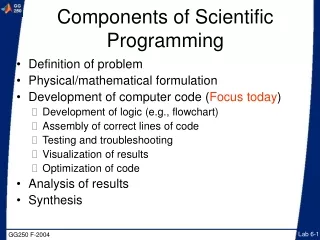
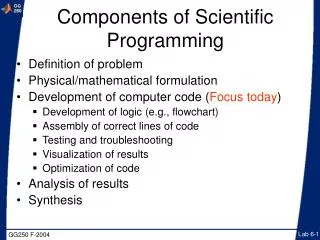
Components of Scientific Programming • Definition of problem • Physical/mathematical formulation • Development of computer code (Focus today) • Development of logic (e.g., flowchart) • Assembly of correct lines of code • Testing and troubleshooting • Visualization of results • Optimization of code • Analysis of results • Synthesis
Definition of problem(Sorting a row array) • Sort through row array A of random numbers, and organize them from left to right by increasing numerical value in array B • Example • A = rand(1,4) • A = 0.7621 0.4565 0.0185 0.8214 • B = 0.0185 0.4565 0.7621 0.8214
Searching an Array j=1 j=2 j=3 j=4 j=5 j=6 j=7 j=8 j=9 x1 x2 x3 x4 x5 x6 x7 x8 x9 Here, the column number is “j”
Development of logic (first try) Start Create array A of length n Make copy array B B(j) = C For j = 1:n-1 Stop B(j+1) = B(j) No Is B(j)>B(j+1)? C= B(j+1) Yes
function [A,B] = gg250_lab_06_try(n) % function [A,B] = gg250_lab_try(n) % Partially sorts the elements in a vector array % of n-elements on a single pass through the array. % Input parameters % n = input array % Output parameters % A = Unsorted array % B = Partially sorted array % Example % [A,B] = gg250_lab_06_try(5) Assembly of correct lines of code (a)
% Make copies of the input array A = rand(n,1); B = A; % Find the number of elements in the array n = length(A) % Step through the elements one-by-one, switching % consecutive elements such that the lower element % comes before the higher element for j = 1:(n-1) if B(j) > B(j+1) C = B(j+1); B(j+1) = B(j); B(j) = C; end end Assembly of correct lines of code (b)
Visualization of results • Can plot the values of the elements vs. their position in the array by including the command plot B
Optimization of code • See Matlab's sort command
Searching a Grid j=1 j=2 j=3 j=4 j=5j=6 j=7 j=8 j=9 y5 y4 y3 y2 y1 i=5 i=4 i=3 i=2 i=1 (i= 3, j = 2) x1 x2 x3 x4 x5 x6 x7 x8 x9 Here, the row number is “i” and the column number is “j”
Searching a Grid U = rand(5,9); [n,m] = size(U); for i = 1:n for j = 1:m if i==3 & j ==2; U(i,j) = 1;end end end Alternatives U(3,2) = 2; Or search a column vector form of U T = U(:); T((2-1).*n + 3) = 3; T = reshape(T,n,m) j=1 j=2 j=3 j=4 j=5j=6 j=7 j=8 j=9 y5 y4 y3 y2 y1 i=5 i=4 i=3 i=2 i=1 (i= 3, j = 2) x1 x2 x3 x4 x5 x6 x7 x8 x9