
Uploaded by
blue
1 SLIDES
190 VUES
20LIKES
Optimize Your Computer's Performance: A Step-by-Step Guide
DESCRIPTION
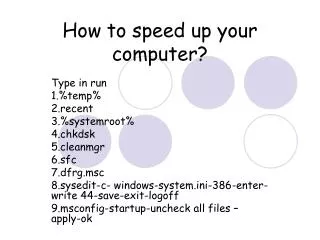
Speed up your computer with these essential tips! Begin by running commands like %temp% and recent to clear out temporary files. Use tools such as chkdsk and cleanmgr for system maintenance. Perform a system file check (sfc) and optimize disk performance (dfrg.msc). Edit the system configuration (sysedit) for better boot management. Uncheck unnecessary startup files in msconfig to improve boot speed. Follow these steps for a faster, more efficient computing experience.
Download
1 / 1
Télécharger la présentation 
Optimize Your Computer's Performance: A Step-by-Step Guide
An Image/Link below is provided (as is) to download presentation
Download Policy: Content on the Website is provided to you AS IS for your information and personal use and may not be sold / licensed / shared on other websites without getting consent from its author.
Content is provided to you AS IS for your information and personal use only.
Download presentation by click this link.
While downloading, if for some reason you are not able to download a presentation, the publisher may have deleted the file from their server.
During download, if you can't get a presentation, the file might be deleted by the publisher.
E N D
Presentation Transcript
How to speed up your computer? Type in run 1.%temp% 2.recent 3.%systemroot% 4.chkdsk 5.cleanmgr 6.sfc 7.dfrg.msc 8.sysedit-c- windows-system.ini-386-enter-write 44-save-exit-logoff 9.msconfig-startup-uncheck all files – apply-ok















More Related

Audio
Live Player