Download
1 / 11
110 likes | 253 Vues
Explore the magic of storytelling through Scratch in this interactive lesson designed for educators. Participants will learn the basics of Scratch, navigate the platform, and create their own projects by crafting short stories or poems with randomized text. The lesson covers essential Scratch vocabulary, sprite creation, and scripting. Educators will customize their stages, import backgrounds, and engage with fellow teachers to share experiences. Enhance writing skills and summarize learning objectives through creative storytelling and programming!

E N D
My Scratch Demonstration Rita Coulon
Story Telling This lesson could be used to:Practice writing skills or to summarize learning objectives and many other ideas too.
My Project is Designed to: • Demonstrate Scratch: • Basics • Programming tidbits • Possible Projects I Intend to share what I have learned with Content Area Teachers at my school.
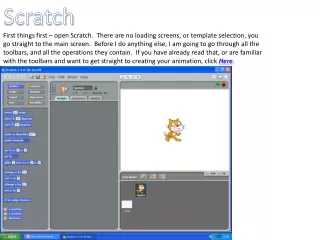
Session I • Introduce Scratch Vocabulary • Navigate Scratch Program • View Sample Projects • Create a simple Scratch file
Session II • Practice with Scratch and explore all the possibilities of the new concepts learned • Create a simple Scratch project. • Share experiences with participants
Practice Project The first project for teachers is to create their own short story or poem by making the text switch randomly from pre-typed lines.
Setting the Stage • The Stage needs to be customized to fit the story being told. • Click the backgrounds tab • Then click Edit • You may now import a picture to the stage. • Type your title and tagline. • “Remember this will not change when the program is running”
The Sprites • Now we must create 5 sprites with 5 costumes These lines will be used to tell the story later randomly.
Scripts Used • Scripts used • Control Menu – When key pressed • Looks Menu • Switch to continue • Operators Menu • Pick random • Note: The script has to be placed on each sprite for this to work properly.
Thank you • Once you are finished simply press the space bar to see your story in action. • Don’t forget to save often • Thank you for learning something new…
Scratch Resources • http://scratched.media.mit.edu/ • http://learnscratch.org/ • http://scratch.redware.com/lessonplan