ASP.NET MVC Part I - Introduction and Basics
360 likes | 633 Vues
Learn the fundamentals of ASP.NET MVC, including models, views, controllers, validation, routing, and unit testing. Gain control over HTML, separate concerns, and easily test and develop web applications.


ASP.NET MVC Part I - Introduction and Basics
E N D
Presentation Transcript
ASP.NET MVC Part I Ventsislav Popov Developer Evangelist at Microsoft ventsypopov.com ventsypopov.com
Agenda • Beforehand – ASP.NET Web Forms • What is MVC • What is ASP.NET MVC? • Models • Views • Controllers • Validation • Routing • Unit Tests • View engines ventsypopov.com 2
ASP.NET Web Forms • Rich controls and tools • Postbacks • Event driven web development • Viewstate • Less control over the HTML • Hard to test • Rapid development ventsypopov.com 3
Let’s chat for a bit… ventsypopov.com 4
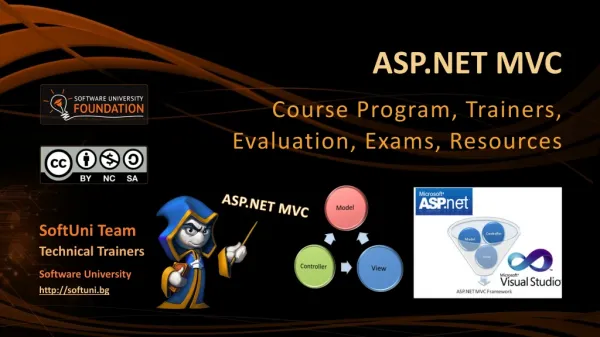
Model – View - Controller • Controller - responsible for handling all user input • Model - represents the logic of the application • View - the visual representation of the model ventsypopov.com 6
ASP.NET MVC • More control over HTML • No Codebehind • Separation of concerns • Easy to test • URL routing • No postbacks • No ViewState ventsypopov.com 7
Models • The model should contain all of the application business logic, validation logic, and database access logic. • ASP.NET MVC is compatible with any data access technology (for example LINQ to SQL) • All .edmx files, .dbml files etc. are located in the Models folder. ventsypopov.com 8
Custom View Models • When you combine properties to display on a View namespace ContosoUniversity.ViewModels { public class AssignedCourseData { public int CourseID { get; set; } public string Title { get; set; } public bool Assigned { get; set; } } } ventsypopov.com 9
Creating a Model - DEMO ventsypopov.com 10
What is Controller? • It is a class • Derives from the base System.Web.Mvc.Controller class • Generates the response to the browser request public class HomeController : Controller { public ActionResult Index() { ViewBag.Message = "Welcome to ASP.NET MVC!"; return View(); } public ActionResult About() { return View(); } } ventsypopov.com 11
Controller Actions • Public method of the Controller class • Cannot be overloaded • Cannot be a static method • Returns action result public ActionResult About() { return View(); } ventsypopov.com 12
Action Results • Controller action response to a browser request • Inherits from the base ActionResult class • Different results types ventsypopov.com 13
Implement a Controller - DEMO ventsypopov.com 14
Action Results Types • ViewResult • EmptyResult • RedirectResult • JsonResult • JavaScriptResult • ContentResult • FileContentResult • FileStreamResult • FilePathResult ventsypopov.com 15
Controller base class methods • View • Redirect • RedirectToAction • RedirectToRoute • Json • JavaScriptResult • Content • File ventsypopov.com 16
Views • Most of the Controller Actions return views • The path to the view is inferred from the name of the controller and the name of the controller action. • \Views\ControllerName\ControllerAction.aspx • A view is a standard (X)HTML document that can contain scripts. • script delimiters <% and %> in the views ventsypopov.com 17
Pass Data to a View • With ViewData: • ViewData["message"] = "Hello World!"; • Strongly typed ViewData: • ViewData.Model = OurModel; • With ViewBag: • ViewBag.Message = "Hello World!"; ventsypopov.com 18
Post data to a controller • Verb Attributes • The action method in the controller accepts the values posted from the view. • The view form fields must match the same names in the controller. [HttpPost] public ActionResult Edit(Movie movie) { if (ModelState.IsValid) { db.Entry(movie).State = EntityState.Modified; db.SaveChanges(); return RedirectToAction("Index"); } return View(movie); } ventsypopov.com 19
Explore a View - DEMO ventsypopov.com 20
HTML Helpers • Methods which typically return string. • Used to generate standard HTML elements • textboxes, dropdown lists, links etc. • Example: Html.TextBox() method • Usage is optional • You can create your own HTML Helpers ventsypopov.com 21
Validation • Two types of validation error messages • generated before the HTML form fields are bound to a class • generated after the form fields are bound to the class • Model State • Validation Helpers • Html.ValidationMessage() • Html.ValidationSummary() ventsypopov.com 22
Implement validation- DEMO ventsypopov.com 23
Routing • The Routing module is responsible for mapping incoming browser requests to particular MVC controller actions. • Two places to setup: • Web.config file • Global.asax file ventsypopov.com 24
Routing Setup • Web.config file <system.web> <httpModules> … <system.webServer> <modules> … <system.webServer> <handlers> … <system.web> <httpHandlers> … ventsypopov.com 25
Routing Setup Global.asax file public class MvcApplication : System.Web.HttpApplication { public static void RegisterRoutes(RouteCollection routes) { routes.IgnoreRoute("{resource}.axd/{*pathInfo}"); routes.MapRoute( "Default", "{controller}/{action}/{id}", new { controller = "Home", action = "Index", id = "" } ); } protected void Application_Start() { RegisterRoutes(RouteTable.Routes); } } ventsypopov.com 26
URL Example http://www.mysite.com/Home/About/6 {controller} = Home {action} = About {id} = 6 ventsypopov.com ventsypopov.com 27
Routing example - DEMO ventsypopov.com 28
Unit Tests • Used for the business logic (not DAL or View logic). • Test individual “unit”of code • Make the code safe to modify • Mock Object framework • When you lack “real” objects • Create mocks for the classes in the application • Test with mock objects ventsypopov.com 29
Unit Tests - DEMO ventsypopov.com 30
View Engines • Handles the rendering of the view to UI (html/xml); • Different view engines have different syntax • ASP.NET MVC 3 Pre-included View Engines: • Web Forms • Razor ventsypopov.com 31
View Engines - DEMO ventsypopov.com 32
Things to remember • What MVC stands for • How ASP.NET MVC differs from Web Forms • Where is routing configured • How to validate business logic • How to use helpers • Unit tests basics • Choice between “View Engines” ventsypopov.com 33
Useful sites • http://www.asp.net/mvc • http://msdn.microsoft.com/en-us/library/dd394709.aspx • http://stackoverflow.com/ • http://jquery.com/ ventsypopov.com 34
ASP.NET MVC Email: vepopov [at] microsoft.comTwitter: @v_popov ventsypopov.com