Understanding String Types in C and C++: C-style and Literal Strings
This guide explores different types of strings in C and C++, focusing on string literals and C-style strings. Learn how to declare and manipulate strings using character arrays and the implications of null-terminating characters. We'll demonstrate the syntax required to define strings, along with code snippets showcasing the differences between literal strings and modifiable strings. Additionally, we'll cover common errors related to string declarations and usage. Perfect for beginners aiming to solidify their understanding of string handling in programming.

Understanding String Types in C and C++: C-style and Literal Strings
E N D
Presentation Transcript
C Strings The Ohio State University
Types of Strings • String Literals: “Hello World” “xyz 123 *&^#$!” • C-style strings: char s[20]; • C++ class string; string s; The Ohio State University
literalString.cpp ... int main() { char s[] = "Hello World"; cout << s << endl; for (int i = 0; i < 11; i++) { cout << s[i] << ","; } cout << endl; ... The Ohio State University
literalString.cpp ... char s[] = "Hello World"; cout << s << endl; for (int i = 0; i < 11; i++) { cout << s[i] << ","; } cout << endl; ... > literalString.exe Hello World H,e,l,l,o, ,W,o,r,l,d, The Ohio State University
Literal String • To create a variable containing a literal string: char s[] = “Hello World”; • char s[] means an array of characters • This variable cannot be changed, i.e., the following will generate a syntax error: char s[] = “Hello World”; s = “Goodbye World”; // Syntax Error The Ohio State University
ascii.cpp ... int main() { char s[] = "Hello World"; cout << s << endl; for (int i = 0; i < 11; i++) { cout << setw(4) << s[i] << ","; } cout << endl; for (int i = 0; i < 11; i++) { cout << setw(4) << int(s[i]) << ","; } cout << endl; return 0; } The Ohio State University
... char s[] = "Hello World"; cout << s << endl; for (int i = 0; i < 11; i++) { cout << setw(4) << s[i] << ","; } cout << endl; for (int i = 0; i < 11; i++) { cout << setw(4) << int(s[i]) << ","; } cout << endl; ... > ascii.exe Hello World H, e, l, l, o, , W, o, r, l, d, 72, 101, 108, 108, 111, 32, 87, 111, 114, 108, 100, > The Ohio State University
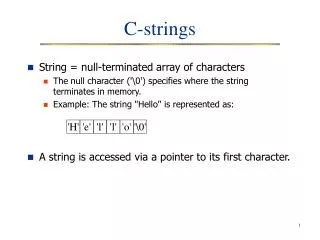
null Character • Literal strings end in a null character: ‘\0’. (Character ‘\0’ has ASCII code 0.) char s[] = “Hello World”; • s[0] equals ‘H’; • s[1] equals ‘e’; . . . • s[8] equals ‘r’; • s[9] equals ‘l’; • s[10] equals ‘d’; • s[11] equals ‘\0’; The Ohio State University
literalString2.cpp ... int i; char s[] = "Hello World"; cout << s << endl; i = 0; while(s[i] != '\0') { cout << s[i] << ","; i++; } cout << endl; cout << "s[" << i << "] = " << int(s[i]) << endl; ... The Ohio State University
literalString2.cpp cout << s << endl; i = 0; while(s[i] != '\0') { cout << s[i] << ","; i++; } cout << endl; cout << "s[" << i << "] = " << int(s[i]) << endl; > literalString2.exe Hello World H,e,l,l,o, ,W,o,r,l,d, s[11] = 0 The Ohio State University
ascii2.cpp ... i = 0; while(s[i] != '\0') { cout << setw(4) << s[i] << ","; i++; } cout << endl; i = 0; while(s[i] != '\0') { cout << setw(4) << int(s[i]) << ","; i++; } cout << setw(4) << int(s[i]); cout << endl; ... The Ohio State University
... i = 0; while(s[i] != '\0') { cout << setw(4) << int(s[i]) << ","; i++; } cout << setw(4) << int(s[i]); cout << endl; ... > ascii2.exe Hello World H, e, l, l, o, , W, o, r, l, d, 72, 101, 108, 108, 111, 32, 87, 111, 114, 108, 100, 0 > The Ohio State University
C-style strings • A C-style string is stored in an array of char • C-style strings should always end in ‘\0’ const int MAX_LENGTH(20); char s[MAX_LENGTH] = { 'H', 'e', 'l', 'l', 'o', ' ', 'W', 'o', 'r', 'l', 'd', '\0'}; cout << "String = " << s << endl; The Ohio State University
cString.cpp const int MAX_LENGTH(20); // C-style strings should always end in '\0' char s[MAX_LENGTH] = { 'H', 'e', 'l', 'l', 'o', ' ', 'W', 'o', 'r', 'l', 'd', '\0'}; cout << "String = " << s << endl; s[1] = 'o'; s[2] = 'w'; s[3] = 'd'; s[4] = 'y'; cout << "String = " << s << endl; s[5] = '\0'; cout << "String = " << s << endl; The Ohio State University
cString.cpp const int MAX_LENGTH(20); // C-style strings should always end in '\0' char s[MAX_LENGTH] = { 'H', 'e', 'l', 'l', 'o', ' ', 'W', 'o', 'r', 'l', 'd', '\0'}; cout << "String = " << s << endl; s[1] = 'o'; s[2] = 'w'; s[3] = 'd'; s[4] = 'y'; cout << "String = " << s << endl; s[5] = '\0'; cout << "String = " << s << endl; > cString.exe String = Hello World String = Howdy World String = Howdy The Ohio State University
Literal String • A literal string variable cannot be changed, i.e., the following will generate a syntax error: char s[] = “Hello World”; s = “Goodbye World”; // Syntax Error • However, individual characters within the string can be changed: s[1] = 'o'; s[2] = 'w'; • A literal string should ALWAYS contain ‘\0’ The Ohio State University
Capitalize Change all characters in a string to capitals Input: Hello World Output: HELLO WORLD The Ohio State University
ASCII Code The Ohio State University
capitalize.cpp ... char s[] = "Hello World"; int ascii_code(0); int i(0); cout << s << endl; i = 0; while(s[i] != '\0') { ascii_code = int(s[i]); if (97 <= ascii_code && ascii_code <= 122) { ascii_code = ascii_code-32; } cout << char(ascii_code); i++; } cout << endl; ... The Ohio State University
… i = 0; while(s[i] != '\0') { ascii_code = int(s[i]); if (97 <= ascii_code && ascii_code <= 122) { ascii_code = ascii_code-32; } cout << char(ascii_code); i++; } … > capitalize.exe Hello World HELLO WORLD The Ohio State University
passLiteral.cpp ... int main() { int x1, y1; int x2, y2; read_point("Enter first point: ", x1, y1); read_point("Enter second point: ", x2, y2); write_point("First point: ", x1, y1); write_point("Second point: ", x2, y2); return 0; } ... The Ohio State University
passLiteral.cpp ... void read_point(const char prompt[], int & x, int & y); void write_point(const char label[], int x, int y); int main() { int x1, y1; int x2, y2; read_point("Enter first point: ", x1, y1); read_point("Enter second point: ", x2, y2); write_point("First point: ", x1, y1); write_point("Second point: ", x2, y2); return 0; } ... The Ohio State University
Functions read_point() and write_point() void read_point(const char prompt[], int & x, int & y) { cout << prompt; cin >> x; cin >> y; } void write_point(const char label[], int x, int y) { cout << label; cout << "(" << x << "," << y << ")" << endl; } The Ohio State University
… read_point("Enter first point: ", x1, y1); read_point("Enter second point: ", x2, y2); … void read_point(const char prompt[], int & x, int & y) { cout << prompt; cin >> x; cin >> y; } > passLiteral.exe Enter first point: 10 20 Enter second point: 3 5 First point: (10,20) Second point: (3,5) The Ohio State University
… write_point("First point: ", x1, y1); write_point("Second point: ", x2, y2); … void write_point(const char label[], int x, int y) { cout << label; cout << "(" << x << "," << y << ")" << endl; } > passLiteral.exe Enter first point: 10 20 Enter second point: 3 5 First point: (10,20) Second point: (3,5) The Ohio State University
(Major) Problems with C-style Strings const int MAX_LENGTH(20); char s[MAX_LENGTH] = { 'H', 'e', 'l', 'l', 'o', '\0'}; cout << "String = " << s << endl; • Forgetting to end the string with ‘\0’ • Not allocating enough memory for the string • How do you add an element to a string? • How do you delete an element from a string? • How do you concatenate two strings? The Ohio State University
C++ Strings The Ohio State University
C++ class string • C++ class string requires: #include <string> using namespace std; • To create a variable of type string, simply: string lastName; • Assignment, as always is the same: lastName = “Marx”; • Or combine the two with an initialization: string lastName(“Marx”); Or string lastname = “Marx”; The Ohio State University
String Operators: Assignment • Assignment (=): As with before, assign a string to a variable of type string string lastName(“Marx”), anothername; anothername = lastName; • Both now hold “Marx” The Ohio State University
String Operators: Concatentation • Concatenation (+): Puts a string on the end of another string firstName(“Groucho”); string lastName(“Marx”); string fullname = firstName + lastname; The Ohio State University
concatString.cpp #include <iostream> #include <string> // <--------- Note using namespace std; int main() { string name1("Groucho“), name2(“Harpo”); string lastName("Marx“); string fullName1 = name1 + lastName; string fullName2 = name2 + lastName; cout << fullName1 << endl; cout << fullName2 << endl; The Ohio State University
concatString.cpp #include <iostream> #include <string> // <--------- Note ... { string name1("Groucho“), name2(“Harpo”); string lastName("Marx“); string fullName1 = name1 + lastName; string fullName2 = name2 + lastName; cout << fullName1 << endl; cout << fullName2 << endl; > concatString.exe GrouchoMarx HarpoMarx The Ohio State University
concatString2.cpp #include <iostream> #include <string> // <--------- Note using namespace std; int main() { string name1("Groucho“), name2(“Harpo”); string lastName("Marx“); // separate first and last names with a blank string fullName1 = name1 + " " + lastName; string fullName2 = name2 + " " + lastName; cout << fullName1 << endl; cout << fullName2 << endl; The Ohio State University
concatString2.cpp #include <iostream> #include <string> // <--------- Note ... { string name1("Groucho“), name2(“Harpo”); string lastName("Marx“); // separate first and last names with a blank string fullName1 = name1 + " " + lastName; string fullName2 = name2 + " " + lastName; cout << fullName1 << endl; cout << fullName2 << endl; > concatString.exe Groucho Marx Harpo Marx The Ohio State University
C++ String I/O The Ohio State University
Input/Output with Strings • I/O with Strings are as before: string lastName; cout << “Please enter your last name: “; cin >> lastName; // get the last name cout << “Your last name is “ << lastName; The Ohio State University
getName.cpp #include <iostream> #include <string> using namespace std; int main() { string firstName, lastName, fullName; cout << "Enter your first name: "; cin >> firstName; cout << "Enter your last name: "; cin >> lastName; // concatenate fullName = firstName + " " + lastName; cout << "Your name is: " << fullName << endl; The Ohio State University
getName.cpp string firstName, lastName, fullName; cout << "Enter your first name: "; cin >> firstName; cout << "Enter your last name: "; cin >> lastName; // concatenate fullName = firstName + " " + lastName; cout << "Your name is: " << fullName << endl; > getName.exe Enter your first name: Groucho Enter your last name: Marx Your name is: Groucho Marx The Ohio State University
getName2.cpp #include <iostream> #include <string> using namespace std; int main() { string fullName; cout << "Enter your full name: "; cin >> fullName; cout << "Your name is: " << fullName << endl; return 0; } The Ohio State University
getName2.cpp ... string fullName; cout << "Enter your full name: "; cin >> fullName; cout << "Your name is: " << fullName << endl; ... > getName2.exe Enter your full name: Groucho Marx Your name is: Groucho The Ohio State University
Input/Output with Strings • A common problem with reading strings from user input is that it could contain white spaces • cin uses white space (e.g. space, tab, newline) as a delimiter between inputs cin >> fullName; > getName2.exe Enter your full name: Groucho Marx Your name is: Groucho The Ohio State University
String I/O: getline() • Fortunately, the string class let’s us get around this with the getline()function • Syntax: getline(source, destination) • source is the source of the string • In our case, we want cin here • destination is the string variable where we want the string to be read into The Ohio State University
String I/O: getline() • We can fix our code by rewriting it as follows: string fullname; cout << “Enter your full name: ”; getline(cin, fullname); The Ohio State University
getName3.cpp #include <iostream> #include <string> using namespace std; int main() { string fullName; cout << "Enter your full name: "; getline(cin, fullName); // <--------- Note cout << "Your name is: " << fullName << endl; return 0; } The Ohio State University
getName3.cpp ... cout << "Enter your full name: "; getline(cin, fullName); // <--------- Note cout << "Your name is: " << fullName << endl; ... > getName3.exe Enter your full name: Groucho Marx Your name is: Groucho Marx > getName3.exe Enter your full name: Groucho G. Marx III Your name is: Groucho G. Marx III The Ohio State University
getName3.cpp ... cout << "Enter your full name: "; getline(cin, fullName); // <--------- Note cout << "Your name is: " << fullName << endl; ... > getName3.exe Enter your full name: Groucho Marx Your name is: Groucho Marx > getName3.exe Enter your full name: Your name is: The Ohio State University
literalError.cpp (BAD CODE) ... int main() { char firstName[10], lastName[10]; cout << "Enter first name: "; // DO NOT DO THIS. THIS IS VERY, VERY BAD! cin >> firstName; cout << "Enter last name: "; // DO NOT DO THIS. THIS IS VERY, VERY BAD! cin >> lastName; cout << "Your name is: " << firstName << " " << lastName << endl; return 0; } The Ohio State University
... char firstName[10], lastName[10]; cout << "Enter first name: "; // DO NOT DO THIS. THIS IS VERY, VERY BAD! cin >> firstName; cout << "Enter last name: "; // DO NOT DO THIS. THIS IS VERY, VERY BAD! cin >> lastName; cout << "Your name is: " << firstName << " " << lastName << endl; ... > literalError.exe Enter first name: John Enter last name: MacGhilleseatheanaich Your name is: naich MacGhilleseatheanaich > The Ohio State University
C++ String Processing The Ohio State University
str[k] • s[k] represents the k’th character in string s: string s(“Hello World”); // the character ‘H’ will be output. cout << s[0] << endl; // the character ‘W’ will be output. cout << s[6] << endl; The Ohio State University