Enhancing ASP.NET 2.0 Data Binding with ADO.NET New Features
This comprehensive guide explores the latest features of ADO.NET in ASP.NET 2.0, focusing on enhanced data binding mechanisms. Key highlights include the new capabilities of SqlConnection, Async methods in SqlCommand, and improvements in DataSet and SqlDataAdapter functionality. We'll delve into using DbProviderFactories for dynamic database connection handling, the benefits of TransactionScope for managing transactions, and the intricacies of binding data to controls. Learn how to implement encryption for connection strings and optimize data operations in your applications.

Enhancing ASP.NET 2.0 Data Binding with ADO.NET New Features
E N D
Presentation Transcript
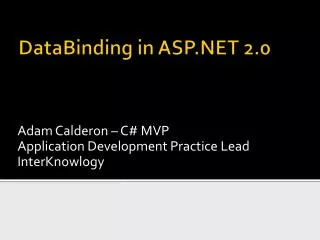
Adam Calderon – C# MVP Application Development Practice Lead InterKnowlogy DataBinding in ASP.NET 2.0
Agenda • ADO.NET New Features • Binding Model Changes
ADO.NET New Features • DbProviderFactories • SqlConnection • Web.config • SqlCommand • TransactionScope • SqlDataAdaptor • DataSet
ADO.NET New Features - DbProviderFactory • CreateCommand • CreateCommandBuilder • CreateConnection • CreateDataAdaptor • CreateParameter
ADO.NET New Features – DbProviderFactory Sample // Data Comes from Inputs on Form string provider = ProviderNameBox.Text; string connString = ConnectionStringBox.Text; string commandText = CommandTextBox.Text; // Get the provider DbProviderFactory fact = DbProviderFactories.GetFactory(provider); // Create the connection DbConnectionconn = fact.CreateConnection(); conn.ConnectionString = connString; // Create the data adapter DbDataAdapter adapter = fact.CreateDataAdapter(); adapter.SelectCommand = conn.CreateCommand(); adapter.SelectCommand.CommandText = commandText; // Run the query DataTable table = new DataTable(); adapter.Fill(table); // Shows the results Results.DataSource = table; Results.DataBind();
ADO.NET New Features – SqlConnection • Asynchronous Operation Support • Failover Partner • MultipleActiveResultSets (MARS) • Connection String Builders
ADO.NET New Features – Web.config • ConnectionStrings element ConfigurationManager.ConnectionStrings[“MySql”].ConnectionString • Protecting Connection Strings • Use aspnet_regiis.exe to encrypt web.config <protectedData> <protectedDataSections> <add name=“connectionStrings” provider=“RSAProtectedConfigurationProvider” /> </protectedDataSections> </protectedData>
ADO.NET New Features – SqlCommand • Async Methods • Requires Async attribute on connection string • Limited to non-query command • Reader or XmlReader • Begin/End • ExecuteNonQuery • ExecuteReader • ExecuteXmlReader • 3 Patterns for Async Implementation
ADO.NET New Features – SqlCommandAsync Patterns (1) // Start a non-blocking execution IAsyncResultiar = cmd.BeginExecuteReader(); // Do work while command running …. // Block the execution until done SqlDataReader reader = cmd.EndExecuteReader(iar); // Process data here WorkWithData(reader);
ADO.NET New Features – SqlCommandAsync Patterns (2) // Start a non-blocking execution IAsyncResultiar = cmd.BeginExecuteReader(); do { // Do work while command running …. } while (!iar.IsComleted); // Sync up and process data SqlDataReader reader = cmd.EndExecuteReader(iar); // Process data here WorkWithData(reader);
ADO.NET New Features – SqlCommandAsync Patterns (3) // Start a non-blocking execution IAsyncResultiar = cmd.BeginExecuteReader( new AsyncCallback(WorkWithData),cmd); // … later in your code Public void WorkWithData(IAsyncResultar) { // Retrieve the context of the call SqlCommandcmd = (SqlCommand) ar.AsyncState; // Complete the async operation SqlDataReader reader = cmd.EndExecuteReader(ar); }
ADO.NET New Features – TransactionScope • Supports Dispose Pattern • Determines if local or distributed transaction are needed • Objects that support ITransaction can participate
ADO.NET New Features – TransactionScope using (TransactionScopets = new System.Transactions.TransactionScope()) { bool success = true; using (SqlConnectionconn = new SqlConnection(ConnString)) { SqlCommandcmd = new SqlCommand(UpdateCmd, conn); cmd.Connection.Open(); try { cmd.ExecuteNonQuery(); } catch (SqlException ex) { // Error handling code goes here lblMessage.Text = ex.Message; success = false; } } // Must call to complete; otherwise abort if(success) ts.Complete(); }
ADO.NET New Features - SqlDataAdaptor • New Properties • AcceptChangesDuringUpdate • FillLoadOption • OverwriteChanges (Current and Orginal) • PreserveChanges (Original Only) • Upsert (Current Version of row) • ReturnProviderSpecificTypes • UpdateBatchSize
ADO.NET New Features - DataSet • New Properties • RemotingFormat • Binary or Xml • SchemaSerializationMode (IncludeShema/ExcludeSchema) • New Methods • CreateDataReader – Creates a reader off a Data Table
ADO.NET New Features – DataSetCreateDataReader DataSet data = new DataSet(); SqlDataAdapter adapter = new SqlDataAdapter( "SELECT * FROM employees;SELECT * FROM customers", ConfigurationManager.ConnectionStrings["LocalNWind"].ConnectionString); adapter.Fill(data); // Access the whole data set record by record DataTableReader reader = data.CreateDataReader(); do { while (reader.Read()) Response.Write(String.Format("{0} <br>", reader[1])); Response.Write("<hr>"); } while (reader.NextResult()); reader.Close();
Binding Model Changes • New Data Source Properties • Binding Expressions • Data Source Controls
Binding Model Changes – New Data Source Properties • DataSourceID • AppendDataBoundItems
Binding Model Changes – Binding Expressions (1) • DataBinder.Eval • Can be used anywhere • Eval (shortcut for DataBinder.Eval) • Can be used in the context of a data bound control • <%# Eval(“lastName”)%>
Binding Model Changes – Binding Expressions (2) • XPathBinder.Eval • Used with Xml data anywhere • Xpath (shortcut for XPathBinder.Eval) • Can be used in the context of a data bound control • <%# Xpath(“Orders/Order/Customer/LastName”)%> • XPathBinder.Select • Returns a nodeset that can be assigned to bound controls Data Source • DataSource=‘<%# XPathSelect(“orders/order/summary”)%>
Binding Model Changes – Binding Expressions (3) • Bind Method • <asp:TextBox …. Text=‘<%# Bind(“notes”)%> • Two-Way Binding • Dynamic Expressions • Evaluated when page compiles • <%$ AppSettings:AppVersionNumber %> • <%$ Resources:Resource, helloString%> • <%$ ConnectionString:localNWind%>
Binding Model Changes – Data Source Controls • Tabular Data Source Controls • AccessDataSource • ObjectDataSource • SqlDataSource • Hierarchical Data Source Controls • SiteMapDataSource • XmlDataSource • DataSourceView
Binding Model Changes – Data Source Controls – SqlDataSource (1) • Properties for all of the actions (Delete,Insert,Update,Select) • Command • Parameters • CommandType • FilterExpression / FilterParameters (only works with DataSet set for the DataSourceMode)
Binding Model Changes – Data Source Controls – SqlDataSource (2) • DataSourceMode • Determines how data is returned (DataSet or DataReader) • CancelSelectOnNull • Canceled data retrieval if parameter is null
Binding Model Changes – Data Source Controls – SqlDataSource (3) • Command contain own set of parameters • Declarative Parameters • ControlParameter • CookieParameter • FormParameter • ProfileParameter • QueryStringParameter • SessionParameter
Binding Model Changes – Data Source Controls – SqlDataSource (4) • Caching Behavior • CacheDuration (seconds) • CacheExpirationPolicy (absolute,sliding) • CacheKeyDependency (expiring the key) • SqlCacheDependency (table dependent) • Created with each distinct SelectCommand, ConnectionString and SelectParameters
Session Summary • Async Features of ADO.NET can help in some situations • ConnectionString builders • New TransactionScope simplifies transactions • Binding Expressions simplify page development • New DataSource objects simplify binding to Sql Server and Objects
Adam Calderon • More info on InterKnowlogy:www.InterKnowlogy.com • Contact Information E-mail: adamc@InterKnowlogy.com Phone: 760-930-0075 x274 Blog: http://blogs.InterKnowlogy.com/AdamCalderon • About Adam Calderon • Microsoft MVP – C# • Microsoft UI Server Frameworks Advisory Council • Developer / Author / Speaker / Teacher