How to Set Up Vacation Responder in Yahoo and Google Accounts
Learn how to configure your vacation response for Yahoo and Google email accounts effortlessly. For Yahoo users, log in to your account, navigate to Options, select the current date, set the end date to 31/12/2015, and type your message in the designated box. Click on the "Save Changes" button to finalize. For Google users, after logging in, click on the settings icon, go to the settings menu, enable the vacation responder, set the current date as the start date, enter your message, and save the changes. Stay connected even when you're away!

How to Set Up Vacation Responder in Yahoo and Google Accounts
E N D
Presentation Transcript
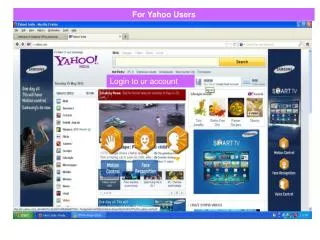
For Yahoo Users Login to ur account
2. Select current date 3. Select date 31/12/2015 1. Select vacation response 4. Type msg in box
2. Click on save changes button 1. After save changes click to Back to mail
For Google User • Login to ur google account • After login following screen will display Click on setting symbol and Select setting option
Scroll down and select vacation respond on and select current date as first day then type msg click save changes button