Training Database Setup and Race Management in Topyacht
50 likes | 158 Vues
This guide provides step-by-step instructions on setting up a training database in Topyacht. Follow the process to create a new folder for the training database, restore it from a provided ZIP file, and manage race data effectively. Learn how to delete the last race result, select the series, apply VYC handicaps, and maintain allocated handicaps for the designated races. This comprehensive tutorial ensures a seamless experience in managing yacht racing training data.


Training Database Setup and Race Management in Topyacht
E N D
Presentation Transcript
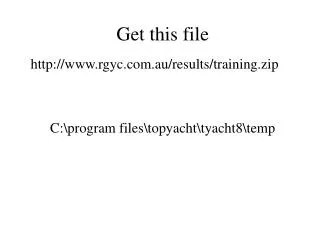
Get this file C:\program files\topyacht\tyacht8\temp http://www.rgyc.com.au/results/training.zip
Open Topyacht • Database • Create • Folder name training • Name for Database training • Create Database • Restore • Select temp • Find .zip • restore Click admin Button
Delete the last race • Step 1 (Select Series) • Select VYC Handicap • OK • Select maintain • For this series • Remove last race Click admin Button