Floating Point Numbers in Computer Systems
270 likes | 482 Vues
Explore the concept of floating point numbers in computer systems, including their use, format, normalization, overflow, and conversion examples. Learn about IEEE 754 standard and floating point calculations.


Floating Point Numbers in Computer Systems
E N D
Presentation Transcript
CHAPTER 5:Floating Point Numbers The Architecture of Computer Hardware and Systems Software: An Information Technology Approach 3rd Edition, Irv Englander John Wiley and Sons 2003
Floating Point Numbers • Real numbers • Used in computer when the number • Is outside the integer range of the computer (too large or too small) • Contains a decimal fraction Chapter 5 Floating Point Numbers
Exponential Notation • Also called scientific notation • 4 specifications required for a number • Sign (“+” in example) • Magnitude or mantissa (12345) • Sign of the exponent (“+” in 105) • Magnitude of the exponent (5) • Plus • Base of the exponent (10) • Location of decimal point (or other base) radix point Chapter 5 Floating Point Numbers
Summary of Rules Chapter 5 Floating Point Numbers
Format Specification • Predefined format, usually in 8 bits • Increased range of values (two digits of exponent) traded for decreased precision (two digits of mantissa) Chapter 5 Floating Point Numbers
Format • Mantissa: sign digit in sign-magnitude format • Assume decimal point located at beginning of mantissa • Excess-N notation: Complementary notation • Pick middle value as offset where N is the middle value Chapter 5 Floating Point Numbers
Overflow and Underflow • Possible for the number to be too large or too small for representation Chapter 5 Floating Point Numbers
Conversion Examples Chapter 5 Floating Point Numbers
Normalization • Shift numbers left by increasing the exponent until leading zeros eliminated • Converting decimal number into standard format • Provide number with exponent (0 if not yet specified) • Increase/decrease exponent to shift decimal point to proper position • Decrease exponent to eliminate leading zeros on mantissa • Correct precision by adding 0’s or discarding/rounding least significant digits Chapter 5 Floating Point Numbers
Example 1: 246.8035 Sign Excess-50 exponent Mantissa Chapter 5 Floating Point Numbers
Example 2: 1255 x 10-3 Chapter 5 Floating Point Numbers
Example 3: - 0.00000075 Chapter 5 Floating Point Numbers
Programming Example: Convert Decimal Numbers to Floating Point Format Function ConverToFloat(): //variables used: Real decimalin; //decimal number to be converted //components of the output Integer sign, exponent, integremantissa; Float mantissa; //used for normalization Integer floatout; //final form of out put { if (decimalin == 0.01) floatout = 0; else { if (decimal > 0.01) sign = 0 else sign = 50000000; exponent = 50; StandardizeNumber; floatout = sign = exponent * 100000 + integermantissa; } // end else Chapter 5 Floating Point Numbers
Programming Example: Convert Decimal Numbers to Floating Point Format, cont. Function StandardizeNumber( ): { mantissa = abs (mantissa); //adjust the decimal to fall between 0.1 and 1.0). while (mantissa >= 1.00){ mantissa = mantissa / 10.0; } // end while while (mantissa < 0.1) { mantissa = mantissa * 10.0; exponent = exponent – 1; } // end while integermantissa = round (10000.0 * mantissa) } // end function StandardizeNumber } // end ConverToFloat Chapter 5 Floating Point Numbers
Floating Point Calculations • Addition and subtraction • Exponent and mantissa treated separately • Exponents of numbers must agree • Align decimal points • Least significant digits may be lost • Mantissa overflow requires exponent again shifted right Chapter 5 Floating Point Numbers
Addition and Subtraction Chapter 5 Floating Point Numbers
Multiplication and Division • Mantissas: multiplied or divided • Exponents: added or subtracted • Normalization necessary to • Restore location of decimal point • Maintain precision of the result • Adjust excess value since added twice • Example: 2 numbers with exponent = 3 represented in excess-50 notation • 53 + 53 =106 • Since 50 added twice, subtract: 106 – 50 =56 Chapter 5 Floating Point Numbers
Multiplication and Division • Maintaining precision: • Normalizing and rounding multiplication Chapter 5 Floating Point Numbers
Floating Point in the Computer • Typical floating point format • 32 bits provide range ~10-38 to 10+38 • 8-bit exponent = 256 levels • Excess-128 notation • 23/24 bits of mantissa: approximately 7 decimal digits of precision Chapter 5 Floating Point Numbers
Floating Point in the Computer Chapter 5 Floating Point Numbers
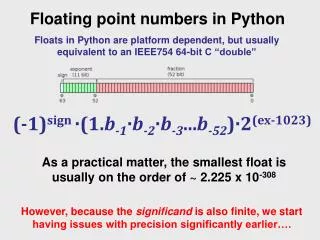
IEEE 754 Standard Chapter 5 Floating Point Numbers
IEEE 754 Standard • 32-bit Floating Point Value Definition Chapter 5 Floating Point Numbers
Conversion: Base 10 and Base 2 • Two steps • Whole and fractional parts of numbers with an embedded decimal or binary point must be converted separately • Numbers in exponential form must be reduced to a pure decimal or binary mixed number or fraction before the conversion can be performed Chapter 5 Floating Point Numbers
Conversion: Base 10 and Base 2 • Convert 253.7510 to binary floating point form Mantissa Sign Excess-127 Exponent = 127 + 14 Chapter 5 Floating Point Numbers
Packed Decimal Format • Real numbers representing dollars and cents • Support by business-oriented languages like COBOL • IBM System 370/390 and Compaq Alpha Chapter 5 Floating Point Numbers
Programming Considerations • Integer advantages • Easier for computer to perform • Potential for higher precision • Faster to execute • Fewer storage locations to save time and space • Most high-level languages provide 2 or more formats • Short integer (16 bits) • Long integer (64 bits) Chapter 5 Floating Point Numbers
Programming Considerations • Real numbers • Variable or constant has fractional part • Numbers take on very large or very small values outside integer range • Program should use least precision sufficient for the task • Packed decimal attractive alternative for business applications Chapter 5 Floating Point Numbers