Newborn Discharge Process: Step-by-Step Provider Job Aid
20 likes | 153 Vues
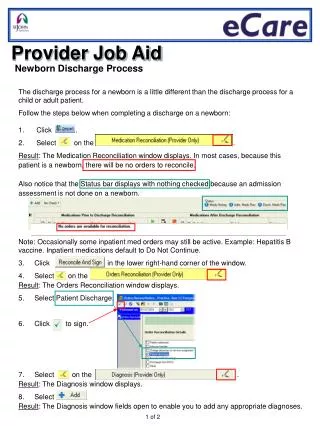
The discharge process for newborns differs significantly from that of older children or adults. This comprehensive job aid outlines the necessary steps for completing a newborn discharge, including medication reconciliation, order checks, and documentation of diagnoses. Learn how to navigate various windows within the system, sign off on discharges, and provide essential patient education materials and follow-up information. Remember, completion of the Infant Discharge Summary in the Interdisciplinary Instructions section is mandatory for a proper newborn discharge process.


Newborn Discharge Process: Step-by-Step Provider Job Aid
E N D
Presentation Transcript
Provider Job Aid Newborn DischargeProcess • The discharge process for a newborn is a little different than the discharge process for a • child or adult patient. • Follow the steps below when completing a discharge on a newborn: • Click . • Select on the . • Result: The Medication Reconciliation window displays. In most cases, because this • patient is a newborn, there will be no orders to reconcile. • Also notice that the Status bar displays with nothing checked because an admission • assessment is not done on a newborn. • Note: Occasionally some inpatient med orders may still be active. Example: Hepatitis B • vaccine. Inpatient medications default to Do Not Continue. • Click in the lower right-hand corner of the window. • Select on the • Result: The Orders Reconciliation window displays. • Select Patient Discharge. • Click to sign. • Select on the . • Result: The Diagnosis window displays. • Select . • Result: The Diagnosis window fields open to enable you to add any appropriate diagnoses. 1 of 2
Follow the steps below to add a diagnosis. • Click on the . • To select patient education materials: • To add Follow up information: • Completion of the Infant Discharge Summary in the Interdisciplinary Instructions section is • required from the provider for a Newborn Discharge. Typically, no other sections are • required. 2 of 2