Practical Guide to E90-DTU Communication Range Troubleshooting
During a recent field deployment for environmental monitoring utilizing the EBYTE E90-DTU(433L30), we encountered a critical issue: the actual communication range fell significantly short of the rated specifications listed in the product manual. Following a week of systematic troubleshooting and targeted optimization, we ultimately achieved stable, long-range communication that far exceeded the project's requirements. This guide provides a detailed record of our complete troubleshooting process and the effective solutions we implemented, aiming to serve as a valuable reference and resource for

Practical Guide to E90-DTU Communication Range Troubleshooting
E N D
Presentation Transcript
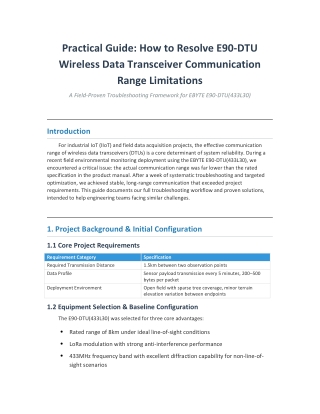
Practical Guide: How to Resolve E90-DTU Wireless Data Transceiver Communication Range Limitations A Field-Proven Troubleshooting Framework for EBYTE E90-DTU(433L30) Introduction For industrial IoT (IIoT) and field data acquisition projects, the effective communication range of wireless data transceivers (DTUs) is a core determinant of system reliability. During a recent field environmental monitoring deployment using the EBYTE E90-DTU(433L30), we encountered a critical issue: the actual communication range was far lower than the rated specification in the product manual. After a week of systematic troubleshooting and targeted optimization, we achieved stable, long-range communication that exceeded project requirements. This guide documents our full troubleshooting workflow and proven solutions, intended to help engineering teams facing similar challenges. 1. Project Background & Initial Configuration 1.1 Core Project Requirements Requirement Category Specification Required Transmission Distance 1.5km between two observation points Data Profile Sensor payload transmission every 5 minutes, 200–500 bytes per packet Deployment Environment Open field with sparse tree coverage, minor terrain elevation variation between endpoints 1.2 Equipment Selection & Baseline Configuration The E90-DTU(433L30) was selected for three core advantages: • • • Rated range of 8km under ideal line-of-sight conditions LoRa modulation with strong anti-interference performance 433MHz frequency band with excellent diffraction capability for non-line-of- sight scenarios
Initial baseline configuration parameters: Parameter Default Setting Operating Frequency 433.125MHz Transmit Power 30dBm (maximum rated) Air Data Rate 2.4kbps Serial Port Baud Rate 9600bps Parity 8N1 Maximum Packet Size 240 bytes FEC Forward Error Correction Enabled 2. Problem Symptoms & Initial Troubleshooting 2.1 Field Test Performance Preliminary on-site testing revealed significant underperformance: • • • 800m distance: ~60% communication success rate with severe packet loss 1.2km distance: No stable connection could be established 1.5km target distance: Complete communication failure 2.2 Initial Elimination of Basic Faults We first ruled out fundamental device and configuration issues: Step 1: Basic Function Validation # Near-field function test pseudocode def near_distance_validation(): # Place two DTUs within 10 meters of each other with no obstructions configure_both_dtus(identical_parameters) send_continuous_test_packets(count=100) return calculate_packet_success_rate() # Test result: 100% packet success rate, confirming no device hardware defects Step 2: Parameter Consistency Check • Used the official E90-DTU Configuration Tool V2.1 to export configuration files from both endpoints • • Cross-compared all wireless parameters to confirm full consistency No misconfiguration detected at this stage
Step 3: Antenna Hardware Check • • Verified antenna connector type: SMA-K, matching device interface Confirmed antenna frequency range: 430–440MHz, compatible with operating band • Confirmed connectors were tightly fastened with no looseness or water damage 3. Systematic Troubleshooting & Optimization Workflow 3.1 Antenna System Optimization (Highest Impact Step) Root Cause Identified: The factory-supplied 3dBi omnidirectional antenna had insufficient gain for field deployment, creating the primary range bottleneck. Implemented Solutions: 1. High-Gain Antenna Replacement ◦ Replaced stock omnidirectional antennas with 9dBi fiberglass directional Yagi antennas (433MHz band) ◦ Unit cost: ~$20 per antenna, minimal incremental investment 2. Installation Best Practices ◦ Mounting height: Minimum 3 meters above ground level to avoid ground attenuation ◦ Alignment: Main radiation lobes of both directional antennas precisely aligned ◦ Placement: No metal obstructions within 1 meter of antenna elements ◦ Grounding: Proper lightning protection grounding installed for all field- mounted hardware 3. Low-Loss Transmission Cable Upgrade ◦ Replaced standard coaxial cable with LMR-400 low-loss cable ◦ Restricted total cable length to under 5 meters to minimize signal attenuation ◦ All connectors sealed with waterproof tape for field durability 3.2 Wireless Parameter Tuning
Step 1: Air Data Rate Adjustment We tested stable communication range across different data rate settings: Air Data Rate Measured Stable Range Use Case Fit 2.4kbps (default) ~600m High throughput, short range 0.3kbps ~1.8km Low throughput, long range (selected for this project) The 0.3kbps rate was selected as it fully met the project's low-frequency, small-payload data requirements while delivering the required range. Step 2: Packet Transmission Strategy Optimization # Packet fragmentation configuration logic def optimize_packet_settings(): # Original payload size: 200–500 bytes, exceeding default 240-byte DTU packet limit if payload_size > 240: enable_automatic_fragmentation() set_fragment_size(200) # Leave headroom for protocol overhead set_fragment_reassembly_timeout(2000) # Accommodate longer transmission times at low data rates Step 3: Advanced Feature Activation • LBT (Listen Before Talk): Enabled with a channel detection threshold of -90dBm to avoid transmission collisions and co-channel interference • WOR (Wake-on-Radio): Configured with a 2000ms cycle for low-power operation, compatible with the project's 5-minute transmission interval 3.3 Power Supply System Optimization Root Cause Identified: The original off-the-shelf switching power supply had significant voltage drop during peak transmission (when the DTU draws maximum current), leading to unstable RF output. Implemented Solutions: 1. Power Supply Replacement: Switched to a linear regulated power supply with output ripple <100mV, eliminating voltage fluctuation during peak load 2. Energy Storage Capacitor Installation: Added parallel capacitors at the power input: ◦ 4700μF electrolytic capacitor for low-frequency ripple suppression ◦ 0.1μF high-frequency ceramic capacitor for high-frequency noise filtering 3. Power Sizing Calculation: ◦ Peak transmit current: ~1.2A @ 12V
◦ Recommended power rating: 12V × 1.2A × 1.5 (redundancy margin) = 21.6W ◦ Final selected power supply: 12V/3A linear regulated unit 3.4 Environmental Interference Mitigation Step 1: Spectrum Scanning We used an RTL-SDR software-defined radio to map interference in the 433MHz band: # Spectrum scanning command for 430–440MHz band rtl_power -f 430M:440M -i 10s interference_scan.csv Scan results confirmed significant co-channel interference near the default 433.125MHz frequency. Step 2: Channel Adjustment Switched operating frequency to 433.925MHz, a clear channel with no detected interference, and reconfigured both endpoints to match. 4. Final Configuration & Test Results 4.1 Optimized Full Parameter Set Category Parameter Optimized Value Notes Hardware Antenna Type 9dBi Directional Yagi Single highest-impact improvement Hardware Transmission Cable LMR-400 Minimizes signal loss Hardware Power Supply 12V/3A Linear Regulated Eliminates voltage fluctuation Wireless Operating Frequency 433.925MHz Avoids co-channel interference Wireless Transmit Power 30dBm Maximum rated output Wireless Air Data Rate 0.3kbps Prioritizes range over throughput Wireless Spreading Factor SF12 Maximum link budget Function FEC Enabled Improves transmission reliability Function LBT Enabled Reduces collision risk Function Maximum Packet Size 200 bytes Optimized for fragmentation 4.2 Post-Optimization Performance After 72 hours of continuous field testing:
Test Metric Pre-Optimization Value Post-Optimization Value Improvement 1.5km Packet Success Rate 0% 99.8% Fully meets requirements Average Transmission Latency N/A ~1.2 seconds Within acceptable limits Maximum Stable Range 800m 2.3km +187% over baseline Average Power Consumption N/A ~2.5W Compatible with low- power requirements 4.3 Cost Breakdown Item Original Cost Optimized Cost Incremental Cost E90-DTU Units $80 × 2 $80 × 2 $0 Antenna System $7 × 2 $20 × 2 $26 Power Supply System $4 × 2 $10 × 2 $12 Installation Materials $14 $28 $14 Total $190 $256 +$66 5. Key Takeaways & Recommendations 5.1 Core Findings • Antenna performance is the primary range bottleneck: Antenna gain and mounting height have a far larger impact on real-world range than any other parameter in field deployments. • Power quality is frequently overlooked: The DTU's high peak current demand requires a power supply with fast transient response to avoid RF output instability. • Range scales exponentially with lower data rates: Reducing air data rate delivers far larger range gains than incremental power increases. 5.2 Deployment Recommendations for New Projects 1. Product Selection Guidance: For required distances over 1km, select the higher-power E90-DTU(433L37) or equivalent models, and reserve a minimum 50% range margin to account for real-world environmental attenuation. 2. Essential Debugging Tools: ◦ Spectrum analyzer (or low-cost RTL-SDR) for interference mapping ◦ Digital multimeter with ripple measurement capability
◦ ◦ Optional SWR meter for antenna system validation Official EBYTE configuration tool for parameter management 5.3 Quick Troubleshooting Reference Symptom Most Likely Root Cause Diagnostic Step Fix Shorter-than-expected range Insufficient antenna gain Measure antenna SWR Upgrade to higher-gain antenna, optimize mounting Intermittent packet loss Excessive air data rate Test performance at lower data rates Reduce air data rate to meet range requirements Unstable communication Power supply ripple Measure power output with oscilloscope Replace with linear regulated power supply Complete communication failure Frequency/parameter mismatch Export and compare configurations from both endpoints Unify all wireless parameters across devices 6. Advanced Optimization Directions For deployments with higher reliability or range requirements: • Relay Networking: Use EBYTE E22 series modules as intermediate relays to extend range beyond line-of-sight limits • Link Quality Monitoring: Use the DTU's built-in RSSI function to remotely monitor link health and pre-empt performance degradation • Dynamic Power Control: Implement adaptive transmit power adjustment based on real-time RSSI readings to reduce power consumption • Dual-Link Backup: Deploy two independent communication links for mission- critical applications requiring 99.99% uptime Conclusion Wireless communication system debugging is a systematic process that requires holistic consideration of antenna design, power quality, parameter tuning, and environmental interference. This E90-DTU deployment clearly demonstrates the gap between laboratory-rated "ideal conditions" and real-world field performance. We hope this practical guide helps engineering teams avoid common pitfalls and resolve range issues efficiently.