Part 5: Using FindIt !
Discover how to effectively use Find It! to access library resources with ease. This guide outlines four essential options you may encounter: directly accessing full text, browsing journal contents, utilizing the Journal Finder, and ordering articles through ILLiad when resources are unavailable. Learn to navigate through HTML and PDF formats, submit requests, and check for print versions at your local library. With clear steps and tips, you'll become proficient at finding what you need, whether it's just a click away or requires a bit more effort.
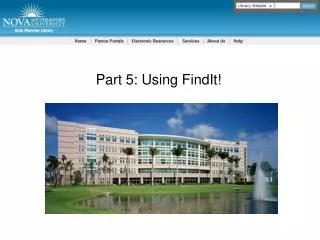

Part 5: Using FindIt !
E N D
Presentation Transcript
When to use Find It! FindIt! has several possibilities: Item is easily available and has a direct link or… Item has to be located in a database, or… Item has to be ordered through Illiad
Option #2: Sometimes FindIt! knows article is available, but doesn’t link to it directly.Still a YAY!
If no direct link is available, double check Journal Finder first
If Journal Finder returns zero resultsand you really want item…
…order the article through ILLiad Local students may want to see if library carries the print version of the journal
Link will open Article Request form and fill it outfor you; scroll down to submit the request
Email notification that the item is ready; 2 business days to 2 weeks, depending on availability
Using Find It! What are the 4 choices you might get back? Hint: Yay, Yay, Meh, Uh oh!