Comprehensive Overview of Academic Computing at RU: Wireless, Software, and Tablet Recommendations
The academic computing resources at Radford University (RU) encompass wireless initiatives, software agreements, and tablet PC options. Students will benefit from Microsoft Campus Agreement software, which includes Microsoft Office and Windows XP. The RU Wireless Initiative aims to create accessible Wi-Fi across campus, including classrooms and residence halls. Tablets offer mobility and unique features like digital ink capabilities. Antivirus software is provided for students, ensuring secure computing. This guide outlines everything students need for efficient academic computing.

Comprehensive Overview of Academic Computing at RU: Wireless, Software, and Tablet Recommendations
E N D
Presentation Transcript
Computing @ RU Academic Computing Quest 2004
What are we going to cover? • Wireless Network • Microsoft Campus Agreement • Tablet PCs – What are they? • Computer Recommendations • Computer Support • Storage Devices • Antivirus Software • P2P Networks
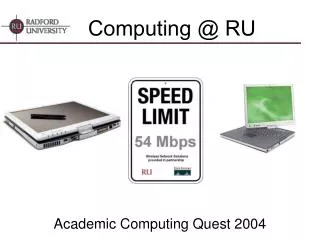
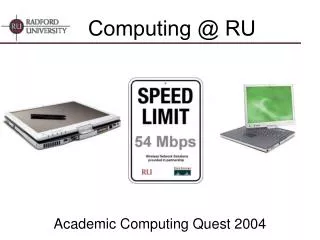
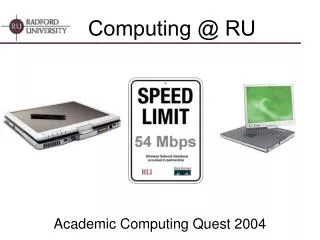
Mobile Computing @ RU • Wireless Initiative underway • To be completed by August • What will be wireless? • Almost everything! • Academic Buildings (Classrooms) • Residence Halls • 802.11b/g up to 54Mbs • Students will need an 802.11b or 802.11g compliant network card • Most newer mobile computers have wirelesscard built-in
MS Campus Agreement • University has paid licensing cost for students to use several Microsoft packages. • Available software includes: • Microsoft Office 2003 Professional • Windows XP Upgrade • Microsoft OneNote • Microsoft Office 2004 for Mac • Media purchased from bookstore for $12 a title • Must be removed if student leaves before graduating • Users must sign and agree to terms of electronic or printed license agreement
What is a Tablet PC? • A fully functional notebook computer that runs Windows XP Tablet PC Edition • Runs all Windows XP Applications • In addition to standard notebook functionality, the tablet provides: • Digital Ink capabilities allowing for pen-based markup of documents and handwritten notes • Handwriting recognition • Voice Recognition
Types of Tablet Computers • Slate • More like a notepad • No keyboard • USB ports available for external keyboards • Convertible • Converts from a Slate style tablet to a notebook computer
Why should a student purchase a tablet? • Mobility • Digital Ink – electronic notes • Ability to use a computer in areas that are more difficult with a traditional laptop.
PowerPoint notes with a Tablet (Journal) • Electronically save PowerPoint Presentations and take notes directly on the slides. • Quick access to course notes.
Microsoft OneNote • The real power behind the Tablet PC • Take notes just like you would with pen and paper • Organize notes by subject, class, date or any criteria you specify • Combine text, handwriting, and recorded audio all on one page • Powerful search feature – search all of your handwritten notes with the click of a button • Specify definitions of terms as you take notes to allow you to easily look up words without having to wade through your notes
RU Recommendation Gateway m275 – Price $1880 http://esourc.gateway.com/radfordu2 • Convertible Style • 1.5GHz Pentium M Processor • 512MB Memory • 40GB Hard Drive (4200 RPM) • Integrated CD-RW DVD Combo Drive • 14.1” Screen • 10/100 Network Port • 802.11g wireless adapter • 1394 – Firewire • 2 – USB 2.0 Ports • V.92 56K modem • Extra Battery • Backpack carrying case • 3 Years of Support
Other Purchase Notes • Addition of port replicator can turn tablet into desktop • No accidental damage protection available in Virginia
Are other models available? • RU is has purchased over 300 Gateway tablet computers for faculty and staff and has made this our model of choice. • Dell does not make a tablet computer, but we have worked with them to provide an option for those who do not wish to purchase the tablet. • Dell D505 $1703 • Same configuration as Gateway without tablet functionality • Addition of Complete Care
What if I use a Macintosh? • Majority of RU faculty and students use Windows computers. • Some departments on campus do you Macintosh computers. Students in these departments often have Windows computers or Macintosh computers • Contact department representative • Art, Biology, Media Studies, Music and Theatre • iBook • OS X.3, 1GHz G4, 512MB, 40GB • AirPort Extreme Wireless Card
Computer Support • RU support Windows XP as the primary operating system • Network connectivity support only provided for Windows XP operating system • Windows XP upgrade available under Microsoft Campus Agreement from the RU bookstore • Unfortunately we are unable to provide assistance for the Windows XP upgrade procedure
Storage Devices • Network storage space – Safest place to save work • Network drive available from anywhere via RU Portal ‘My Files’ page. • USB thumb drives are convenient for quick reliable storage • Removable magnetic media such as Floppies and Zips are very risky and often result in significant loss of data.
P2P Networks • Consumes valuable academic resources (network bandwidth) • Often introduce malicious code including viruses and spyware • RIAA has submitted subpoenas for violators to several Universities • P2P applications are now disabled campus wide (Kazaa, BearShare, Limewire, Morpheus, …)
Antivirus Software • McAfee antivirus available free of charge for download for all students from the Portal https://www.portal.radford.edu and via checkout from the Library. • Automatically updates definition files • Students without McAfee antivirus installed on their computer may have their network access disabled in the event that a virus is running on their computer
More Information • http://www.radford.edu/~itr • Call the Technology Assistance Center at (540) 831-7500 • Email us at helpdesk@radford.edu