Cloud Computing Solutions for Efficient Computing Needs
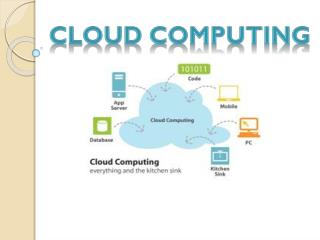
Explore the benefits of cloud computing: outsource hardware, pay by the hour. Different types of clouds for different users, from consumer clouds to developer clouds, with examples like Google Docs and Google App Engine. Learn what makes a cloud, what isn't considered a cloud, and how to determine if a cloud would be useful for you. Discover AWS services like EC2, S3, and SQS for scalable computing and storage solutions. Understand the pros and cons of EC2 and the reliability of S3. Find out about cloud wrangling tools like Elasticfox and Boto for managing cloud instances effectively.

Cloud Computing Solutions for Efficient Computing Needs
E N D
Presentation Transcript
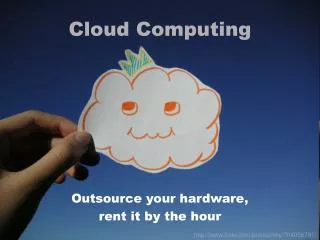
Cloud Computing Outsource your hardware, rent it by the hour http://www.flickr.com/photos/kky/704056791/
What does cloud computing let you do? You give up worrying about this: http://www.flickr.com/photos/johnniewalker/359440369/ And run your models here. Paying by the machine hour. http://www.flickr.com/photos/sylvar/31436961/
Different types of clouds for different folks • Consumer clouds • Office online • Google Docs, Zoho • Syncing and state persistence • MobileMe, Microsoft Exchange, Google Gears • Storage and backup • Mozy, Carbonite • Developer Clouds • Access to computation • Google App Engine, EC2, Forthcoming MS Product
Quickie category definition:distributed computing • Traditional parallel computing • On one machine (but can be a big one) • More tightly coupled • Tends to require special hardware and software • Distributed computing • Subclass of parallel computing • On many machines (can be big or small) • HTC, HPC, Grid Computing, etc
What makes a cloud? • Dynamically assigned group of computers • Low startup costs • No initial outlay, pay as you go pricing • Scales quickly • Request more computation and ye shall receive • Low barrier to entry • Simple interface to manage herd of computers • Ability to use any environment or tool you want • (If licensing isn’t a issue)
Things that aren’t clouds • Your laptop • Matlab • Local clusters • Matlab distributed computing engine • Volunteer computing • BOINC (e.g. Folding@home, SETI@home) • Supercomputer time • MPI, Condor, Hadoop
Would a cloud be useful for you? • Is your problem easily distributable? • Monte Carlo simulations are embarrassingly parallel • Is your peak resource need higher than your average need? • Do you have limited physical space?
AWS: Many parts, loosely joined • Elastic Compute Cloud (EC2) • Rent various powers of computers by the hour • Simple Storage Service (S3) • Store the data from and for EC2 computers • Elastic Block Store (EBS) • Persistent attached storage for EC2 data • Simple Queue Service (SQS) • Pass messages between EC2 computers
Worker Worker Worker How those parts fit together EC2 Local computer Master S3 AWS
EC2 is neat but not perfect • It has good and bad parts. • Pros: • Scales really well • Large peak capacity for no additional cost • No hardware maintenance/storage • Integrated back-up solutions • Root access to every machine running your model • Cons: • Need to do some startup configuration work • Does not play very well with MATLAB • Costs money ($0.10 to $0.80 per computer per hour)
S3 and EC2 reliability • Historically, has been near to perfect (quite a bit above 99%) • Disregard entrepreneurs grousing, they don’t matter if you aren’t trying to make money off EC2 • New: Yesterday AWS issued guarantee of 99.95% or better uptime
Cloud wrangling tools • Firefox plug-ins • Elasticfox and S3 Firefox Organizer • Python or other programmatic interface • Boto • ec2 = boto.connect_ec2(aws_access_key, aws_secret_key) • worker_image = ec2.get_image(worker_ami) • reservation = worker_image.run() • Commercial web-interface • RightScale.com (limited accounts are free)
Connecting to your instances • Let’s do a little demo…