Download
1 / 8
80 likes | 220 Vues
This document outlines the mission and working guidelines necessary for effective multimedia service delivery. It covers requirements gathering, individual responsibilities, and strategies for identifying target audiences. The focus is on simplifying multimedia access through security measures, cross-platform compatibility, and avoiding end-user installations. Key multimedia streaming methods are analyzed, including their advantages and disadvantages, such as QuickTime and Flash formats. The goal is to produce user-friendly webcasts that combine audio, visuals, and video seamlessly, adhering to best practices and institutional standards.

E N D
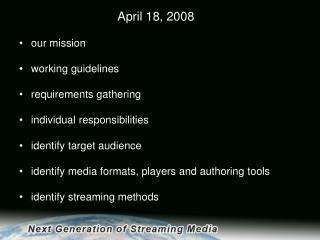
April 18, 2008 • our mission • working guidelines • requirements gathering • individual responsibilities • identify target audience • identify media formats, players and authoring tools • identify streaming methods
Committee Members: Brennan, EronAlipit, JohnBradford, MarkBriggs, ScottBurrows, WillCalvin, CarlyeChaux, Alex Flores, MichelleFrance, MilesGallon, ZhenyaKim, KenLeon, MichaelMorrato, BrianRiter, DanStobbs, Markus
Mission -
Requirements Gathering • Security • Cross-platform • Institution wide • Groups include? • No end-user install (simple) • Learning Management Systems • Content Management Systems • Best Practices • Articulate presence
Multimedia Services RequirmentsWe can achieve any two of these goals without much difficulty. Adding the third is a big challenge. • Minimal or no post-production, so that webcasts can be created in volume • Combine audio and slides (data) and video • The final product is user friendly • Adware, security, special download, cross platform
Streaming Media Formats: Advantages Disadvantages QuickTime (.mov)Windows Media (.wmv)Flash (.flv or .swf)Real Player (.rm, ram or smil)MPEG 4 Media Players: QuickTime Windows Media PlayerFlash Real Player VLC PlayerMPlayer