Correcting Errors in Subsidiary Ledger Accounts
This lesson focuses on the process of correcting errors in subsidiary ledger accounts related to customer transactions. In this example, an incorrect charge of $412.00 was mistakenly billed to Country Crafters instead of the correct customer, Cumberland Center. Students will learn how to write correcting entries, including the correct customer’s name, the date, the memorandum number, and updating account balances in the general journal. This lesson provides essential skills for maintaining accurate financial records.

Correcting Errors in Subsidiary Ledger Accounts
E N D
Presentation Transcript
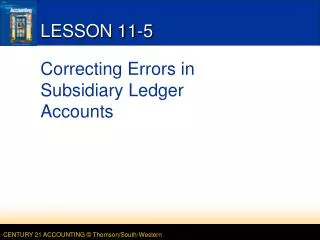
LESSON 11-5 Correcting Errors in Subsidiary Ledger Accounts
JOURNALIZING CORRECTING ENTRIES AFFECTING CUSTOMER ACCOUNTS page 327 December 10. Discovered that a sale on account to Cumberland Center on December 3 was incorrectly charged to the account of Country Crafters, $412.00. Memorandum No. 56. 2 4 1 5 3 6 5. Write the name of incorrectly charged customer. 1. Write the date. 2. Write the name of correct customer. 6. Write the amount. 3. Write the memorandum number. 4. Write the amount. LESSON 11-5
1 5 2 3 4 5 1 2 3 4 POSTING CORRECTING ENTRIES AFFECTING CUSTOMER ACCOUNTS page 328 1. Write the date. 2. Write the general journal page number. 3. Write the amount. 4. Calculate and write the new account balances. 5. Write the appropriate vendor number in the Post. Ref. columns. LESSON 11-5