
Analyzing Circuits with Modified Nodal Analysis and MATLAB Simulation
E N D
Presentation Transcript
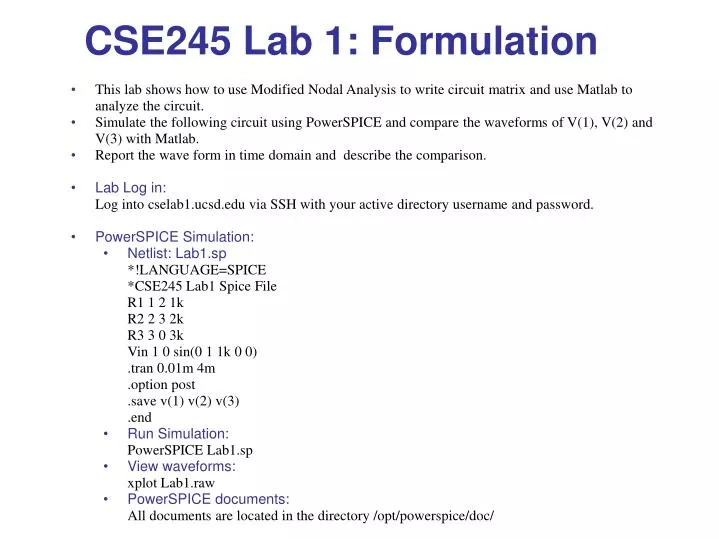
This lab shows how to use Modified Nodal Analysis to write circuit matrix and use Matlab to analyze the circuit. • Simulate the following circuit using PowerSPICE and compare the waveforms of V(1), V(2) and V(3) with Matlab. • Report the wave form in time domain and describe the comparison. • Lab Log in: • Log into cselab1.ucsd.edu via SSH with your active directory username and password. • PowerSPICE Simulation: • Netlist: Lab1.sp • *!LANGUAGE=SPICE *CSE245 Lab1 Spice File • R1 1 2 1k • R2 2 3 2k • R3 3 0 3k • Vin 1 0 sin(0 1 1k 0 0) • .tran 0.01m 4m • .option post • .save v(1) v(2) v(3) • .end • Run Simulation: • PowerSPICE Lab1.sp • View waveforms: • xplot Lab1.raw • PowerSPICE documents: • All documents are located in the directory /opt/powerspice/doc/ CSE245 Lab 1: Formulation
Matlab Simulation: • %CSE245 Lab 1 Matlab File • % Type "matlab" on cselab1.ucsd.edu to access Matlab • R1=1e3; • R2=2e3; • R3=3e3; • delta =1E-5; %Timestep • t=0:delta:4e-3; • Vin=sin(2*pi()*1000*t); • V1=zeros(size(t)); • V2=zeros(size(t)); • V3=zeros(size(t)); • %Initial conditions • V1(1)=0; • V2(1)=0; • V3(1)=0; • %Modified Nodel Analysis Circuit Matrix • A = [ • 1/R1 -1/R1 0 1 • -1/R1 1/R1+1/R2 -1/R2 0 • 0 -1/R2 1/R3+1/R2 0 • 1 0 0 0 • ]; • for i=2:length(t), • rhs = [0 0 0 Vin(i)]'; • x=inv(A)*rhs; • V1(i)=x(1); • V2(i)=x(2); • V3(i)=x(3); • end • plot(t*1000,V1,'r',t*1000,V2,'b',t*1000,V3,'k'); • grid on • title('Lab 1'); • xlabel('Time (mS)'); • ylabel('Voltage (V)'); CSE245 Lab 1