
Mastering BSD CostLink/AE: Creating Efficient Construction Cost Estimates
Discover how to effectively use BSD CostLink/AE for project cost estimation. This guide covers the essential steps to create a new project by entering the gross building size and perimeter, selecting a frame and exterior closure type, and adjusting model parameters. Learn to refine estimates with additives, set location-based sales tax and markups, and generate preliminary estimates. Explore the detail of building assemblies, modify quantities, and leverage additional features like Excel integration, report customization, and easy export to various formats. Streamline your construction cost management today!

Mastering BSD CostLink/AE: Creating Efficient Construction Cost Estimates
E N D
Presentation Transcript
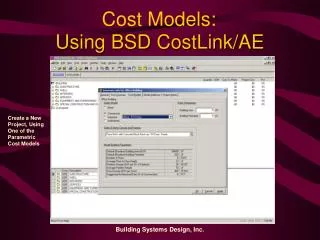
Cost Models: Using BSD CostLink/AE Create a New Project, Using One of the Parametric Cost Models Building Systems Design, Inc.
Cost Models: Using BSD CostLink/AE Insert the gross building size & perimeter… Building Systems Design, Inc.
Cost Models: Using BSD CostLink/AE Insert the gross building size & perimeter… Then select a frame & exterior closure type… Building Systems Design, Inc.
Cost Models: Using BSD CostLink/AE Insert the gross building size & perimeter… Then select a frame & exterior closure type… And adjust any needed model parameters… Building Systems Design, Inc.
Cost Models: Using BSD CostLink/AE Select model additives to refine the estimate Building Systems Design, Inc.
Cost Models: Using BSD CostLink/AE To complete the preliminary estimate, select location and adjust sales tax and markups Building Systems Design, Inc.
Cost Models: Using BSD CostLink/AE The preliminary estimate is finished! Building Systems Design, Inc.
Cost Models: Using BSD CostLink/AE Click on any building element… … to see detail of assemblies and quantities Building Systems Design, Inc.
Cost Models: Using BSD CostLink/AE Click on item form for sheet panel… … to see further model detail Building Systems Design, Inc.
Cost Models: Using BSD CostLink/AE You can change quantities to adjust model to your specific project… Building Systems Design, Inc.
Cost Models: Using BSD CostLink/AE You can also open the Assemblies database to select an alternative to a model assembly Building Systems Design, Inc.
Cost Models: Using BSD CostLink/AE Then drag and drop a selected alternative assembly into your project Building Systems Design, Inc.
Cost Models: Using BSD CostLink/AE You can print a summary or detailed estimate at any time Building Systems Design, Inc.
Cost Models: Using BSD CostLink/AE It’s really that simple! Building Systems Design, Inc.
Using BSD CostLink/AE CostLink/AE Has Many Other Features… For Example, You Can Attach A Note to Any Item in the Cost Estimate —Including Pictures! Building Systems Design, Inc.
Using BSD CostLink/AE • Other BSD CostLink Features: • Link dynamically to quantities in Excel spreadsheets—CostLink values update automatically as spreadsheet changes • Modify standard reports in CostLink/AE—or use Crystal Reports to totally customize • Export cost estimates to PDF, Excel, or Word formats—then e-mail to other team members Building Systems Design, Inc.
