Download
1 / 20
200 likes | 311 Vues
Discover the powerful reporting tools designed for Graduate Student Assistants (GSAs) and Financial Aid packages through HEPROD. This session will highlight the available reports, including financials, enrollment data, job status, and benefits eligibility, to boost your understanding and usage of essential data. Learn how to run these tailored reports easily without needing advanced skills in Business Objects. Gain insights into NSF reporting requirements, explore user-friendly navigation within My LINC, and maximize your department's efficiency in managing GSA and financial aid data.

E N D
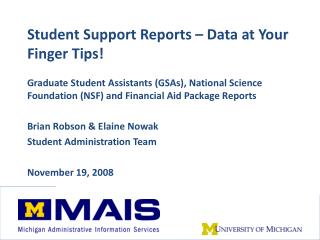
Student Support Reports – Data at Your Finger Tips! Graduate Student Assistants (GSAs), National Science Foundation (NSF) and Financial Aid Package Reports Brian Robson & Elaine Nowak Student Administration Team November 19, 2008
What we want to accomplish…. • Build awareness about reports available today in HEPROD. • Don’t have to know Business Objects to run! • Developed for specific purposes but can solve many reporting needs. • FA reports are nicely documented in My LINC. Go to https://maislinc.umich.eduand Search “Report Manager, “ “NSF,” or “GSA.” • Or https://maislinc.umich.eduand navigate Catalog > Student Administration > Financial Aid > Reports
GSA ReportsFive types of reports in HEODS, developed to provide a wide range of information on GSAs in your department A. FA – Student Financials and Financial Aid B. FA - Personal and Enrollment Data C. FA - Job Data D. FA - Classes Taught E. Benefits – GSA Benefits Eligibility • All reports can be run to Excel via PsQuery • Security Role for access: FA HE GSA REPORTS VIEWER • FA report Navigation: Financial Aid>UM FA Merit Aid>UM GSA Reports
A. FA - Student Financials and Financial Aid Data- what is financial status ofmy GSAs? Report name: GSA Customer Account • Shows financial aid and related charges (tuition & fees, insurance, etc.) per term • Calculates the difference between aid and costs • Reports by Acad Prog - students in the selected “owning” academic department(s) who have a GSA appointment in a specified term range
B. FA - Personal and Enrollment Data- are my GSAs enrolled? Report Name: GSA Bio/Demo and Student Records • Includes residency, ethnicity, citizenship and enrollment data • Flags GSAs enrolled for fewer than 6 credits • Reports by Acad Prog - students in the selected “owning” academic department(s) who have a GSA appointment in a specified term range
C. FA - Job Data- what is the employment status of my GSAs? Report Name: GSA Job • Includes appt. dates, effort and compensation rates per student • Shows counts of GSAs, sum of FTE by dept, and sum of comp rate per term • Can be run by academic prog, appointing dept or funding dept
D. FA - Classes Taught- what classes are my GSAs teaching? Report Name(s): GSA Classes Taught • Shows all classes ever taught along with enrollment totals per GSA • Shows number of terms taught • Useful for assigning GSIs to particular classes in the future • Can be run by academic prog or by one Emplid
E. Benefits – GSA Benefits Eligibility - does my GSA have benefits coverage? Report Name: GSA/Fellowship Benefits Report • Replicates Graduate Student Coverage report mailed quarterly • Can be run by appointing Dept or by one Emplid Navigation: Benefits>UM Reports>GSA/Fellowship Benefits Report Details on this report will be included in an HRMS session at 4:15pm: Fellowship Benefit Upload Process
Financial Aid Student Package Reports- How can I share information with my scholarship committees? • Developed as a comprehensive snapshot to assist aid administration across campus. • Three “flavors” – decide what you like best and use that version – no need to run all three. • Summary – Includes academic, bio/demo and awards but not need assessment information • By Term – Everything above plus need assessment, organized by term (my personal favorite) • By Item Type – everything above but organized by Item Type
Financial Aid Student Package Reports • Find the report at Financial Aid > UM FA Merit Aid > UM Student FA Package Reports • Access included in the FA AWARD ENTRY VIEWER role. • Let’s take a look! How might you and your department use these reports?
National Science Foundation Reports- I need quick summary information! • Developed to meet NSF Survey of Graduate Students & Post Docs in Science & Engineering Requirements • Terrific feedback about the amount of work eliminated for the 40+ departments that have to report. • Data so rich (you gotta wear shades) and nicely summarized that non-NSF reporting departments find it useful • Find the report package at Financial Aid > UM FA Merit Aid > UM NSF Survey • Special access role – FA NSF SURVEY VIEWER. • Great reference document in My LINC. Go to https://maislinc.umich.eduand search “NSF.”
NSF Survey Reports • 11 files generated when report is run: • The two PDFs are the summary data – great snapshot for the programs you support • Seven .csv files (can open as Excel – instructions included) to document data details that comprise your summaries • The .out and .log files related to the processing run – feel free to ignore. • Let’s look at a summary…
Wrap Up • Student Administration collaboration with M-Reports – expect cool stuff ahead! • M-Reports focus on information integration – data cubes pre-loaded with related information instead of joining universes in Business Objects. Comments? Questions?